

Arkansas is a state of contrasts, from the busy streets of Little Rock to remote stretches of the Ozarks and Delta farmland. That variety makes it a rewarding place to explore, but also means your internet connection can shift from blazing fast to barely there in the space of a few miles. Whether you are flying in for a short city break, planning a road trip to state parks, or staying longer for work or family visits, a bit of preparation will go a long way toward staying connected. This guide explains the essentials of getting online in Arkansas through SIM cards, eSIMs, and WiFi so you can choose the best option for your style of travel and budget.
Mobile Networks and Coverage Across Arkansas
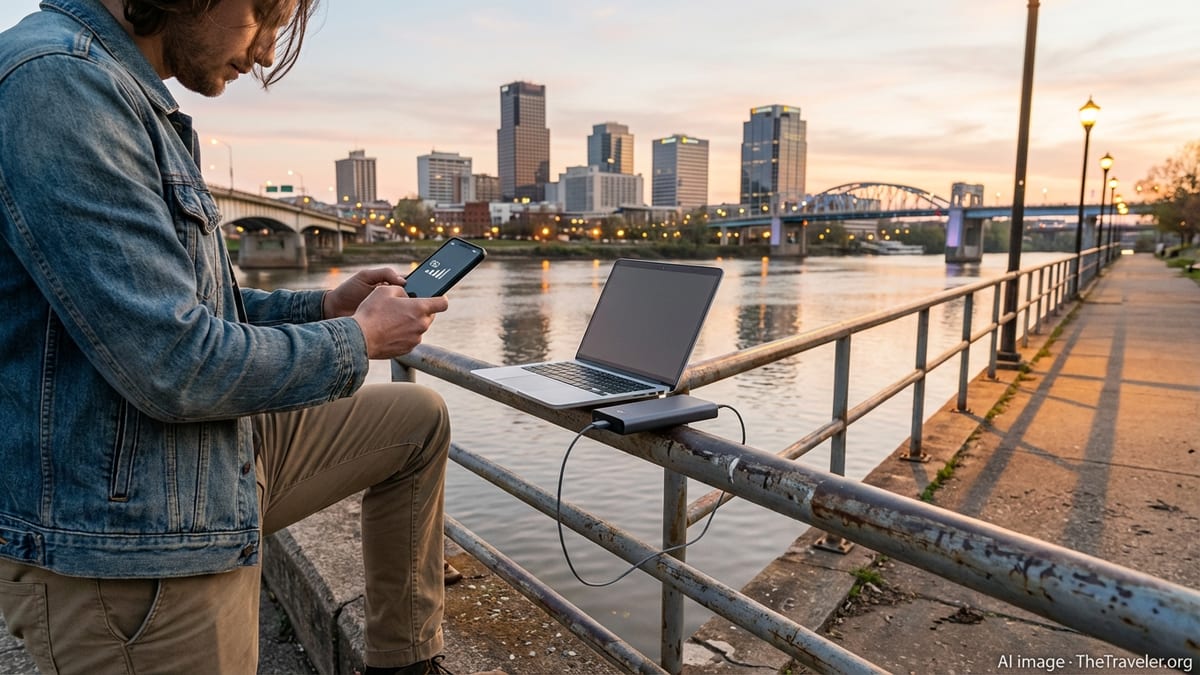
Mobile coverage in Arkansas is generally strong around cities, major highways, and larger towns, but it becomes more variable in the most rural regions. Independent coverage analyses show that 4G and 5G now reach most of the population, yet topography such as the Ozark and Ouachita Mountains, river valleys, and remote farm roads can still create patchy service. For travelers, that means you can usually rely on a solid connection in places like Little Rock, Fayetteville, Bentonville, and Hot Springs, while backroads and deep forest areas may still drop to slow data or no signal at all.
Among the national carriers, Verizon and AT&T typically provide the broadest overall 4G LTE coverage across Arkansas, reaching almost all of the state, including many rural stretches. T Mobile has made heavy investments in Arkansas in recent years and now offers extensive 5G access, particularly along interstate corridors and in population centers, though its 4G signal can be less consistent in sparsely populated areas. Smaller regional providers and low cost brands usually rely on these big three networks, so their real world coverage will mirror whichever underlying network they use.
Recent upgrades have focused on expanding 5G, and for travelers that often translates into faster downloads, smoother video calls, and better performance in crowded places such as stadiums and busy downtown districts. However, in remote parks and scenic routes, your phone will still spend much of its time on 4G LTE. When choosing a SIM card or eSIM, it is wise to prioritize the network that matches your itinerary. If you plan to stay mostly in cities and major towns, 5G centric coverage from carriers that lean on newer technology may suit you well. If you expect to roam across rural Arkansas, a provider with historically strong 4G in country areas is safer.
Because coverage varies by neighborhood and valley, it is worth checking a recent coverage map for your chosen provider before you buy, and if you are particularly cautious, you can test service on arrival with a short eSIM trial. Allow for the possibility that reception along scenic byways or in deep forest campsites may be far weaker than what you experience at your hotel in Little Rock or Fayetteville, regardless of which carrier you select.
Choosing Between Physical SIM Cards and eSIM in Arkansas
Travelers to Arkansas can choose between traditional plastic SIM cards that you insert into your phone and newer digital eSIM profiles that are installed by scanning a QR code or using an app. Both options connect you to the same underlying mobile networks, but they differ in convenience, flexibility, and how early you can set them up. For most modern smartphones, using an eSIM in the United States is now as straightforward as installing an app, selecting a plan, and activating it on your arrival date.
A physical SIM remains useful if your phone does not support eSIM technology or if you prefer something tangible that you can swap between devices. You can buy prepaid SIMs from major carriers at their branded stores in Arkansas shopping centers, in some electronics retailers, and occasionally at convenience stores or supermarkets. Availability is usually best in cities and along main interstates, and much more limited if you drive straight into a rural cabin or campground. Store staff can typically help with activation and confirm that your phone is compatible with local bands and network technology.
eSIM is particularly attractive for international visitors and frequent travelers. Many specialist travel eSIM providers sell United States wide data plans that work across Arkansas and the rest of the country, often on AT&T, Verizon, or T Mobile infrastructure. With these, you can purchase and install the eSIM profile before your trip, test the activation, and then start the plan only when you land. This reduces time spent hunting for a store and lets you have data working as soon as the aircraft doors open.
The best choice often depends on how long you will stay and whether you plan to visit multiple states. If Arkansas is one stop on a broader US trip, a nationwide eSIM or physical SIM with roaming throughout the country will be more convenient. For longer stays focused in Arkansas, a prepaid plan from a major carrier or one of the popular low cost brands that ride on their networks can offer better value and more generous data allowances, provided your phone is unlocked and compatible.
Best SIM and eSIM Options for Short and Long Stays
If you are visiting Arkansas for a week or two, short term prepaid plans and travel eSIMs offer the simplest path to staying online. Travel focused eSIM brands sell data only packages that can be valid from a few days up to a month, with a range of data caps to suit everything from light messaging and maps to heavier video streaming. These plans connect to major US networks so your experience within Arkansas is similar to that of a domestic user, though they often do not include local voice minutes.
For travelers planning to stay several weeks or months, signing up for a standard prepaid plan from a large US carrier or a low cost virtual operator can be more economical. These providers typically offer unlimited talk and text within the United States and a fixed data allowance or even unlimited data at full speed before throttling. Although you may need to present identification and a US payment method, many prepaid brands now support activation through apps and accept widely used international credit or debit cards.
When comparing options, look beyond the headline data allowance and price. Check whether hotspot tethering is included if you plan to share your connection with a laptop or tablet, especially in places where WiFi may be unreliable. Confirm that the plan includes access to 5G on compatible phones, as some budget tiers limit you to older network technologies. It is also worth considering the reputation of the provider for customer support, because resolving a lost eSIM profile or a blocked SIM is much easier when the app and support channels are responsive.
Many providers give short trial periods, occasionally through eSIM, that let you test coverage in the areas you will visit before committing to a larger bundle. This is particularly useful if your itinerary includes both cities and remote natural areas. You can try one network for a few days, see how it performs on your drives and hikes, and then decide whether to keep it, change plans, or add a second SIM or eSIM as a backup for places where coverage is weaker.
WiFi in Arkansas: Airports, Hotels, and Public Access
WiFi access in Arkansas is common in urban and suburban settings, although speeds, reliability, and security can vary considerably. Most mid range and upscale hotels in Little Rock, Hot Springs, Fayetteville, Bentonville, and other popular destinations offer complimentary WiFi in rooms and public areas. Budget motels and roadside inns may provide WiFi as well, but the signal can be weaker or slower, particularly during peak evening hours when many guests are online at once. If fast and stable WiFi is important to you, it is sensible to confirm this directly with your accommodation in advance.
At Bill and Hillary Clinton National Airport in Little Rock, travelers can connect to a free wireless network in the terminal and gate areas. The airport publicly advertises that its WiFi is high speed and does not require a fee, which makes it convenient for downloading offline maps, rideshare apps, or entertainment before you leave the terminal. Many charging points and workstations are available near the gates, which is useful if you need to use a laptop or work while waiting for your flight.
Cafes, chain coffee shops, fast food outlets, and some independent restaurants in Arkansas cities and larger towns often provide free WiFi to customers. Service quality is highly variable, and you should treat any open network as untrusted. In smaller communities, access points can be more limited, and it is common to rely on mobile data instead of public WiFi. Public libraries, university campuses, and some municipal buildings offer free WiFi that is generally more stable, though you may need to register or accept terms on a captive portal.
When using public WiFi in Arkansas, take standard security precautions. Avoid online banking or entering sensitive passwords on unsecured networks, or use a reputable virtual private network service if you must log into important accounts. Consider setting your devices to ask before joining open WiFi networks so they do not automatically connect to unknown hotspots while you move around town. In many cases, a prepaid data plan on a strong mobile network will be both faster and safer than the average open WiFi connection.
Staying Connected in Rural Arkansas and State Parks
Many visitors come to Arkansas specifically to explore its natural landscapes, from Hot Springs National Park to scenic portions of the Ozark and Ouachita National Forests. In these areas, managing your expectations about connectivity is essential. Even though state wide statistics show very high 4G coverage by at least one carrier, that does not translate into universal service on every hilltop or trail. Dense forest, narrow valleys, and distance from the nearest tower all conspire to reduce mobile signal strength, and some campsites and trailheads have little or no data service from any provider.
Before setting out into rural areas, download offline maps of your route and key regions in a navigation app while you still have good WiFi or strong mobile data. Store the addresses and phone numbers of your lodging, nearest medical facilities, and any outfitters or tour providers in your phone and on paper in case you lose signal or run out of battery. If you rely on rideshare apps, be aware that availability may be very limited outside of cities and airports, and you should arrange transportation in advance when possible.
For road trips that crisscross the state, it can be helpful to have two different networks available, for example by using a physical SIM from one carrier and an eSIM from another. This approach increases the chances that at least one of your lines will have usable coverage in a given spot, especially on highways where one carrier might serve a region more heavily than another. Some travelers also carry a small mobile hotspot device that uses a data only SIM, which can be placed in a window or on the dash to improve reception compared with holding a phone low inside the vehicle.
Even if you intend to disconnect and enjoy the scenery, an understanding of likely coverage gaps is part of basic safety planning. Assume that you may not be able to depend on real time online maps or messaging in more remote sections of Arkansas, and inform someone of your plans before venturing onto long hikes or backroads. Treat connectivity in these areas as a bonus rather than a guarantee, and plan accordingly with printed directions, downloaded guides, and a fully charged power bank.
Practical Tips for Using Phones and Data in Arkansas
Before your trip, check that your phone is unlocked and compatible with US mobile bands and technologies. Most recent models sold in Europe, Asia, and the Americas work well on major US networks, but very old or highly specialized devices may lack support for all necessary frequencies. If your phone is locked to a carrier in your home country, contact them well in advance to request an unlock so you can insert a US SIM or install a US based eSIM plan without issues.
On arrival in Arkansas, adjust your device settings to help manage data usage and preserve battery life. Automatic cloud backups, large app updates, and high resolution video streaming can consume a surprising amount of data, especially on 5G networks where speeds are high. Consider limiting video playback to standard definition when on mobile data, turning off automatic app updates, and using offline downloads for music and podcasts. In rural areas with weak signal, your phone may use more power searching for a tower, so carrying a compact power bank is wise for full day excursions.
International visitors should decide whether to keep their home country SIM active in a secondary slot for calls and texts. On dual SIM or dual eSIM phones, it is common to keep the home number available for authentication messages or emergency calls while routing data through a local Arkansas plan. To avoid unexpected roaming charges, verify that data roaming is disabled on the home SIM and that your primary data connection is set to the local SIM or eSIM profile.
Finally, think about communication habits among your travel group. Agree which messaging apps you will use to coordinate, and ensure everyone has them installed and updated before leaving strong WiFi. If some members have limited data allowances, encourage the use of voice notes and simple text messages instead of frequent video calls. Establishing simple routines, like sending a quick check in message when arriving at a new destination, will help keep everyone informed even when signal quality varies along the way.
The Takeaway
Getting online in Arkansas is straightforward in cities and along major routes, where 4G and 5G networks from the largest carriers provide broad and generally reliable coverage. Modern eSIM services make it easy to prepare a data connection before you depart, while traditional prepaid SIM cards offer familiar options for longer stays and those who prefer in person service. Hotels, airports, and many cafes offer WiFi, giving alternatives to mobile data for work and heavier downloads, though speeds and security can differ widely.
The main challenge comes in rural and wilderness areas, where coverage can thin out despite impressive statewide statistics. For travelers planning to explore Arkansas beyond its urban centers, a bit of redundancy and offline preparation is important. Downloading maps in advance, picking a carrier that matches your route, and considering a backup SIM or eSIM all reduce the risk of being left with no connection at inconvenient moments.
With realistic expectations and a small amount of planning, internet access in Arkansas should support rather than limit your trip. Whether you need constant connectivity for remote work, reliable navigation for a road trip, or just enough data to upload photos from a hike, there is a mix of SIM cards, eSIM plans, and WiFi options that can be tailored to your needs and budget.
FAQ
Q1. Do I need a local SIM card to use the internet in Arkansas?
It is not strictly necessary if your home plan offers reasonably priced roaming in the United States, but a local SIM card or travel eSIM is often cheaper and provides better speeds. Many travelers find that using a US based plan for data and keeping their home SIM only for texts and important calls offers the best balance of cost and convenience.
Q2. Is eSIM widely supported in Arkansas?
Yes. eSIM support depends on your phone, not the state, and major US carriers as well as several international travel providers now offer eSIM plans that work across Arkansas. As long as your device is eSIM capable and unlocked, you can usually install and activate a plan before or shortly after arrival.
Q3. Which mobile network works best in rural parts of Arkansas?
Coverage in rural Arkansas varies, but large nationwide carriers typically provide the broadest 4G footprint, and one of them is likely to offer stronger service in more remote areas than smaller brands. It is advisable to check current coverage maps for the regions you plan to visit and to consider using a provider known for good performance on highways and in small towns.
Q4. Can I rely on free WiFi instead of buying a SIM?
You can rely on WiFi in major cities, airports, and many hotels, but you will likely encounter gaps in coverage between towns and in outdoor destinations. If you depend on navigation, ride hailing, or constant messaging, having at least a small mobile data plan is far more practical than relying solely on public WiFi.
Q5. Is there free WiFi at Little Rock airport?
Yes. Bill and Hillary Clinton National Airport in Little Rock offers complimentary WiFi throughout the terminal and gate areas, which is convenient for downloading apps, confirming reservations, or contacting your accommodation on arrival or before departure.
Q6. How much mobile data should I budget for a one week trip?
Usage varies, but many travelers are comfortable with around 5 to 10 gigabytes for a week if they mostly use data for maps, messaging, social media, and occasional streaming. If you expect to work remotely, upload large files, or stream high definition video regularly, you may want a larger allowance.
Q7. Will my non US phone work on Arkansas networks?
Most modern smartphones that support common 4G and 5G bands will work on US networks, including those in Arkansas, provided they are unlocked. If you use an older or less common model, it is worth checking its band compatibility against your planned carrier before purchasing a SIM or eSIM.
Q8. Is it safe to use public WiFi in Arkansas?
Public WiFi carries the same risks in Arkansas as anywhere else. It is generally fine for casual browsing, but you should avoid online banking and sensitive logins on open networks or use a trusted virtual private network. When in doubt, a secure mobile data connection is usually safer.
Q9. Can I share my mobile data with a laptop?
Yes, most prepaid and travel plans allow hotspot tethering, letting you share your phone connection with a laptop or tablet. Some lower cost plans limit or throttle hotspot use, so it is important to check this detail before choosing a plan if you expect to rely on tethering for work.
Q10. What should I do if I lose signal while hiking or driving?
If you lose signal in a remote area, remain calm and use offline maps or printed directions to navigate. Move to higher ground or open areas if it is safe, as this can sometimes restore a weak signal. Planning ahead by telling someone your route, carrying a power bank, and not depending solely on live navigation is the best way to stay safe when coverage is unpredictable.