

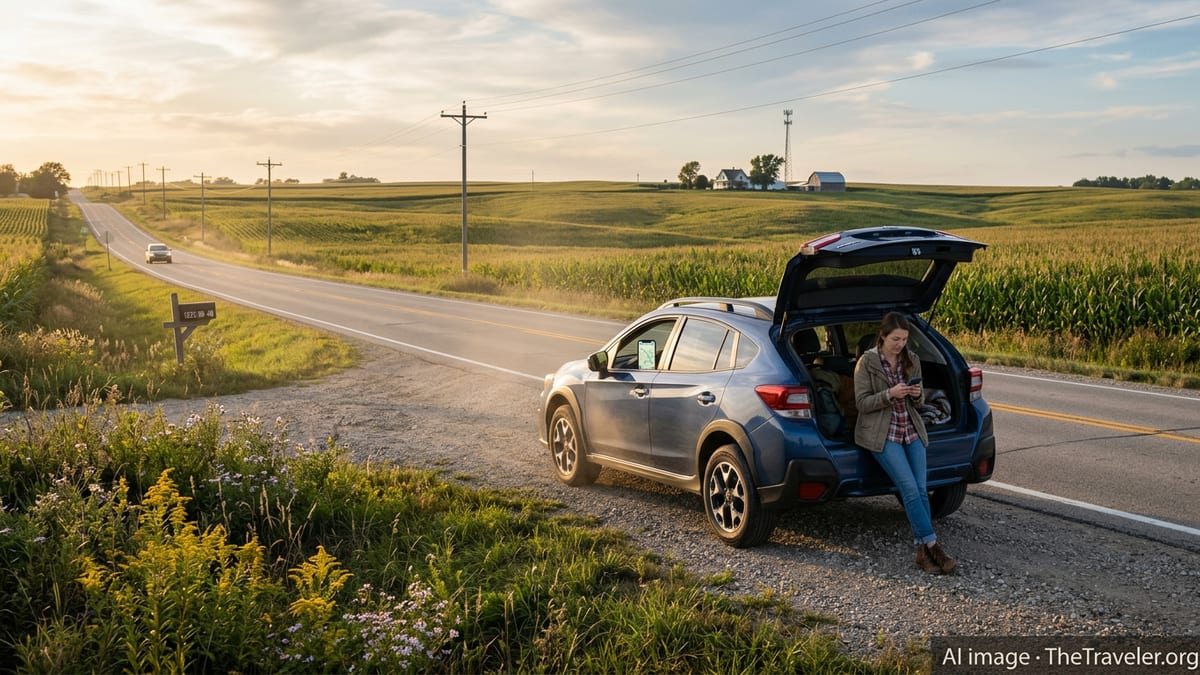
Crossing Iowa by two-lane highway or gravel road can feel wonderfully remote, but that same sense of distance can quickly become stressful if your phone drops to one bar and your navigation freezes. Rural Iowa is better connected than it was even a few years ago, yet coverage still varies by carrier, terrain and distance from the interstate. With some planning and the right digital tools, you can stay online, navigate confidently and call for help when you need it, even far from the Des Moines or Cedar Rapids metro areas.
Understanding Iowa’s Rural Cell Coverage Landscape
Iowa’s connectivity story is a patchwork of strong coverage along interstates and larger towns, with more fragile service on the backroads that travelers often find most appealing. Major national carriers serve the state, and recent investments have improved both 4G LTE and 5G availability, particularly around regional centers and high-traffic corridors. Still, travelers driving across northern prairies, river bluffs and farm country will notice dead zones and stretches with only slow data or basic voice service.
In practice, that means coverage can change quickly within a single hour of driving. A phone that shows solid 5G near Iowa City may drop to LTE or even 3G-equivalent speeds after you turn off toward smaller communities, state parks or wildlife refuges. Hills, river valleys and dense tree lines can further weaken signals in parts of northeast Iowa and along the Mississippi and Missouri river corridors. For trip planning, it is more realistic to assume that rural coverage is “good most of the time” rather than “everywhere.”
Travelers should also understand that published coverage maps tend to be optimistic. Maps model where signal should reach under typical conditions, not what your individual device will experience inside a vehicle or building. Farm silos, metal pole barns, and the simple fact of being several miles from the nearest tower all work against your phone. Treat maps as a starting point, then plan for gaps by downloading maps and entertainment in advance and keeping key information available offline.
Despite these challenges, overall trends in Iowa are positive. Independent evaluations and user reports suggest that rural coverage has steadily expanded in recent years, especially as carriers build out 5G and upgrade older towers. Travelers who last crossed the state five or ten years ago are likely to find fewer total dead zones, better data speeds near small towns and more consistent coverage on U.S. highways that once had frequent dropouts.
Choosing a Carrier and Plan for Rural Iowa Travel
The best carrier for rural Iowa depends heavily on your route, but a few general patterns are helpful for trip planning. Traditional nationwide providers often have the broadest geographic coverage, including along smaller state highways, farm-to-market roads and in remote counties. Other carriers may offer very competitive service in cities and along interstates, but with more patchy performance on backroads. Because Iowa is largely rural, small differences in tower locations can make a big difference in your real-world experience.
Before a trip, it is worth comparing several carrier coverage maps for the specific areas you plan to visit, such as state parks, bike routes or river towns. Look at both voice and data layers if available, and pay close attention to the legend that distinguishes strong 5G, standard LTE and areas with only basic or partner coverage. If you plan to work remotely from a farmhouse rental or campground, aim for an area shown as solid primary coverage from at least one major carrier, not just roaming or “extended” coverage.
Travelers using prepaid or discount brands should confirm which underlying network is being used and whether rural roaming is included. Many budget plans ride on the same networks as national carriers, but some limit high-speed data when you roam in rural areas or deprioritize your traffic when a tower is busy. That may not matter in a city but can be noticeable near a popular lake or fairground when crowds surge. For long trips or repeated visits, it can be worth choosing a plan that emphasizes coverage instead of the absolute lowest price.
Finally, consider redundancy if staying connected is critical. Couples or groups can benefit from having phones on different networks, so that if one carrier falls into a dead zone another may still work. Some road trippers also add a basic hotspot or tablet line on a second carrier, primarily as backup for navigation, emergency calling and light work. Even if you never need it, that redundancy can provide peace of mind on remote stretches of highway.
Public Wi‑Fi, Hotspots and Where to Get Online
When cellular data slows down, public Wi‑Fi can be a lifeline, and Iowa offers more options than visitors sometimes expect. Along the interstates, many rest areas provide free Wi‑Fi intended for short-term use, which is often strong enough to download updated maps, check road conditions or send a batch of messages. Service quality varies, but the trend has been toward more reliable connections and better capacity to handle travelers and truck drivers.
In towns and small cities, libraries are among the most dependable sources of free, secure Wi‑Fi. Dozens of Iowa library systems lend mobile hotspots to local residents, and many keep their building networks on after hours so people can connect from the parking lot. While visitors typically cannot borrow devices, they are usually welcome to sit inside during open hours and use the network for email, navigation updates, video calls or work tasks. Libraries also provide quiet space and outlets, which can be invaluable on a long road trip.
Cafes, co‑working spaces, hotels and some breweries or restaurants in tourist towns like Decorah, Pella or the Amana Colonies often advertise guest Wi‑Fi as well. Quality ranges from excellent to barely usable, so it is wise to test speeds before starting a large upload or work call. When possible, favor businesses that visibly invest in connectivity, such as those with designated worktables or mention of remote work in their signage. They are more likely to maintain robust connections and troubleshoot problems quickly.
For travelers who need more reliable access, a personal hotspot or dedicated mobile router tied to a cellular plan can be an effective solution. These devices can share a cell connection with laptops and tablets, and can often be placed by a window or higher in a vehicle to pick up a stronger signal than a phone kept in a pocket. However, they still depend on underlying cell coverage, so pairing a hotspot with downloaded offline content remains important in rural areas.
Maps, Navigation and Going Offline Before You Go
In rural Iowa, navigation apps work best when they are treated as hybrids of online and offline tools, not as purely streaming services. Many mainstream mapping apps allow you to download entire regions of the state in advance, including detailed road networks, points of interest and even some satellite imagery. Doing this over Wi‑Fi before your trip means that turn‑by‑turn directions and rerouting can continue uninterrupted when your cell signal temporarily drops away.
State transportation tools can also help you navigate more safely. The Iowa Department of Transportation maintains a 511 service with a website and mobile app that display real-time traffic incidents, road work, winter weather impacts and rest area locations. This is particularly valuable in winter and spring, when storms, flooding or unexpected closures can dramatically affect travel times. While live updates require data, you can often check conditions ahead of time over Wi‑Fi, then rely on downloaded maps as you drive.
When downloading maps, do not forget smaller areas where you may spend significant time with limited coverage, such as state forests, wildlife management areas or river recreation sites. Many of these areas sit in valleys or lowlands where cell signals are weaker. Some third‑party apps specialize in hiking, biking and off‑road trails, and they allow you to save map tiles and GPS tracks for offline use. Even if you are only planning a short walk from a rural trailhead, offline maps can prevent small detours from turning into serious navigational mistakes.
Printed maps still have a role in rural Iowa travel. A current road atlas or county map provides a reliable backup if devices fail, batteries die or you misjudge how quickly you will move through areas with sparse coverage. For scenic drives along the Mississippi, the Loess Hills or the Driftless Area, local visitor centers often hand out free maps that include attractions and pullouts not always visible in digital apps. Using paper alongside offline digital maps offers the most resilient navigation strategy.
Planning for Emergencies and Safety in Dead Zones
Even with modern networks, travelers in Iowa will periodically cross areas with weak or zero signal. Treat those stretches as part of your safety planning rather than an unpleasant surprise. Before leaving a town with strong coverage, send key messages, confirm check‑in times and download any documents or tickets you might need. Share your approximate route and expected arrival time with someone at your destination, especially if you will be driving after dark or through sparsely populated regions.
It is also wise to think through what you would do if your vehicle broke down or you encountered severe weather while offline. Keep important phone numbers stored on the device itself and written on paper in the glove compartment, including roadside assistance, your lodging, and any local contacts. Make a habit of noting mile markers, junction names and county road numbers as you drive, so that if you need to call for help you can describe your location accurately once you regain a signal.
Basic preparedness goes a long way. Carry water, snacks, warm clothing and a flashlight during colder months, as well as a small power bank to recharge your phone when you cannot reach an outlet. In winter, conditions can change quickly on open stretches of highway, making it important to check Iowa 511 for closures and travel advisories before you depart. During storm season, an inexpensive weather radio can supplement smartphone alerts that may not come through in dead zones.
For travelers who spend substantial time in very remote locations, such as wildlife photographers, bikepackers or paddlers, satellite communication devices are worth considering. Compact satellite messengers can send basic check‑in messages and share your GPS location even without cell service. They involve additional cost and planning, but can serve as a last line of communication during emergencies in the most isolated parts of the state.
Working Remotely and Streaming From Small‑Town Iowa
Many visitors now blend work and travel, turning an Iowa road trip into a working week from a farmhouse rental, lake cabin or small‑town inn. This is entirely possible in much of the state, but it requires a realistic view of connectivity. Even in towns with solid cell coverage, networks may slow during peak evening hours as locals stream video and travelers log on from their rooms. If you have time‑sensitive video calls or large file transfers, schedule them for late morning or early afternoon when networks tend to be less congested.
Before booking a rural rental or boutique hotel, ask specific questions about internet access. Instead of a generic “Do you have Wi‑Fi?”, inquire about typical download and upload speeds, whether the connection is cable, fiber or cellular, and where the router is located in relation to guest rooms. Hosts who work remotely themselves or host long‑stay guests often have a good sense of what their connection can handle. If you rely heavily on cloud backups or remote desktop software, err on the side of more bandwidth than you think you will need.
A hybrid approach often works best. Use local Wi‑Fi for heavier tasks like software updates, backups and long uploads, but keep a cell or hotspot connection available as a backup during critical meetings. Position your workspace near a window or on an upper floor to maximize signal. If you find that your connection is marginal, simple steps such as turning off video on a call, closing bandwidth‑hungry apps and asking housemates to pause streaming can make the difference between a dropped call and a smooth session.
When streaming for leisure, download content ahead of time where possible. Many platforms allow you to save movies or playlists for offline viewing on phones and tablets. Doing so over a strong connection in Des Moines, Cedar Rapids, Dubuque or Sioux City will give you plenty to watch later without stressing a weaker rural network or burning through mobile data caps at your lodging.
Respecting Local Networks and Digital Etiquette
Staying connected in rural Iowa also means being a good digital guest. Many small businesses and libraries extend free Wi‑Fi out of a sense of community, and those shared networks can easily be strained. Avoid running massive downloads or cloud backups on public networks unless you have explicit permission, and try not to monopolize tables near power outlets in small cafes during their busiest times. A purchase and a word of thanks go a long way toward keeping these spaces welcoming for future travelers.
Security is another consideration. Open networks at rest areas and some businesses may lack strong encryption, so avoid accessing highly sensitive accounts such as online banking over unsecured Wi‑Fi. When possible, use a virtual private network, enable two‑factor authentication on important accounts, and prefer apps that use secure connections by default. Turning off automatic Wi‑Fi connection features on your phone can prevent it from joining unknown networks without your consent.
In homestays or small inns, treat the shared connection as a limited resource. Ask your host about any data caps or slowdowns that might apply, especially in areas where the property relies on fixed wireless or satellite service. A bit of mindfulness about streaming quality and the number of devices online can help ensure that everyone in the building, including the owners, can work and communicate without frustration.
Finally, remember that not every Iowan is online at all times. Some rural residents and businesses still prefer phone calls or in‑person visits over email or messaging apps. If your connectivity is unreliable, it can actually be easier and more respectful to confirm details like check‑in times, tour reservations or farm visits by calling ahead while you are in a strong coverage area.
The Takeaway
Rural Iowa is more connected than ever, but it still rewards travelers who prepare for spotty coverage. Choosing a carrier and plan with rural strength, downloading offline maps, and learning where to find reliable Wi‑Fi can transform dropped calls and frozen maps into minor inconveniences rather than major disruptions. The state’s grid of interstates, U.S. highways and scenic byways becomes far more enjoyable when you know your navigation will keep working, your loved ones can reach you and you can call for help if something goes wrong.
With a thoughtful mix of online and offline tools, you can embrace the quiet of gravel roads, prairie sunsets and small‑town main streets without feeling cut off from the wider world. Iowa’s evolving network of towers, hotspots and public Wi‑Fi is there to support your journey, but it works best when you add your own backup plans and a bit of analog redundancy. Pack a map, charge your devices and download what you can before you go, and you will be well equipped to stay connected across the Hawkeye State.
FAQ
Q1: Will my phone have service everywhere in rural Iowa?
Not everywhere. Coverage is generally good along interstates and near towns, but expect occasional dead zones on remote county roads, in valleys and in some state recreation areas.
Q2: Do I really need to download offline maps before my trip?
It is strongly recommended. Offline maps ensure you can navigate and reroute even if your signal drops, which can easily happen on scenic byways or gravel roads.
Q3: Is public Wi‑Fi at Iowa rest areas reliable enough for work?
Rest area Wi‑Fi is usually fine for email, messaging and quick map updates, but it may be inconsistent for video calls or large file transfers, especially at busy times.
Q4: Where is the best place to find free, stable Wi‑Fi in small Iowa towns?
Public libraries are often the most dependable option, followed by cafes and some hotels. Libraries typically maintain well‑managed networks designed for regular computer use.
Q5: Can I rely on my prepaid or budget cell plan in rural Iowa?
Often yes, but check which major network it uses and whether rural roaming or deprioritization limits apply. Some discount plans slow data or reduce coverage in remote areas.
Q6: How should I prepare for emergencies if I lose cell coverage?
Share your route, carry key numbers on paper, note mile markers, and keep basic supplies and a power bank in the car. In very remote areas, consider a satellite messenger.
Q7: Is working remotely from a farmhouse or cabin in Iowa realistic?
Yes, in many locations. Confirm connection type and typical speeds with your host, plan critical calls for off‑peak hours, and keep a cellular backup ready if Wi‑Fi falters.
Q8: Are navigation apps still accurate on unpaved or farm roads?
Usually, but not always. Offline maps and a printed atlas help cross‑check routes, and you should avoid blindly following app directions onto unsigned or clearly private farm lanes.
Q9: How can I protect my data on public Wi‑Fi during my trip?
Use secure apps and, if possible, a VPN. Avoid banking or highly sensitive logins on open networks, and disable automatic connections to unfamiliar Wi‑Fi.
Q10: Is it helpful for a couple or group to use different carriers?
Yes. Having phones on different networks increases the odds that at least one device will have a usable signal in fringe coverage areas, which is valuable for safety and navigation.