

Vatnajökull National Park is one of Iceland’s most spectacular and remote regions, combining immense ice caps, active volcanoes and long stretches of wilderness where phone signal can still be patchy. Staying connected here is not only about sharing glacier photos but also about safety, navigation and weather alerts. This guide walks you through the smartest ways to use SIMs, eSIMs and roaming around Vatnajökull so you can stay online when it matters most.
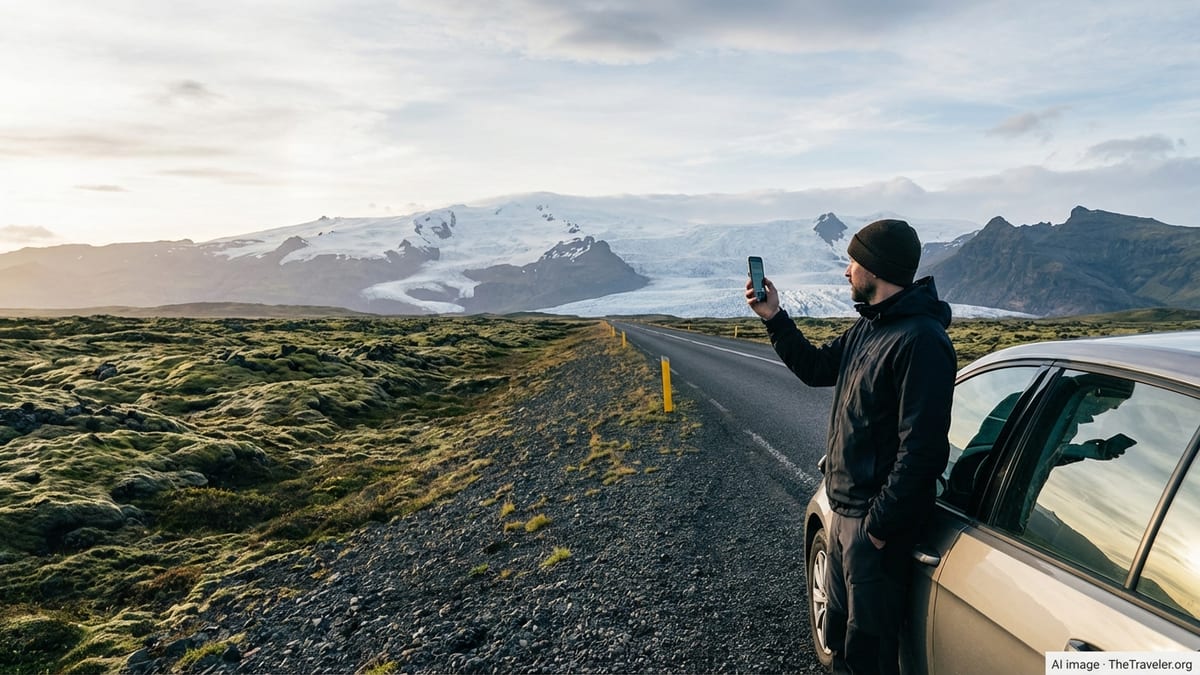
Understanding Coverage in and Around Vatnajökull
Vatnajökull National Park spreads across a huge portion of southeast and central Iceland, with landscapes that range from busy roadside glacier lagoons to highland plateaus where there are no buildings for many kilometres. This variety is reflected in mobile coverage. Along the main Ring Road on the park’s southern edge between Skaftafell, Svinafellsjokull and Jökulsárlón, Iceland’s main operators generally provide 4G or at least solid 3G. Once you leave the paved road for gravel tracks, interior viewpoints or glacier access roads, coverage can drop quickly or disappear.
Iceland’s authorities and telecoms have an ongoing program to reduce so called dead zones on major routes, aiming for near continuous mobile coverage along main roads by the end of 2026. Rural black spots will still remain, particularly in highland areas and glacier interiors, but the trend is toward gradual improvement. Travelers should expect reliable data in villages and service hubs near Vatnajökull, workable coverage along most of Route 1, and only intermittent or no signal on F roads, deep valleys and on the ice itself.
The park’s visitor centres in places such as Skaftafell and Höfn area are usually within good coverage zones, which makes them sensible places to download offline maps, weather forecasts and emergency information before driving further into the park. Treat every arrival at a strong signal area as an opportunity to update apps, sync navigation and check road conditions. In practice this habit is more useful than any single choice of SIM.
Remember that coverage maps published by telecoms tend to be optimistic and based on outdoor conditions. Inside vehicles, cabins or mountain huts the signal can be weaker, and bad weather or topography can interfere with reception. Glacial valleys, steep moraines and canyon walls can all limit line of sight to towers. Even with an Icelandic SIM or a premium eSIM, there will be pockets of no service where you must rely on pre-downloaded resources and offline safety planning.
Choosing Between Roaming, Local SIM and eSIM
The first connectivity decision for a trip to Vatnajökull starts before you land in Iceland. Travelers from European Union and wider European Economic Area countries benefit from roam like at home rules, which require operators in participating states, including Iceland, to charge domestic prices for calls, texts and data when roaming within the EEA. For many European visitors this means their regular plan will work in Iceland, often without any extra daily fee, subject to fair use limits on long stays or very heavy roaming.
Visitors coming from North America, Asia or elsewhere typically face steeper roaming charges. Many international plans rely on flat daily fees that can quickly exceed the cost of a local solution. For these travelers a short term Iceland eSIM or physical prepaid SIM card is usually better value. eSIMs can be bought in advance and activated on arrival, while physical cards are widely sold in Reykjavik and at major fuel stations and supermarkets along the south coast, though choice may be more limited outside the capital.
For most short visits focused on the Ring Road and accessible parts of Vatnajökull, a data first strategy works well. That means prioritising a decent local or travel eSIM with a few gigabytes of data, then using internet based calling and messaging apps instead of traditional voice minutes and SMS. Data based tools are particularly useful for navigation, weather warnings, real time road closures and booking activities, all of which matter more in remote conditions than making conventional calls.
If you are planning longer stays, remote trekking or professional guiding, it can make sense to mix options. Some travelers keep their home SIM active for banking codes or emergency calls but use a data focused eSIM for everyday connectivity. Dual SIM phones make this easy by letting you run a local eSIM for data alongside your primary number. This hybrid setup is especially practical around Vatnajökull where you may want rock solid access to your regular number while still benefiting from local data pricing.
eSIM Options for Iceland and How They Work
eSIMs have rapidly become one of the simplest ways to get connected on arrival in Iceland. Travel focused providers offer digital profiles that you purchase online and install via QR code or app, often giving immediate access to local networks when your plane lands. Plans for Iceland typically range from very small data packages for weekend trips to larger bundles suitable for extended road journeys, with validity periods that can stretch from a few days up to several months.
Many Iceland eSIMs are data only, meaning they do not include traditional voice minutes or SMS. From a practical standpoint this is rarely a problem, as most travelers already use messaging applications, internet calling and email. The key question to compare is how many local networks the eSIM connects to. Some providers partner with multiple Icelandic carriers, which can slightly improve coverage by allowing your phone to switch between networks in fringe areas like those around Vatnajökull.
Pricing fluctuates, but in general a single gigabyte of data on an Iceland focused eSIM is relatively affordable compared with traditional roaming. Recent comparisons from technology and connectivity publications show multiple providers offering small starter packages, as well as mid range options of 10 or 20 gigabytes valid for a week or month. For a typical seven to ten day itinerary including Vatnajökull, many travelers find that between 5 and 10 gigabytes is comfortable if you preload offline maps and avoid heavy video streaming.
To use an eSIM in Vatnajökull, confirm that your phone supports eSIM technology and is unlocked. Download the profile while you have stable Wi Fi, such as at your first night’s accommodation or in Reykjavik. Activate it before starting the drive east toward the park so you can test data speeds along the south coast. Keep your home SIM active in the background if you rely on two factor authentication or need to remain reachable on your regular number.
Getting a Physical Icelandic SIM Card
While eSIMs are convenient, physical SIM cards from Icelandic operators remain a solid choice, particularly for travelers whose phones do not support eSIM or who prefer to purchase connectivity in person. Major mobile networks and resellers offer prepaid starter packs that include a local number and a bundle of data, and sometimes domestic minutes and texts. These packs can often be topped up online or in local shops if you extend your stay or use more data than expected.
Buying a SIM at Keflavik International Airport is usually the easiest approach. Kiosks and shops in the arrivals area often stock prepaid products targeted at visitors, with simple options such as a fixed amount of data valid for a set number of days. If you miss these at the airport, look in Reykjavik convenience stores, electronics shops or fuel stations along the main roads. On the south coast, larger service stations and supermarkets in towns like Vik and Höfn areas are more likely to carry SIMs than small rural outlets.
When choosing a physical SIM for a trip to Vatnajökull, consider two main factors. First, check how generous the data allowance is and whether hotspot use is permitted, as many travelers share mobile data with laptops or other devices. Second, look at the network partner. Iceland’s established operators all provide broad national coverage, but their signal strength may differ slightly in certain valleys or stretches of the Ring Road. For most park visitors these differences are modest, yet if you plan to explore side roads and less visited corners, reviews and recent coverage maps are worth consulting before purchase.
Activation is usually straightforward. Staff often assist you at point of sale, inserting the SIM and checking that data works before you leave. Keep your original SIM safe in a clearly labelled case so you can switch back at the end of your trip. For dual SIM phones, you can often keep your primary card in place and use the Icelandic SIM in the second slot, assigning it as your main data line while leaving voice calls on your home number.
Coverage Realities Inside the Park
No matter which SIM or eSIM you choose, it is important to enter Vatnajökull National Park with realistic expectations about connectivity. Along Route 1 and in settled areas at the park’s edge, you can often enjoy 4G data good enough for mapping, messaging and browsing. Visitor centres, popular viewpoints reachable by paved roads and nearby villages are typically well served by at least one main network, and coverage is expected to improve gradually as national infrastructure projects continue.
Once you drive gravel access roads toward glacier tongues, mountain huts or interior viewpoints, the situation changes. Many of these routes lead into sparsely populated valleys where there are no towers within direct line of sight. Lone farmsteads or tour bases may have signal thanks to directional antennas, but travelers in between these points can pass through areas of limited or no coverage. Glacier hikes, ice cave tours and snowmobile excursions often operate in complete mobile silence, with guides relying on radio or satellite devices for emergency communication.
This reality shapes how you should plan digital tasks. Use strong coverage zones to download the latest weather forecast, avalanche updates, road conditions and official alerts. In poor weather seasons, conditions can change quickly around Vatnajökull, with wind, heavy rain or snowfall affecting road safety and visibility. Offline maps from reputable navigation apps, saved to your device ahead of time, are extremely valuable when signal drops without warning.
Although it can be tempting to chase the one provider promising slightly better rural coverage, in practice the absence of towers in the park’s wild interior means that every network will experience blind spots. Prioritise overall reliability on your wider Iceland journey and assume that certain segments of your Vatnajökull visit will be entirely offline. This mindset encourages better preparation and reduces frustration when your phone suddenly loses its connection.
Safety, Emergency Calls and Offline Preparedness
Connectivity in Vatnajökull is not only about convenience. It is closely tied to safety planning in a landscape of glaciers, fast changing weather and long driving distances between services. Before heading into more remote pockets of the park, share your route with someone, note local emergency numbers and understand which areas have limited or no mobile service. Even the most comprehensive SIM will not replace basic mountain sense and preparation.
In Iceland, the general emergency number is 112. Even when your phone shows no signal from your own provider, it may still be able to connect to another network for emergency calls if any carrier has coverage at that location. This is not guaranteed in deep wilderness or glacial terrain, so treat it as a potential lifeline rather than a certainty. Guides and experienced hikers often supplement mobile phones with GPS devices, paper maps and, for serious expeditions, satellite communicators or personal locator beacons.
Offline readiness is particularly important around Vatnajökull. Download detailed maps for the entire region, including alternative routes in case of road closures. Save key phone numbers for your accommodation, local tour companies and roadside assistance providers. Store these contacts on your device so you can access them without data. Screenshots of booking confirmations, hut codes and access instructions are safer than relying on email that might not load when you arrive at a remote car park.
Another aspect of safety is battery management. Cold temperatures near glaciers and on winter visits drain phone batteries much faster than you may expect. Carry at least one fully charged power bank, keep your phone warm in an inner pocket whenever possible and avoid heavy background usage that is not essential for navigation or safety. Treat your device as a critical tool rather than an entertainment hub once you leave well connected towns.
Cost Management and Fair Use Considerations
Managing costs while staying connected around Vatnajökull starts with understanding how your home operator treats roaming and how travel eSIMs or local SIMs structure their data bundles. For visitors from the EEA using roam like at home, most everyday usage in Iceland will be billed at domestic rates. However, telecoms are allowed to apply fair use policies on very high or long term roaming, which may introduce surcharges if your abroad usage clearly exceeds your home usage over several months. For normal length holidays focused on Iceland, these thresholds are rarely a concern.
Travelers from outside Europe should pay close attention to roaming offers that charge a flat daily fee. While these can be convenient on short business trips, they quickly become expensive on two week road journeys that include remote days around Vatnajökull. Compare the total projected cost of your roaming package with that of a local SIM or eSIM over your full stay, including any activation charges and taxes. In many cases, even generous tourist eSIMs with plenty of data will still be cheaper than paying per day to use your home plan.
With travel eSIMs, cost control mostly revolves around how much data you purchase in advance and how you use it. High resolution video streaming, frequent social media uploads in real time and cloud backups can quickly consume multi gigabyte packages. Consider lowering video quality, delaying large uploads until you have Wi Fi at accommodation and disabling automatic cloud syncing during your trip. Many eSIM apps display real time data consumption, helping you pace usage on driving days and during longer stays near Vatnajökull.
If you accidentally exhaust your data in a remote part of the park, topping up immediately may prove difficult if your eSIM requires online payment through a portal you can no longer reach. Try to purchase a slightly larger data allowance than your strict minimum, while still being realistic about budget. Thinking ahead in this way avoids awkward situations where you must find Wi Fi in a sparsely populated area just to restore your mobile connection.
The Takeaway
Staying connected in Vatnajökull National Park is less about finding a flawless network and more about combining the right tools with the right expectations. The main Icelandic operators provide solid coverage along the Ring Road and in communities near the park, and travel eSIMs or local SIM cards make accessing those networks relatively straightforward. Inside the park’s wilder core, especially on glacier tongues and interior tracks, no mainstream provider can guarantee continuous signal.
For most visitors, a well chosen eSIM or prepaid Icelandic SIM paired with offline maps, prudent battery management and sensible safety planning offers ample connectivity. Travelers from European countries often find that using their existing plan under EEA roaming rules is entirely sufficient, while those from further afield usually save money by opting for local or regional data packages. In all cases, treating strong signal zones as chances to refresh forecasts, sync navigation and communicate plans will make your time in Vatnajökull smoother and safer.
Connectivity in this part of Iceland will continue to improve as national infrastructure projects roll out and operators extend coverage along major routes. Yet Vatnajökull’s wild character means that some silence will always remain. Embracing that balance, and preparing for it, allows you to enjoy both the reassurance of modern communication and the rare experience of truly remote landscapes.
FAQ
Q1. Will my phone have signal everywhere in Vatnajökull National Park?
Mobile coverage is generally good along the Ring Road and in nearby towns, but many interior areas, glacier surfaces and remote valleys still have little or no signal.
Q2. Is it better to use roaming or buy a local SIM in Iceland?
EEA travelers often get domestic rates through roam like at home, making roaming convenient. Visitors from other regions usually save money with a local SIM or eSIM.
Q3. Do I need an eSIM if my phone already has a physical SIM slot?
No, you can use a physical Icelandic SIM instead, but an eSIM allows you to keep your home card active and add local data without swapping hardware.
Q4. How much data should I buy for a week around Vatnajökull?
If you download offline maps and avoid heavy streaming, many travelers find 5 to 10 gigabytes sufficient for a week of navigation, messaging and light browsing.
Q5. Can I make emergency calls without mobile data in the park?
Yes, emergency calls use the voice network and may connect via any available carrier, but in some remote areas there may be no reachable network at all.
Q6. Where is the best place to buy a physical SIM card for Vatnajökull?
The easiest places are Keflavik Airport and shops in Reykjavik. Along the south coast, larger fuel stations and supermarkets are your next best options.
Q7. Will my navigation apps work if I lose signal near the glacier?
They will work if you download offline maps in advance. GPS positioning is separate from mobile data, so your location still appears even without coverage.
Q8. Is mobile hotspotting allowed with Iceland travel SIMs and eSIMs?
Many plans allow hotspot use, but policies vary. Check plan details before purchase if you intend to share data with laptops or other devices.
Q9. How can I limit roaming costs while in Iceland?
Disable automatic app updates and cloud backups, lower video quality, use Wi Fi when available and monitor data usage in your phone settings or eSIM app.
Q10. Do I need a satellite communicator for visiting Vatnajökull?
For standard roadside sightseeing it is not essential, but for remote trekking, winter travel or independent glacier routes, a satellite device adds a valuable safety layer.