


Few travel moments are as stressful as realizing a small line of fine print has just cost you a missed bus or a nonrefundable ticket. On Busbud, as with most online booking platforms, the crucial rules about baggage, refunds, ticket formats, and ID requirements are not hidden, but they are easy to skip past in the rush to secure a good fare. Understanding what those final booking details really mean can save you money, time, and headaches on the road.
Get the latest updates straight to your inbox!
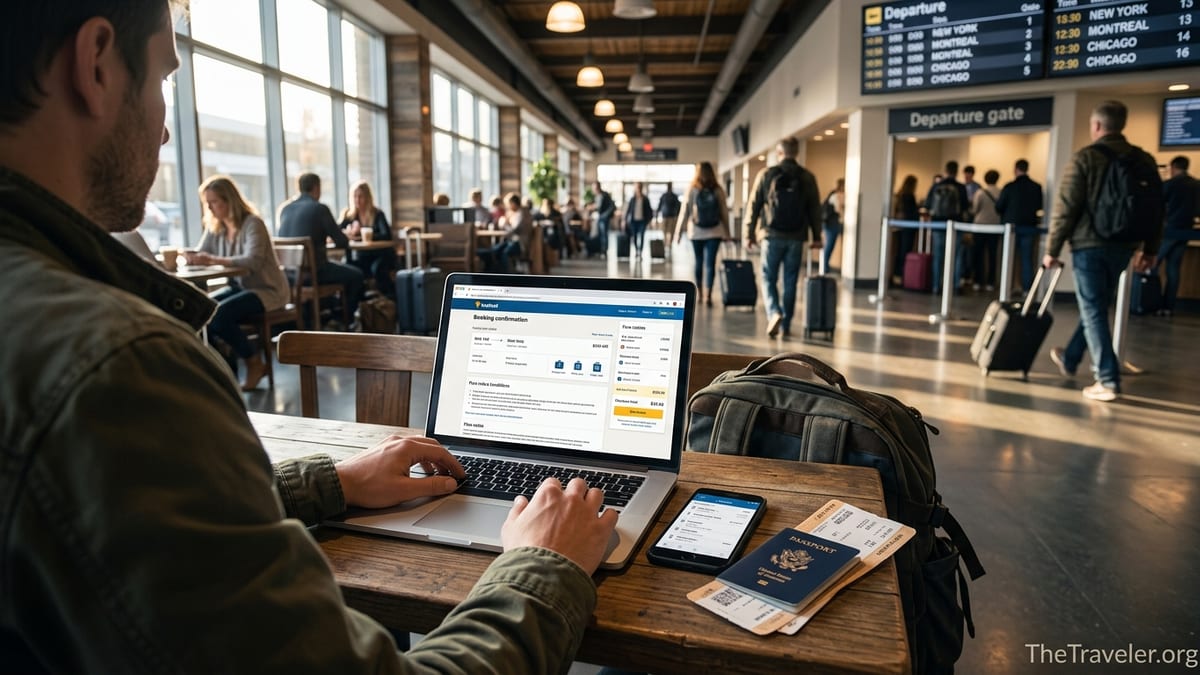
Why Busbud’s Final Review Screen Deserves More Time
Busbud acts as a marketplace for bus, train, and sometimes ferry operators, which means the most important rules on your ticket are usually set by the carrier, not Busbud itself. Those rules get summarized in the final steps before payment. It is tempting to skim past them, especially if you are booking on a phone or racing to secure one of the last seats on a popular route. Yet that last page is often where you learn whether your ticket is refundable, if you can change your departure time, and what kind of ticket you must show at boarding.
Consider a traveler booking a late-night coach from Heathrow to Bristol. The Busbud search result might highlight a FlixBus option at around 29 pounds for two people, which looks like a bargain. Only at checkout, after choosing a payment method, does the total update to something closer to 56 pounds, thanks to fees and taxes calculated at the final stage. While this does not necessarily mean anything deceptive is happening, it illustrates how the final review screen can significantly change what you thought you were paying.
This last step is also where Busbud repeats operator-specific rules. For example, tickets might be labeled “nonrefundable, nonexchangeable” or say that date and time changes are allowed up to one hour before departure. In practice, missing that note can mean the difference between a flexible ticket that you can move when your flight is delayed and a rigid booking that becomes useless if you arrive 20 minutes late to the station.
Booking in the United States adds one more layer: many carriers have their own boarding rules hosted in Busbud’s help center, including whether they accept mobile tickets or require printed copies, and whether a government-issued ID is required. Those details are often linked or summarized around checkout, but it is easy to scroll past them in a hurry.
The Fare Type and Refund Rules Hidden in Plain Sight
One of the most overlooked sections on a Busbud checkout page is the fare rule box that spells out cancellation and refund rights. Busbud’s own refund policy emphasizes that eligibility depends on the carrier’s conditions and the timing of your request, and that Busbud itself generally does not refund for travel disruptions like delays or cancellations by the operator. In other words, what you can get back if plans change is largely dictated by the company running the bus or train, not by Busbud.
Imagine you are booking a Greyhound-style route in the United States, such as New York to Washington, DC, for about 35 dollars. On Busbud, you might see two fares from the same carrier: one slightly cheaper labeled as “nonrefundable” and another a few dollars more that allows cancellation up to 24 hours before departure. Many travelers instinctively opt for the lowest price without noticing that choosing the flexible fare buys them the ability to cancel or rebook if their work meeting runs late or a connecting flight is delayed.
International routes raise the stakes even more. On some cross-border trips, such as from Toronto to New York City with Trailways or a partner, the fare rules can state that the ticket is strictly nonrefundable and that the passenger name must match the identification presented at boarding. A traveler who accidentally books under their own name for a friend might believe this is a minor error, but the conditions can make it impossible to correct and impossible to refund. Only by slowing down at checkout and reading the refund and exchange section can you catch that risk before paying.
Busbud also promotes optional products like “Refund for Any Reason” in some markets, which allow travelers to cancel for a wider range of causes than the underlying operator normally permits. These add-ons appear near the payment stage and can be valuable for long, expensive international journeys or during seasons of travel disruption. However, the terms vary by route and region, so you should always click through to see what is actually covered before assuming you can cancel at the last minute for a full refund.
Ticket Format: Mobile, Printed, or Station Pick-Up
An easy-to-miss part of Busbud’s booking details is the required ticket format. In many cases, Busbud’s help pages explain that printed tickets are no longer mandatory for most operators, and that mobile tickets or QR codes are widely accepted. Yet certain bus and train companies still require one specific form of proof. That requirement is usually highlighted near the end of the purchase process and repeated in your confirmation email, but it can be easy to overlook on a small screen.
For example, some regional carriers in Europe and parts of South America still expect passengers to print their ticket at home and may refuse boarding if you only show a booking confirmation email on your phone. In Argentina, by contrast, travelers sometimes find that the driver or station staff can scan a national ID card directly and match it to the Busbud booking, making a printed ticket or even an e-ticket on your phone less crucial. On cross-border trips or in smaller regions, you might even be instructed to collect a physical ticket at the station counter before boarding, using your Busbud confirmation code.
On popular U.S. routes, such as Boston to New York on operators like FlixBus or Peter Pan, mobile tickets are now common. Yet that does not mean every bus is set up the same way. Some drivers may still prefer to scan a printed code, and a few partner services run on older systems that are less accommodating to cracked screens or low battery situations. If your Busbud checkout page specifies “printed ticket required” or “exchange this voucher at the counter,” treat that instruction as firm. Arriving with only a payment receipt on your phone could mean being turned away, even if your name is in the system.
The safest approach is to treat ticket format as a non-negotiable rule. Before you click “Pay,” look for the line that mentions how to present your ticket and whether station pick-up is necessary. If there is any hint of ambiguity, printing a copy or downloading a PDF to your device, plus carrying a backup power bank, is a small effort compared with the cost of missing your coach on a long-haul trip.
Seat Selection, Baggage Limits, and Paid Extras
Seat selection and baggage allowances are two more areas where Busbud users frequently miss important details at checkout. Across different countries and operators, policies can range from generous to extremely strict. Busbud’s terms of use point out that each operator sets its own baggage and seating rules, which Busbud then displays as part of the ticket conditions. Yet because these details often appear below the main price or in expandable sections, many travelers tap past them.
On some European routes, a ticket purchased through Busbud may include one small carry-on and one checked bag up to a defined size, such as around 70 by 45 by 30 centimeters, while any extra or oversized item costs a fixed fee per bag. A traveler booking a cheap overnight coach from London to Edinburgh might assume that their extra suitcase is included in the 25 pound fare, only to discover at the station that they owe another 10 to 15 pounds for a second checked item. These charges are rarely arbitrary; they are usually spelled out in the baggage section of your Busbud fare conditions.
Seat selection can be just as nuanced. Some carriers included on Busbud allow you to choose seats during booking for no extra cost, while others charge a modest supplement for specific seats such as front-row or extra-legroom options. On a busy summer weekend between Paris and Amsterdam, for instance, a family might want to ensure they sit together. Busbud might display a base fare of around 40 to 50 euros, then offer reserved seating for a few euros more per person. Skipping over this option might result in scattered seats assigned automatically, which can matter far more on a nine-hour journey than on a short hop.
Then there are add-ons such as priority boarding, flexible rebooking packages, or travel insurance offered through third parties. Occasionally, travelers have reported confusion when the total cost at checkout is higher than expected because an optional service box remained ticked by default. While this is not unique to Busbud and is an industry-wide challenge in online travel, it underscores why you should scan the extras section just before paying. A few seconds of attention can prevent you from paying for luggage protection, seat selection, or insurance that you did not intend to purchase.
Names, IDs, and Cross-Border Surprises
Another cluster of booking details many Busbud users miss involves personal information: passenger names, ID requirements, and age rules for children traveling alone. This information often looks routine while you are filling it in, and the checkout page may not loudly warn you about its importance. Yet on certain routes, especially international ones, a simple typo or incorrect name can lead to boarding issues.
Busbud’s country-specific FAQs for the United States note that on many partner services, you must board with the same ID you used when booking, and that children aged 17 and under cannot travel alone on a Busbud booking with most carriers. On domestic routes within the U.S., drivers might not always compare the ID name to the ticket name in practice, but for cross-border trips or when enhanced security measures are in place, mismatches can become real obstacles. A traveler who books a Toronto to New York route under their own name for a friend, assuming that ID checks are casual, may find that the bus company refuses to board the friend because the name on the ticket and the passport are not identical.
ID expectations also vary by operator and country. Some travelers on services like Greyhound or FlixBus within one country report that ID is rarely checked if the ticket QR code scans correctly. Others on cross-border or long-distance night routes describe stricter controls. Busbud often reflects these rules in operator-specific notes, but you may need to expand the boarding requirements section or consult the carrier details linked near checkout to see whether a government-issued photo ID is mandatory.
The safest tactic is to treat your Busbud ticket like an airline boarding pass on any route that crosses a border or passes through security-sensitive regions. Enter full legal names as they appear on your passport or national ID, double-check spelling before paying, and assume that an accurate match could be required even if some fellow passengers describe a more relaxed experience. When traveling with children, pay close attention to age cut-offs, documentation required for minors, and whether an adult must accompany anyone under 18.
Total Price, Service Fees, and Currency Conversions
One of the most frustrating surprises travelers report in online bookings, including through third-party platforms like Busbud, is a final price at checkout that is higher than the fare advertised on the search results page. Sometimes this is simply due to taxes that must be added at the end, especially in the United States where sales tax is commonly excluded from upfront prices. In other cases, a service fee or payment surcharge appears after you select a payment method such as a credit card or a digital wallet.
Take the example of a traveler comparing two options on a route from Paris to Brussels, each advertised around 20 euros on Busbud. When they proceed to checkout, one option remains close to the initial price once standard taxes are applied, while the other shows a noticeably higher total due to carrier-imposed booking or seat reservation fees that are only calculated after seat selection. The platform typically displays the revised breakdown before you finalize payment, but if you do not pause to compare the initial quote with the final total, you might not realize how much those added items are costing you.
Currency conversion is another subtle area. A U.S.-based traveler browsing Busbud in dollars might be booking a route in Europe or South America that is priced in euros or local currency in the background. Depending on the settings, the fare can be converted and displayed in dollars, often using a current exchange rate plus any applicable processing margin. If you do not check whether your bank or card also adds a foreign transaction fee of 1 to 3 percent, the final cost that appears on your statement may exceed what you saw at checkout.
To minimize surprises, make it a habit to look for a short line beneath the total price that explains whether taxes and service fees are included. If you see wording indicating that taxes will be added or that a service fee applies, click through or expand any breakdown panels to see the full picture. You can also compare the Busbud total with what the operator advertises directly for the same route and time. If the difference is minor and the convenience of bus and train comparisons matters to you, the surcharge might be acceptable. If the gap is large, it may be worth reconsidering the booking path.
How Timing, Cut-Offs, and Self-Service Tools Affect Your Options
Many Busbud travelers assume that as long as they contact support before the bus leaves, they will be able to change or cancel their ticket. In reality, each operator sets specific time-based cut-offs, and these can be much stricter than people expect. Some carriers allow cancellations or exchanges up to 24 hours before departure, others up to a few hours before, and some selling deeply discounted fares do not allow any changes after purchase.
Recent help articles from Busbud describe how refund eligibility depends on the time of your request and the underlying fare rules. If a carrier permits refunds more than a certain number of hours before departure, Busbud’s “My Bookings” section will often let you process a cancellation or request credit directly, without waiting for an agent. Once you cross that deadline, however, the button may disappear or display a “not refundable” message, leaving support staff with little flexibility to override what the operator has set.
Imagine you book a Friday evening bus from Chicago to Minneapolis through Busbud for around 60 dollars, intending to decide later whether you will go. If you forget about the trip until Friday afternoon and then discover a family commitment, you might log in and find that the self-service cancellation option expired at midnight or early that morning. Because the ticket was sold as partially refundable only up to a certain time, you are now outside the window. Reading the timing details at checkout and perhaps setting a reminder on your phone when you buy could help you avoid this situation.
Some Busbud bookings also allow changes or refunds in the form of vouchers or credits rather than cash back. A traveler might assume a “refundable” label means money returned to their card, when in fact the carrier offers a travel credit toward a future trip. That distinction is usually explained in the detailed fare rules visible at checkout. Knowing whether you are comfortable with credit instead of cash can influence which fare you choose and whether a slightly more expensive but more flexible ticket is worth the extra cost.
The Takeaway
Busbud makes it easier to compare routes and prices across many bus and train companies, but that convenience comes with a responsibility for travelers to read the fine print that appears in the last steps before paying. The details that matter most are often not the headline fare on the search page but the quiet lines about refunds, exchanges, baggage allowances, ticket formats, ID requirements, and taxes or service fees.
If you slow down at the final review screen, check what your fare type truly allows, confirm whether you need a printed or mobile ticket, verify name and ID rules for each passenger, and compare the displayed total with the original quote, you greatly reduce the chances of an unpleasant surprise on travel day. Treat your Busbud booking like an airline booking: take screenshots of fare rules, save your confirmation email offline, and understand what flexibility you are buying.
In a world where schedules shift, flights are delayed, and borders can tighten or relax quickly, those few extra minutes before hitting “Pay” can turn Busbud from a simple comparison tool into a reliable partner for smooth overland travel.
FAQ
Q1. Does Busbud itself decide whether my ticket is refundable?
Busbud displays and processes refund options, but the underlying rules are set primarily by the bus or train operator offering the service. Eligibility usually depends on the fare type and how far in advance you cancel.
Q2. How can I tell if I need to print my ticket or if a mobile ticket is enough?
The checkout page and confirmation email normally state the required ticket format, such as “mobile ticket accepted,” “printed ticket required,” or “exchange voucher at station.” Always follow the strictest wording you see.
Q3. Why is the price at checkout sometimes higher than the fare shown in search results?
The final amount can include taxes, operator service fees, seat selection charges, or optional add-ons like insurance that are only calculated at the payment stage. Review the full price breakdown before paying.
Q4. What happens if I enter the wrong passenger name on a Busbud booking?
On many domestic routes it may not matter, but on cross-border or security-sensitive services the name may need to match a passport or ID exactly. Because many tickets are nonchangeable, you should double-check names before purchase.
Q5. Can I change the date or time of my trip after booking on Busbud?
That depends on the fare rules of the operator. Some allow changes up to a certain cut-off time, sometimes for a fee, while discounted fares may be completely nonexchangeable from the moment of purchase.
Q6. Are baggage allowances the same on all Busbud tickets?
No. Each carrier sets its own rules about how many bags are included, size and weight limits, and fees for extra or oversized luggage. These conditions are usually summarized in the booking details before checkout.
Q7. Do children need special documentation when traveling on Busbud bookings?
Often, yes. Many operators require that children under a certain age travel with an adult and may ask for proof of age. Some cross-border services have additional requirements, so check the carrier’s child policy carefully.
Q8. How do Busbud’s “Refund for Any Reason” or similar add-ons work?
These products, where available, are optional protections that can expand your ability to cancel. Coverage, conditions, and reimbursement methods vary by route, so read the specific terms before assuming full flexibility.
Q9. Why does my bank statement sometimes show a different amount than I expected from Busbud?
If your ticket is priced in a foreign currency, exchange rates and your bank’s own foreign transaction fees can change the final amount. The difference usually comes from your card issuer, not Busbud.
Q10. What should I do if I only notice a problem with my Busbud booking on the day of travel?
First, check the “My Bookings” section to see if any self-service options remain. If the ticket is nonchangeable or you have passed the cut-off time, contact the operator or Busbud support, but be prepared that flexibility may be limited.