


When I first downloaded the Yesim app before a long-haul trip from New York to Seoul, I was convinced I was signing up for hours of tech frustration. I had visions of QR codes that would not scan, data that would not connect, and support chats from an airport bench at 2 a.m. Instead, installing Yesim on my phone took less than ten minutes at my kitchen table, and by the time I landed in South Korea my phone was quietly roaming on a local network without a single extra tap. What looked complicated on paper turned out to be a straightforward process that most travelers can handle with a bit of preparation and the right expectations.
Get the latest updates straight to your inbox!
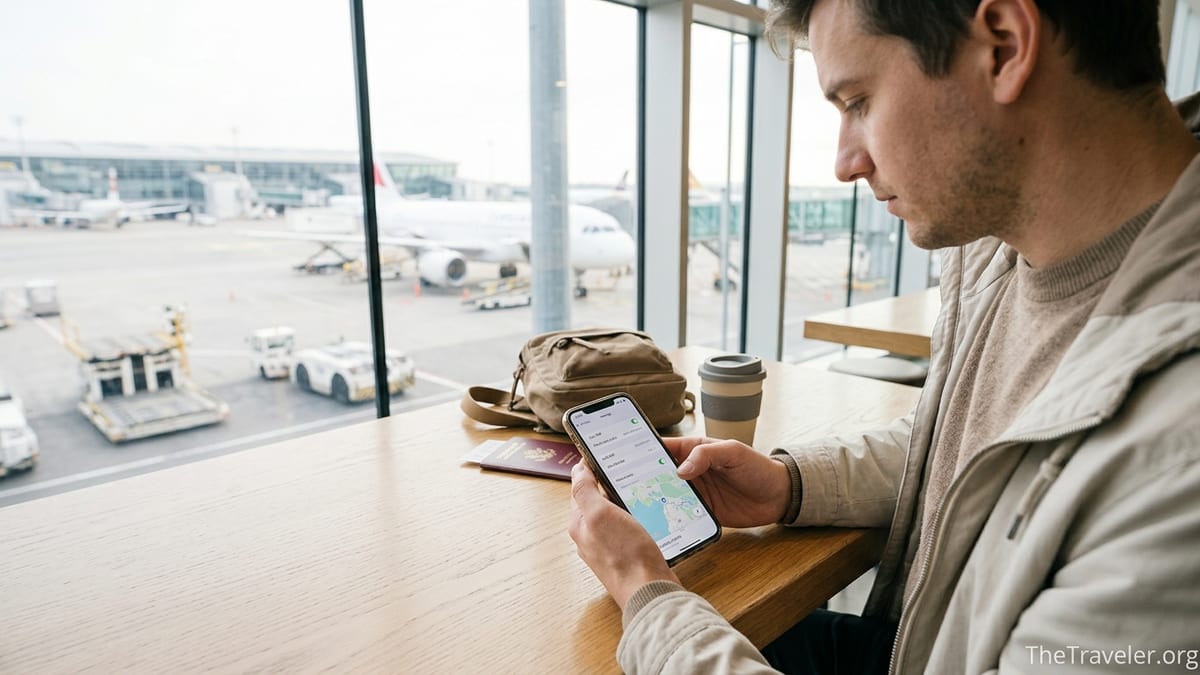
Why Yesim Looked Intimidating at First
If you have spent years swapping tiny plastic SIM cards in and out of your phone, the idea of a virtual eSIM can sound abstract and fragile. Yesim in particular adds a few new terms to the mix: installation profiles, Pay & Fly balances, regional plans, and options like Unlim Day Passes. Looking at the app for the first time, I counted more than 170 supported countries and dozens of data plans, and assumed that choosing incorrectly would leave me disconnected on arrival.
There is also a lingering fear that once you “touch” your mobile settings, something will break. Many travelers worry about losing their home number for calls or iMessage if they activate a second line. In reality, Yesim’s data-only eSIM sits alongside your regular SIM as a separate data connection. Your existing number stays in place while Yesim quietly handles data in the background, which is why frequent travelers in recent reviews describe using it as their main data source across several countries without changing phone numbers.
On top of that, online forums are full of horror stories about eSIMs in general: profiles that were installed without Wi-Fi, roaming toggles left off, or people testing a plan in a country it does not cover. A few travelers report frustrating experiences in places like mainland China or Japan where networks and coverage can be more restrictive. Those stories can make any eSIM, including Yesim, feel risky, especially if this is your first time traveling with a digital SIM instead of a physical card bought at a kiosk.
The key lesson, which I only really appreciated after using Yesim, is that most of the complexity is psychological. The actual steps are closer to installing a new app than performing surgery on your phone. When you break the process down into a simple checklist, it stops feeling like a tech experiment and starts looking like a routine pre-trip task, right up there with checking in online or downloading boarding passes.
From App Download to Installed eSIM: What Actually Happens
The real turning point for me came when I followed Yesim’s current iOS installation flow step by step at home. After creating an account and topping up a modest balance, I chose a Pay & Fly style plan that covered both South Korea and a long layover in Frankfurt. The app clearly listed what I was buying: prepaid data, no voice or SMS, valid across a cluster of countries for a fixed number of days once activated. That level of transparency took a lot of guesswork out of the purchase.
On modern iPhones, Yesim’s fastest method is a one-tap installation inside the app. After I tapped “Install eSIM” on my chosen plan, iOS automatically opened the cellular settings and displayed an “Add Cellular Plan” prompt. I did not need to scan a QR code or enter any activation codes manually. I simply tapped to confirm, labeled the new line “Yesim Travel,” and left my primary number as the default for calls and iMessage. The setup screens felt very similar to connecting a new Wi-Fi network: several confirmations, but no advanced settings.
Android travelers report a similar experience, with the system taking over once you trigger installation from the Yesim app. Recent help-center guides describe it as a three to five minute process on most compatible phones, as long as your device is unlocked and connected to Wi-Fi during installation. In both ecosystems, the app holds your plan information, while the phone’s own settings manage the technical side of connecting to mobile networks.
If you are more comfortable with a traditional QR code, Yesim also supports that route. After purchase, you can receive an email titled “Your eSIM profile from Yesim” with a QR code that you scan from the phone’s cellular settings. It is less automated than the in-app one-click option, but it follows a familiar pattern for anyone who has used competitor services like Airalo or Holafly. Having both options available can be reassuring if you are nervous about relying entirely on an app.
The Only Three Settings That Really Matter
Where most confusion creeps in is not during installation, but right after. Once the Yesim eSIM is added to your device, you need to tell the phone how to use it. The good news is that almost everything comes down to three simple switches: which line provides mobile data, whether data roaming is enabled for that line, and whether an access point name (APN) is correctly set if required.
On iPhone, you can check this in the Cellular or Mobile Data menu. After installation, you see your regular SIM and your new Yesim eSIM listed separately, each with its own toggle. For travel, you typically keep your home SIM on for calls and texts but set “Mobile Data” to Yesim. Next, you tap into the Yesim line and turn on “Data Roaming.” On Android, the steps are similar: under Connections and Mobile Networks, you pick the Yesim profile in the SIM Manager, then enable mobile data and data roaming for it.
The APN is the only field that can look genuinely technical, but Yesim simplifies this to a single value. Their current guides specify “xdata” as the APN name on both iOS and Android in most regions, while leaving username and password blank. In practice, many phones pick this up automatically when the line activates, and you never have to touch it. When something does not work, double-checking that APN is often the fix experienced users recommend in travel forums.
In my case, I tested these settings at home the night before my flight. I temporarily switched my data to Yesim, enabled roaming, and opened Google Maps and WhatsApp. Both loaded quickly over my home network’s local partner. The app showed active usage, confirming the link between the phone’s settings and the plan in the Yesim account. Once I was satisfied, I switched data back to my regular SIM for the night, with the eSIM quietly waiting in the background for my trip.
Real-World Examples: Yesim on the Road
The real measure of how simple Yesim is comes when you arrive somewhere unfamiliar. On landing in Seoul, I turned my phone off airplane mode while still in the aircraft aisle. Within a couple of minutes, the Yesim line connected to one of the major local carriers and notifications began to trickle in. I did not need to open the app; the only evidence that anything had changed was a different carrier name in the status bar and the absence of a roaming warning from my US provider.
That first evening in the city, I relied entirely on Yesim to navigate from Incheon Airport to Hongdae, order food through local delivery apps, and translate signs on the metro. Speed tests hovered in the mid double digits in megabits per second, more than enough for video calls back home and posting clips to Instagram and TikTok. An independent review that tested Yesim across eight countries over four months reported similar performance, noting that it held up well even for remote work and frequent video conferencing. For a typical traveler who wants maps, messaging, and social media, the experience felt no different than a standard local SIM.
Later that year, I tried Yesim again for a ten day road trip across the US West Coast. Instead of buying separate regional plans, I topped up my existing balance and activated a North America package through the app. From Los Angeles to Yosemite and up to Portland, the eSIM moved between partner networks without intervention. At one point in rural northern California the signal dropped to 3G briefly, but switching my phone’s network selection to automatic restored 4G within minutes. This mirrored feedback from other users in community threads who noted that Yesim handled multi-state drives about as smoothly as other reputable travel eSIM providers.
These experiences also highlighted Yesim’s limitations. The service is data-only under its current terms, so making traditional voice calls or sending SMS messages still depends on your home carrier or internet-based services like WhatsApp, FaceTime Audio, or Skype. In regions with stricter internet controls, such as mainland China, some travelers have reported patchy service or challenges accessing certain sites without a VPN. That is less a reflection on Yesim specifically and more a reminder that no eSIM can fully sidestep local infrastructure and regulations.
Common Mistakes That Make Yesim Feel “Broken”
If you read through recent traveler discussions, a pattern emerges: most cases where Yesim “does not work” trace back to a handful of avoidable missteps, rather than a fundamentally complicated system. The first and most frequent is installing or activating the eSIM without any internet connection. Because the phone has to fetch and register the profile from Yesim’s servers, trying to do this in an airplane queue or underground metro without Wi-Fi is asking for trouble.
The second common issue is forgetting to switch the default data line or to toggle roaming. It is surprisingly easy to install the eSIM correctly, leave your home SIM as the main data source, and then be hit with an unexpected roaming bill from your domestic carrier. In community posts, seasoned eSIM users often advise doing a two-minute test at home: switch data to Yesim, enable roaming for that line, open a couple of apps, then switch back. If this mini-drill works, you have de-risked most airport arrival problems.
A third point of confusion involves plan coverage and timing. Some Yesim plans are tailored to single countries, others to regions, and a few are global with different per-gigabyte pricing from your balance. It is possible to activate a Europe-only plan and then expect it to work during a connection in Dubai or Singapore, only to discover it will not connect there. Similarly, day-based unlimited passes typically start counting once the eSIM connects to a network in a covered country, not when you purchase them. Misunderstanding that timing can make it feel like data has “disappeared” when it has in fact not yet been triggered.
Finally, there are edge cases where Yesim may simply not be the best choice. A handful of travelers report unreliable speeds in certain Japanese cities compared with competitors that partner with different local carriers. Others who rely heavily on tethering for laptops and streaming on unlimited plans have found that fair-use policies and speed management kick in sooner than they expected. These are not signs that eSIM technology itself is difficult, but reminders to match the product to your specific route and workload.
How Yesim Compares to Buying Local SIMs
Before using eSIMs, I belonged to the group that went straight to airport kiosks to buy physical SIM cards after landing. The ritual was familiar: show your passport, wait while a clerk clips a nano SIM out of a card, watch them tap through your phone’s menus in a language you half understand, and walk away hoping everything keeps working. In some countries, such as Thailand or Spain, that process is still relatively painless and inexpensive for short trips.
Yesim changes the equation by moving almost all of that friction to a moment of calm before you travel. Instead of hunting for a kiosk after a red-eye flight, you install the eSIM in your own language at home. Pricing is competitive with other travel eSIM providers and often within a reasonable range of local prepaid SIMs for moderate data users. For example, a traveler heading to Italy for a week might pay a modest amount for a several-gigabyte Yesim plan, comparable to tourist SIMs sold at Rome or Milan airports, without standing in line.
Where physical SIMs still hold an advantage is in very heavy usage scenarios or in countries where local carriers offer generous unlimited data at low prices that global services cannot quite match. Long-term digital nomads living for months in a single city might get better value from a local subscription. But for people hopping between countries, or those who want to keep their home number active on the same device, Yesim offers a level of convenience that plastic SIMs simply cannot. The fact that you can manage multiple eSIMs from one Yesim account and share them with friends by QR code is another benefit that does not translate well to physical cards.
Perhaps the most underappreciated advantage is that there is no physical object to lose. Once installed, a Yesim profile is tied to your device until you remove it. If someone else buys the plan for you and sends you the installation link, the eSIM can live on your phone even though the billing and usage details sit in their account. This separation between plan ownership and device usage can be confusing at first, but in practice it allows families and groups to manage connectivity centrally while each traveler simply uses their phone as usual.
Practical Tips to Make Setup Feel Effortless
Turning Yesim from something intimidating into a routine travel tool is mostly a matter of preparation. The single best habit is to complete installation and a short test at home, at least a day before departure, while you have stable Wi-Fi and time to troubleshoot without pressure. This includes purchasing the plan, installing the eSIM, switching your data to Yesim, enabling roaming for that line, opening a few apps to confirm traffic is flowing, and then switching data back to your main SIM until you reach your destination.
Another helpful trick is to label the eSIM line clearly in your phone’s settings. Giving it a name like “Yesim Asia 2026” or “Yesim Europe Trip” makes it obvious which line you are working with if you install multiple eSIMs over time. It also reduces the risk of accidentally turning off the wrong line when you are half-awake in an airport lounge. Both iOS and Android let you rename lines and choose which one handles cellular data by default, so you can keep your layout tidy even after several trips.
Keeping expectations realistic also helps. Yesim is built for data, not for replacing every aspect of a home carrier. Treat it as a fast, flexible way to get online in most of the places you travel, particularly for navigation, messaging, rideshares, and light streaming. For voice calls, plan to use internet-based options or a small bundle from your regular carrier if you still need traditional minutes for work or family. This mindset focuses your attention on what the product does well instead of the few tasks it was never designed to handle.
If something does go wrong on the road, the fix is often as simple as restarting the phone, checking that the Yesim line is toggled on, verifying that mobile data and roaming are set to that line, and confirming the APN matches current guidance. Only after those steps fail is it usually worth contacting support. Several recent reviews note that Yesim’s team can see whether your eSIM has connected to a local network and help re-provision it if needed, but those rare cases are increasingly the exception rather than the rule.
The Takeaway
What surprised me most about using Yesim was not just that the setup was easier than expected, but that it quietly changed how I think about travel connectivity. Instead of treating mobile data as something to organize after landing, I now prepare it alongside my boarding pass, hotel confirmations, and airport transfers. The process of adding a Yesim eSIM, choosing a plan, and testing it at home has become a 15 minute ritual that dramatically lowers stress when I arrive in a new country.
Yesim is not perfect. Coverage and speeds still depend on local partners, unlimited plans come with fair-use limits, and there are destinations where a traditional physical SIM or a different eSIM provider might perform better. Yet for the majority of mainstream routes and use cases, the combination of app-based installation, clear settings, and flexible plan options means that the technology is far less intimidating than its jargon suggests.
If you have been hesitating because eSIMs in general sound complicated, consider giving yourself one quiet evening before your next trip to install and test a Yesim plan. With a stable Wi-Fi connection, a bit of patience, and attention to three core settings, you will likely find that what once felt like a technical experiment becomes just another simple part of getting ready to go.
FAQ
Q1. Will Yesim replace my regular phone number?
Not by default. Yesim provides a separate data-only eSIM that sits alongside your existing SIM. You can keep your home number for calls and messages while using Yesim purely for mobile data.
Q2. How long does it usually take to install a Yesim eSIM?
On most recent iOS and Android phones, the in-app installation process takes around three to five minutes once you have a stable Wi-Fi connection and a plan selected.
Q3. Do I need to be in the destination country to install Yesim?
No. In fact, it is better to install and test the eSIM at home before you travel. You can complete installation anywhere with Wi-Fi, then start using data once you reach a supported country.
Q4. What if my Yesim eSIM connects but there is no internet?
First check that mobile data and data roaming are enabled for the Yesim line, then verify that the APN field matches the current Yesim instructions. Restarting the phone after changing these settings often resolves connectivity issues.
Q5. Can I make regular voice calls with Yesim?
Under its current terms, Yesim focuses on data. For traditional voice calls and SMS, you still rely on your primary carrier or use internet-based services such as WhatsApp, FaceTime Audio, or similar apps.
Q6. Is Yesim cheaper than buying a physical SIM card at the airport?
Prices vary by country, but for many short trips Yesim’s prepaid data plans are in a similar range to tourist SIMs, with the added convenience of avoiding airport kiosks and activating everything before you fly.
Q7. Will using Yesim cause roaming charges from my home carrier?
It will not if you set your phone to use Yesim for mobile data and disable data roaming on your home SIM. Calls or texts made on your home number may still incur charges according to your carrier’s rules.
Q8. Can I share my Yesim data with a laptop or tablet?
Yes, in many cases you can enable the hotspot or tethering feature on your phone and share your Yesim connection, although heavy tethering may be limited or deprioritized on some plans.
Q9. What happens to my Yesim eSIM after the trip?
The eSIM profile can stay on your phone even after the plan expires. You can simply switch mobile data back to your regular SIM and turn the Yesim line off until you buy another plan or top up your balance.
Q10. Is Yesim a good choice for every country?
Coverage and performance are generally strong in many popular destinations, but some regions and networks work better than others. For very specialized routes or heavy data needs, it is worth comparing Yesim with local SIMs and other eSIM providers before deciding.