


Planning your 2026 travels now often includes a digital packing list alongside your passport and credit cards. Somewhere near the top of that list for many frequent flyers is a VPN, and NordVPN is usually one of the first names to come up. But with constantly changing laws, faster mobile networks, streaming crackdowns, and tighter airport security, is NordVPN still worth it for travelers in 2026, or has it become more hassle than help?
Get the latest updates straight to your inbox!
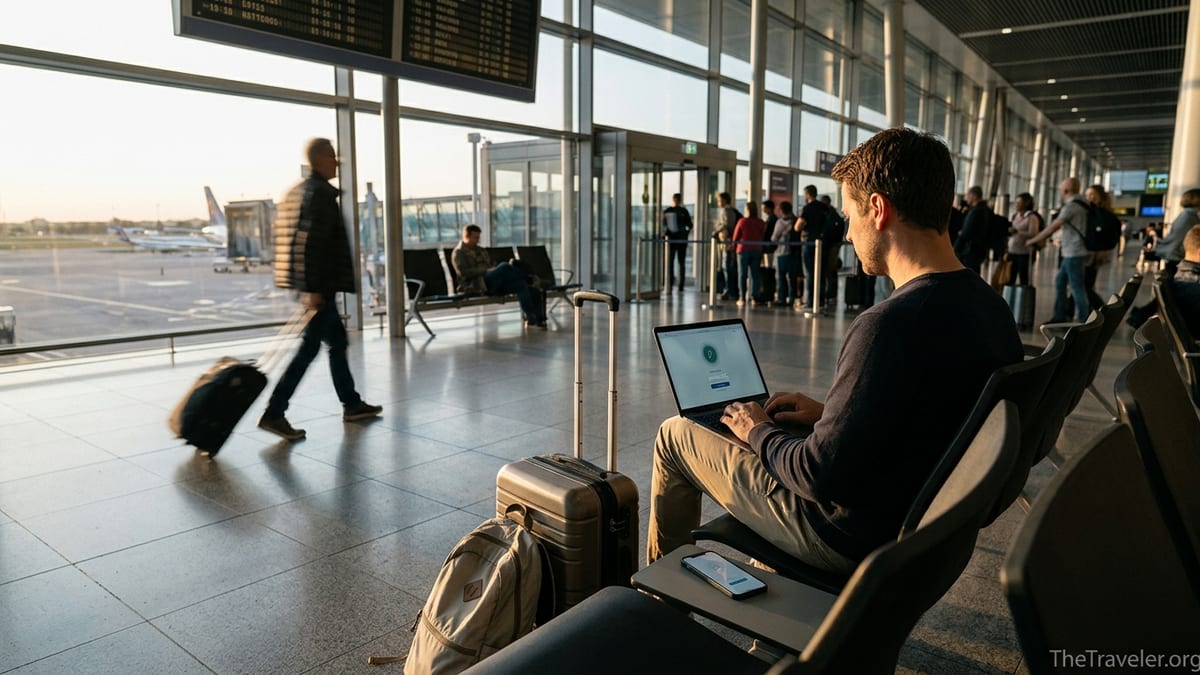
What NordVPN Actually Does for Travelers in 2026
At its core, NordVPN encrypts your internet traffic and routes it through a remote server, masking your real IP address. For travelers, that translates into three main benefits: added security on risky Wi Fi, more consistent access to familiar services back home, and a bit more privacy from local tracking and data collection. In practice, this might mean safely checking your Bank of America account over free Wi Fi at Istanbul Airport instead of waiting to reach your hotel, or logging into your U.S. Gmail and work tools from a hostel in Budapest without broadcasting your activity to every device on the same network.
NordVPN’s current client apps for iOS, Android, Windows, and macOS are designed around quick, one tap connection. A common real world workflow on the road looks like this: you land at Singapore Changi, connect to the airport’s free Wi Fi, open NordVPN, tap Quick Connect to a nearby Singapore or Malaysia server, and only then open airline apps, ride hailing services, or your password manager. Because NordVPN’s NordLynx protocol is built on WireGuard and tuned for speed, most users see only a modest drop in speed, which still comfortably supports 4K streaming and large file downloads on solid hotel or coworking connections.
For long term travelers or digital nomads, NordVPN can also help create a stable online identity. If you spend three months in Mexico City, then another two in Lisbon, repeatedly connecting through the same country’s VPN servers reduces the chance that banks like Chase or American Express flag your logins as suspicious every single week. It is not a guaranteed fix, but many travelers report far fewer “we’ve locked your account” emails when they keep their apparent online location consistent via a VPN.
Security on Airport, Hotel, and Cafe Wi Fi
Public Wi Fi is still one of the biggest reasons travelers turn to VPNs, and that has not changed in 2026. Airports from LAX to Dubai International, big chains like Marriott and Ibis, and thousands of independent cafes now offer free Wi Fi that is convenient but often poorly secured. In some cases it is open with no password; in others it uses a shared password printed on your room key sleeve or a captive portal that anyone can access. In all of these situations, your device is effectively sharing a local network with strangers, including the occasional scammer running traffic snooping tools.
Using NordVPN in these environments means your traffic is encrypted from your device to the VPN server, blocking casual snooping and many types of man in the middle attacks. For example, if you are working from a coworking space in Medellín and uploading contracts or tax documents to Google Drive, an active VPN tunnel significantly narrows the window for anyone else on that network or a rogue hotspot to intercept your data. Security conscious travelers commonly make a simple rule: they never open their banking app, PayPal, or work email from a public network unless NordVPN (or another VPN) shows an active connection.
One practical question is whether NordVPN actually plays nicely with captive portals, those sign in pages you see at airports and hotels. In most real world reports, the smoothest process is to connect to the Wi Fi first, complete any browser based login or room number validation, and only then activate NordVPN. Travelers who try to turn the VPN on before accepting terms on a network at Heathrow or JFK often find the portal will not load, because all traffic is already being routed elsewhere. Used in the right order, though, NordVPN generally works fine on everything from Starbucks Wi Fi in New York to budget hotels in Bangkok.
Speed, Streaming, and Working Remotely Abroad
Speed is where NordVPN has kept its edge in 2025 and early 2026. Independent testing on fast 10 Gbps lines has measured NordVPN using its NordLynx protocol at well over 1 Gbps on nearby servers, often placing it among the top tier for raw throughput compared with other commercial VPNs. That level of performance is overkill for most travelers, but it means that even on more modest hotel connections you usually get enough speed for 4K Netflix, HD video calls, and large OneDrive or Google Drive syncs.
For remote workers, this can be the difference between choppy and smooth meetings. Imagine you are on a two week working trip in Lisbon, staying in a guesthouse whose Wi Fi tests at around 100 Mbps without a VPN. With NordVPN on a nearby Portugal server under NordLynx, you might see that drop to 70–80 Mbps, which is still more than enough for back to back Microsoft Teams or Zoom calls. Latency increases slightly, but tests routinely show it staying low enough for real time collaboration tools like Figma or Google Docs to feel responsive.
Streaming is more complicated because services are constantly updating their VPN detection systems. As of 2026, NordVPN continues to work reliably with many major platforms when connected to the right servers, especially for U.S. travelers wanting to access American catalogs while in Europe or Asia. For example, someone spending a month in Seoul can often still watch their U.S. streaming library by connecting to a New York or Los Angeles server. That said, success rates vary by country, time of day, and even the specific IP address you are assigned, so this should be viewed as a nice bonus rather than a guaranteed feature.
Gamers on the road can also benefit, particularly when hotel or Airbnb connections are unstable. By routing traffic over a relatively direct NordVPN path to the game server region, some travelers report more stable ping in titles like Fortnite or Apex Legends when playing from Southeast Asia on North American servers. It is not magic; if the underlying hotel Wi Fi is overloaded, no VPN can fix that. But with reasonably solid fiber backed networks in cities such as Tokyo or Berlin, NordVPN often adds only a modest latency bump compared with a direct connection.
Pricing, Plans, and Real Costs in 2026
Whether NordVPN is “worth it” inevitably comes down to price versus value. NordVPN continues to market aggressive long term deals, especially on its two year and one year plans. The headline prices often work out to just a few dollars per month if you pay upfront, with frequent seasonal promos tied to events like Black Friday or the New Year. On the other end of the spectrum, the month to month plan is significantly more expensive, broadly in line with competitors like ExpressVPN and Surfshark.
For a solo traveler from the United States planning several international trips in 2026, a typical calculation might look like this: a two year Standard plan that averages under the price of a single airport meal each month, versus a monthly subscription that could cost roughly as much as a mid range dinner. If you expect to spend at least a few weeks abroad every year, and you regularly connect to public Wi Fi or deal with sensitive work data, the long term plan tends to offer better value. Occasional travelers who only take one short overseas trip every couple of years may prefer to activate a one month plan around that trip instead.
NordVPN subscriptions also include extras that used to cost more as separate products, such as malware and tracker blocking through its Threat Protection features, a dark web monitoring tool that alerts you if your email appears in certain data leaks, and Meshnet, which can create secure device to device tunnels across the internet. None of these should replace a dedicated antivirus or good password hygiene, but for travelers they add practical value by reducing the number of separate security tools you need to configure on a lightweight travel laptop or phone.
From a cost comparison angle, NordVPN generally sits in the middle of the premium market. It is often cheaper than some older, more established brands on long plans, and slightly more expensive than budget providers, especially if you only compare monthly pricing. For travelers who want a balance of speed, security, and a large server network without spending top dollar, it remains one of the stronger value propositions in 2026.
Legal and Practical Risks When Crossing Borders
VPN legality in 2026 is still largely favorable for travelers, but there are important caveats. In most popular destinations, including the United States, Canada, most of the European Union, Japan, South Korea, Mexico, and much of Latin America, using NordVPN for privacy, security, and streaming is legal. Authorities in these countries may have opinions about how you use the internet, but simply having a VPN app on your phone or laptop is not a crime. What remains illegal offline, such as copyright infringement or serious cybercrime, is still illegal when done behind a VPN.
The picture changes in countries with heavy internet control such as China, Russia, Iran, and the United Arab Emirates. In China, unapproved VPN services exist in a gray zone and the government periodically cracks down on tools that help citizens bypass the Great Firewall. In Russia, VPN providers are required to comply with state censorship lists, and non compliant services are frequently blocked or have their sites removed from app stores. The UAE allows VPNs but has strict rules on using them to commit offenses such as accessing banned content or evading certain telecom regulations. Travelers have not commonly been prosecuted just for having a VPN, but the legal climate is more fragile.
In practical terms, this means you should always research the current stance on VPNs for any country on your itinerary and use conservative settings when appropriate. For example, a business traveler attending a conference in Beijing might choose to rely primarily on company provided, government approved connectivity for work systems and use NordVPN sparingly, if at all. Someone heading to Dubai on vacation might use NordVPN just for banking and email, avoiding obvious attempts to access content that is locally restricted. Laws and enforcement priorities can change quickly, so it is wise to check a recent, reputable guide or speak to your employer’s compliance team before departure.
Border inspections present another angle. While reports of travelers being penalized for having NordVPN installed are rare, some countries reserve the right to inspect devices or demand access to certain apps as part of security screening. Power users visiting especially sensitive destinations sometimes travel with a “clean” phone or laptop that has minimal apps installed, then connect back to their main devices at home through NordVPN’s Meshnet once through immigration. That way, even if a border guard briefly examines the device in their hand luggage, there is less sensitive data and fewer tools visible on the device itself.
Extra Features Travelers Actually Use
Many VPN apps are bloated with features that look good in marketing but see little real world use. For travelers, a handful of NordVPN additions genuinely matter. One of the most practical is Meshnet, which lets you create encrypted tunnels directly between your own devices. As a concrete example, a photographer traveling through Patagonia could leave a NAS or desktop PC powered on in their home in Chicago, connect their laptop to it over Meshnet from a guesthouse in El Calafate, and back up RAW image files securely every night. No cloud provider in the middle, no complicated port forwarding, just a private tunnel between two devices.
Another feature with clear travel benefits is split tunneling on supported platforms. This allows you to choose which apps use the VPN and which connect directly. In a hotel room in Rome, you might route your banking and email apps through NordVPN’s Frankfurt server for security, while letting local food delivery apps and maps connect normally so they still show accurate nearby restaurants and estimated delivery times. This can reduce captchas and location based blocks while still protecting your most sensitive traffic.
Obfuscated servers are also valuable if you are traveling in countries that occasionally attempt to block VPN protocols. When enabled, NordVPN disguises VPN traffic to look more like regular HTTPS, making it harder for basic network filters to identify and throttle or block it. While this will not defeat cutting edge national level censorship on its own, it can be enough to keep a connection usable on heavily filtered hotel or university networks that otherwise reject obvious VPN traffic.
Finally, NordVPN’s automatic kill switch, available on most platforms, is particularly relevant in regions where you are sensitive about what your IP address reveals. If the VPN connection drops unexpectedly while you are in a coworking space in Cairo or a cafe in Istanbul, the kill switch cuts your internet access until the tunnel is restored, preventing your real IP from briefly leaking to every site and app you are using.
The Takeaway
So, is NordVPN worth using while traveling in 2026? For most travelers who frequently connect to public Wi Fi, log in to financial or work accounts on the road, or split their time between countries, the answer is still yes. Its combination of strong encryption, consistently fast speeds, and traveler friendly features like Meshnet, split tunneling, and obfuscation make it more than just a one click privacy tool. It functions as a practical layer of protection and convenience that fits neatly alongside travel staples like a universal power adapter and a good carry on bag.
That said, NordVPN is not a magic shield. It cannot fix a chronically overloaded hotel network, it cannot make illegal activities legal, and in a handful of tightly controlled countries you must use it with extreme caution, if at all. Streaming access is always subject to change, and long term pricing benefits really only show up if you travel or work remotely often enough to justify a one or two year plan.
If your 2026 plans include multiple trips abroad, remote work from foreign coworking spaces, or extended stays in places where you rely heavily on shared Wi Fi, NordVPN remains a sensible and relatively low cost addition to your travel toolkit. If you only take a short overseas vacation every few years and mostly browse social media and maps, a short term subscription around those trips or even going without may be sufficient. As with any tool, its value depends on how and where you travel, but in 2026 NordVPN still earns its place in the carry on of many seasoned travelers.
FAQ
Q1. Is it legal to use NordVPN while traveling internationally in 2026?
In most popular travel destinations, including the United States, Canada, the European Union, Japan, and much of Latin America, using NordVPN is legal for privacy and security. However, some countries such as China, Russia, Iran, and the United Arab Emirates either restrict or tightly regulate VPN usage. Always check the latest local regulations before you travel, and remember that illegal activities remain illegal even when done through a VPN.
Q2. Will NordVPN let me watch my home country’s streaming services abroad?
Often, yes, but it is not guaranteed. As of 2026, many travelers still report success streaming their home catalogs by connecting to NordVPN servers in their home country, for example using a U.S. server while in Europe. However, streaming platforms constantly adjust their VPN detection, so access can vary by service, region, and even day to day. Treat streaming access as a useful bonus rather than the sole reason to subscribe.
Q3. Do I really need NordVPN if my hotel Wi Fi uses a password?
A shared hotel Wi Fi password, such as one printed on your key card, does not provide meaningful protection against other guests or poorly configured network hardware. Anyone with the password shares the same network segment. NordVPN adds end to end encryption between your device and its server, which helps shield your banking, email, and work traffic from local snooping, even on “secured” Wi Fi.
Q4. Will NordVPN slow down my internet when I am abroad?
Any VPN introduces some overhead, but NordVPN’s NordLynx protocol is optimized to keep the speed drop relatively small on decent connections. On a 100 Mbps hotel line, many users see speeds in the 70–90 Mbps range when connected to a nearby server, which is still enough for 4K streaming and video calls. Performance can be lower on congested or low quality networks, or when you connect to servers far from your physical location.
Q5. Can border agents or airport security see that I am using NordVPN?
They can see that you have the NordVPN app installed if they inspect your device, and sophisticated network monitoring can sometimes infer that VPN traffic is present. In most countries this is not an issue, but in more restrictive states it may draw unwanted attention. Some cautious travelers use a “clean” phone or laptop with minimal apps when entering such countries and rely on secure remote access, including Meshnet, to reach their main devices after arrival.
Q6. How many devices can I protect with one NordVPN subscription while traveling?
NordVPN allows multiple simultaneous connections per account, enough to cover a typical traveler’s phone, laptop, and sometimes a tablet or streaming stick. You can also install the service on certain travel routers, which effectively protects every device that connects through that router as one VPN connection. This can be useful for families or remote workers who travel with several gadgets.
Q7. Is NordVPN better than free VPNs for travel?
For serious travel, NordVPN is generally safer and more practical than free VPNs. Many free services impose strict data caps, show intrusive ads, or log user activity in ways that undermine privacy. In contrast, NordVPN is a paid service with higher speeds, a clear no logs policy, a large server network, and features such as Threat Protection and Meshnet. For protecting banking, work accounts, and personal data on the road, a reputable paid VPN is usually a wiser choice.
Q8. Should I turn NordVPN on all the time when I am abroad?
Many travelers keep NordVPN on by default whenever they are on public or semi public networks, such as airports, hotels, cafes, and coworking spaces. When using trusted home or office networks, you might choose to turn it off to access local devices or services more easily. Features like split tunneling can help you protect sensitive apps while leaving low risk, location dependent apps to connect directly.
Q9. Does NordVPN help prevent my bank from blocking my card when I travel?
NordVPN can reduce some fraud alerts by giving your logins a more consistent apparent location, especially if you always connect through the same country’s servers. For example, logging into your U.S. bank from Paris through a New York server may seem less suspicious than logging in from a new country every week. However, banks use many factors to detect fraud, so a VPN is not a guarantee. It is still wise to set travel notices and keep your contact details up to date.
Q10. Is NordVPN worth it if I only travel once a year?
If your international travel is limited to a short annual vacation and you mostly browse social media, look at maps, and book restaurants, a long term subscription may be unnecessary. In that case, a one month NordVPN plan activated around your trip can still provide extra protection on airport and hotel Wi Fi without a long commitment. For frequent flyers, digital nomads, and remote workers who rely heavily on public networks all year, a one or two year NordVPN plan often delivers better long term value.