


Free airport Wi-Fi, hotel networks shared with hundreds of strangers, and streaming services that suddenly stop working the moment you cross a border can turn an otherwise smooth trip into a frustrating experience. A virtual private network, or VPN, has become as essential as a universal adapter for many travelers, and NordVPN is one of the most widely used options. But not every traveler needs the same level of protection or features. Understanding who benefits most from NordVPN while traveling can help you decide whether it deserves a spot in your packing list.
Get the latest updates straight to your inbox!
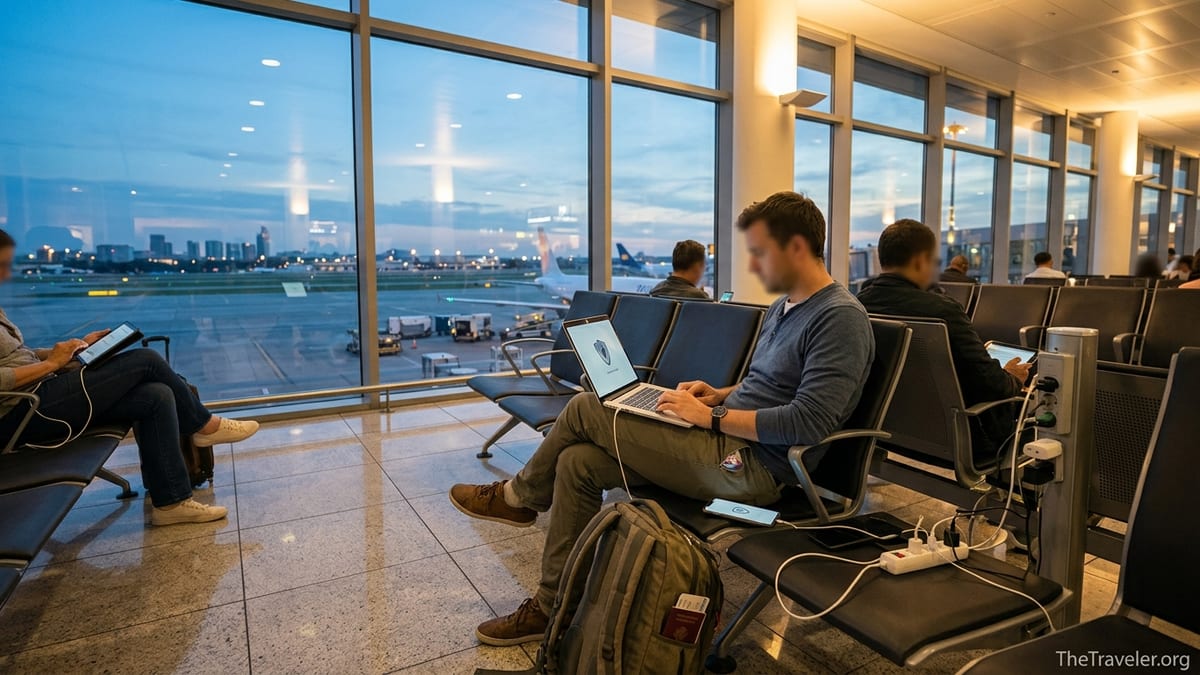
Why NordVPN Has Become a Travel Essential
NordVPN has grown into one of the most travel‑friendly VPN services thanks to its large global server network, fast speeds, and focus on security. Independent tests in early 2026 report more than 9,000 servers in well over 130 countries, making it one of the biggest networks available, with coverage across all major regions including North America, Europe, and Asia Pacific. That range matters to travelers who might jump from a layover in Qatar to a week in Thailand and then on to Australia, yet still want a stable connection and familiar online services.
For travelers, speed is as important as reach. Recent technical reviews in 2026 measured NordVPN among the fastest consumer VPNs, with local speeds over 1,200 Mbps in some controlled tests. While real‑world hotel Wi‑Fi will never reach those numbers, it means the VPN itself is unlikely to be the bottleneck. In practice, this can be the difference between a choppy Netflix stream in your Tokyo Airbnb and smooth Full HD or even 4K playback.
NordVPN’s plans in mid‑2026 typically start at a few dollars per month on long 2‑year deals according to several pricing comparisons, with higher tiers adding extras like data breach monitoring and encrypted cloud storage. All personal plans allow up to 10 simultaneous devices, which directly benefits travelers juggling a phone, laptop, and tablet, or couples and families sharing one account on the road.
Beyond raw specs, NordVPN bundles travel‑relevant features such as a kill switch to prevent data leaks if the VPN drops, Threat Protection to block many malicious sites and trackers, and optional “obfuscated” servers that can help in places where VPN traffic is restricted. For specific types of travelers, these features are not just conveniences but critical safeguards.
Solo Tourists and Backpackers on Public Wi‑Fi
Budget travelers and solo backpackers are among the groups who benefit most from NordVPN, largely because they rely heavily on public Wi‑Fi. A month‑long backpacking loop through Southeast Asia, for example, might involve daily logins to open networks in Chiang Mai cafes, Bangkok hostels, Kuala Lumpur airports, and Penang guesthouses. Cybersecurity agencies have repeatedly warned that open or poorly secured hotspots make it easy for attackers to snoop on unencrypted traffic or set up fake “free airport Wi‑Fi” networks to steal passwords and payment details.
Using NordVPN in this environment encrypts the backpacker’s traffic from their device to the VPN server, making it much harder for anyone on the same network to see what they are doing. A traveler planning a trip on a booking site, logging into their email, or checking online banking from an Athens hostel Wi‑Fi network is far safer with a VPN running than without it. Even if the hostel owner has done nothing wrong, an attacker on the same network could try to intercept connections; a VPN’s encryption places a strong barrier in their way.
NordVPN’s “Trusted Network” feature can also help these travelers. You can tell the app that your home network is trusted, so it does not auto‑connect there, but it will automatically turn on whenever you join anything unfamiliar, like the free Wi‑Fi at a Madrid train station or a beach bar in Tulum. For backpackers who might forget to tap “connect” every single time, this automation significantly reduces the chances of accidentally browsing unprotected.
There are occasional real‑world wrinkles. Some hostels and cafes use captive portals that require you to open a browser and accept terms before granting internet access. With NordVPN set to connect automatically, that portal page may not load until you briefly disconnect, complete the login, then reconnect the VPN. Once you understand this dance, though, NordVPN becomes a reliable shield for the chaotic, low‑budget, Wi‑Fi‑heavy style of travel.
Remote Workers, Digital Nomads, and Long‑Stay Travelers
Remote workers and digital nomads arguably squeeze the most value out of NordVPN while traveling because their income depends on stable, secure connectivity. Picture a software developer spending three months in Lisbon, a copywriter splitting time between Mexico City and Medellín, or a US‑based project manager taking Zoom calls from Bali. They often connect to client portals, cloud drives, CRM systems, and company email accounts over networks that they do not control.
For this group, NordVPN provides several practical advantages. First, consistent use of a VPN on coworking or apartment Wi‑Fi in hubs like Canggu, Chiang Mai, or Prague reduces the risk that sensitive client files or login credentials are intercepted on the local network. Second, many remote workers need to access region‑locked services such as US‑only tools, internal company dashboards, or compliance‑related platforms that assume users are connecting from a specific country. NordVPN’s broad server coverage, including servers in all 50 US states according to recent reviews, allows them to appear “back home” from almost anywhere.
Digital nomads often join multiple video calls daily, so performance matters. NordVPN’s newer NordLynx protocol is optimized for speed and lower latency. In day‑to‑day terms, this means a designer on a Slack huddle from a hotel in Buenos Aires is less likely to see a frozen screen or hear robotic audio because of the VPN itself. Real‑world bandwidth will still depend on the underlying connection, but the overhead added by NordVPN tends to be modest compared with older VPN technologies.
There is also a privacy benefit that many long‑stay travelers overlook. When you connect via NordVPN, the IP address that websites see belongs to NordVPN rather than to a specific apartment or coworking space. For a nomad who uses the same coffee shop in Medellín every day, this reduces the digital footprint that could theoretically be tied back to a precise physical location over time. It also means your personal IP is not constantly logged across the many tools, services, and ad networks you touch during months abroad.
Business Travelers Handling Sensitive Data
Corporate travelers, consultants, and journalists who routinely handle sensitive information can be especially exposed on the road. Consider an in‑house lawyer flying from New York to Frankfurt, a healthcare executive attending a conference in Dubai, or a reporter covering elections in Eastern Europe. They may use hotel Wi‑Fi to download confidential documents, join calls where corporate strategy is discussed, or send embargoed files on tight deadlines.
Many organizations already issue corporate VPNs that connect directly into company networks. However, those often protect only traffic to and from corporate servers. NordVPN can act as an additional layer when business travelers access personal or third‑party services that still carry private or commercially sensitive information, such as personal email that includes client details or secure messaging apps used with sources. Encrypting all outbound traffic through a reputable consumer VPN service reduces the attack surface when they inevitably end up working from airport lounges, convention center Wi‑Fi, or business‑class hotel networks.
Some NordVPN plans now include features like Dark Web monitoring and password manager integration at the Plus or Complete levels. While these are not a replacement for solid corporate security policies, they add personal protection for the same people whose business credentials might be prime targets. For example, if a consultant’s personal email address and a reused password surface in a breach, Dark Web monitoring can alert them to change it before an attacker tries that combination on work accounts while they are on a trip.
Business travelers should also pay attention to NordVPN’s kill switch. If their laptop temporarily loses connection to the VPN on a patchy hotel network in Shanghai or Johannesburg, the kill switch can block all traffic until the encrypted tunnel is restored. This prevents sensitive data from suddenly flowing through an unprotected connection during a crucial file upload or remote desktop session.
Streamers, Sports Fans, and Entertainment‑Focused Travelers
Another group that benefits significantly from NordVPN is leisure travelers who care about streaming, especially those who want to keep up with home content libraries or live sports while abroad. Geo‑restrictions mean that a US subscriber who lands in Paris may find their favorite shows missing from the local catalog or certain sports streams blocked entirely. NordVPN has gained a reputation in independent testing in 2026 for reliably unblocking many major streaming platforms when connected to the right country servers.
In practice, this might look like a Canadian traveler connecting to a server in Toronto or Vancouver from a hotel in Rome so they can watch a hockey game or maintain access to their familiar streaming catalog. Or a Brit on a business trip in Singapore using a UK server to catch up on series that are not licensed in Asia. Reviews in 2026 note NordVPN’s near‑flawless track record for bypassing many region restrictions, though it is always a cat‑and‑mouse game and no provider can guarantee access to every service at all times.
Speed is again a crucial factor. High‑definition video streaming typically requires a stable 5 to 25 Mbps connection depending on the quality. If a traveler’s Madrid Airbnb Wi‑Fi already tops out at 40 Mbps, they cannot afford a VPN that cuts their bandwidth in half. Because NordVPN is optimized for fast throughput, it often lets travelers stream at full quality when the underlying network is decent. That can mean the difference between a smooth Formula 1 stream on a Sunday evening in Bangkok and one that constantly buffers.
Younger travelers on working holidays or Erasmus semesters in Europe may also use NordVPN to access services that only work in their home country, including some gaming platforms or live TV apps. Since one account covers up to 10 devices, a small group sharing an apartment in Berlin could feasibly protect a few laptops, phones, and a streaming stick plugged into their TV with a single subscription, making the per‑person cost relatively low on longer stays.
Travelers Going to Countries With Restricted Internet
NordVPN can be particularly valuable for people traveling to destinations where parts of the internet are blocked or heavily monitored. This might include popular transit hubs and tourist destinations where social networks, messaging apps, news sites, or even basic cloud tools do not always work as expected. In such places, a VPN can help travelers access the services they rely on back home while adding a layer of privacy.
Among NordVPN’s features, obfuscated servers are especially relevant here. When enabled, they are designed to disguise VPN traffic so that it looks more like regular HTTPS traffic, which can help bypass some forms of VPN blocking by networks or internet providers. For example, a traveler on a business trip in a country with strict controls might connect through an obfuscated server set to a nearby country to reach collaboration tools, social platforms, or cloud storage that would otherwise be unreachable.
However, travelers should stay informed about local laws. Using a VPN is entirely legal in many destinations, including most of Europe, North America, and large parts of Asia, but in some jurisdictions VPN use is restricted or regulated. NordVPN itself advises users to comply with local regulations, and responsible travel planning includes checking the current status of VPN legality before arrival. In some countries, VPN apps may also be removed from local app stores, so it is wise to install and test NordVPN before leaving home.
It is also worth setting realistic expectations. In certain locations, network administrators or internet providers may still manage to block access to some VPN servers or protocols. Travelers might need to switch between NordVPN protocols in the app, try different server locations, or temporarily disconnect to complete local captive‑portal logins. These small hassles are usually manageable and, for many travelers heading to restricted environments, a fair trade for the extra access and privacy that NordVPN can provide.
Families, Group Trips, and Multi‑Device Travelers
Families and groups traveling together can extract disproportionate value from NordVPN because a single account can secure up to 10 devices at once. Think of a family of four on a two‑week trip through Italy: each parent has a smartphone and a laptop, and the teenagers each have a phone and a Nintendo Switch or tablet. Between flight check‑ins, online homework, and streaming shows in the evening, that is easily eight or more devices hopping on hotel and apartment Wi‑Fi networks in Rome, Florence, and Venice.
With NordVPN installed on each device, all traffic can be encrypted, regardless of which family member forgets to ask whether the Wi‑Fi is safe. Parents can connect the kids’ tablets to a server back home so their usual educational sites and streaming services work as expected, while they themselves use other locations to catch up on work emails from their balcony. The 10‑device limit is generous enough that a small group of friends sharing an Airbnb in Lisbon or a ski chalet in Colorado can all protect their phones and laptops from the same subscription.
Multi‑device travelers also benefit from NordVPN’s cross‑platform apps. The service supports major operating systems including Windows, macOS, Android, iOS, and several smart TV platforms. A traveler who edits photos on a MacBook, messages on an Android phone, and streams movies on a Google TV dongle in their Airbnb can run the same NordVPN account on all three. That continuity reduces friction; once you are used to hitting “Connect” on one device, you are more likely to remember to protect the others as well.
Some tech‑savvy travelers even pair NordVPN with a compact travel router. They connect the router to the hotel or cruise‑ship Wi‑Fi, run NordVPN on the router itself, and then connect all their gadgets through that protected hotspot. This setup can simplify captive‑portal logins, reduce conflicts with individual device firewalls, and ensure that every device, including ones that do not support VPN apps directly, benefits from the encrypted tunnel.
The Takeaway
NordVPN is not strictly necessary for every traveler, but certain groups stand to benefit greatly from using it on the road. Solo backpackers and budget travelers gain crucial protection on the free Wi‑Fi networks that their itineraries depend on. Remote workers and digital nomads get more stable access to the tools and services their livelihoods require, along with a meaningful boost to privacy in coworking spaces and short‑term rentals around the world.
Business travelers handling sensitive data can use NordVPN as a supplementary shield over and above corporate protections, especially on hotel and airport networks they do not control. Entertainment‑focused travelers and sports fans enjoy more reliable access to home streaming libraries and live events when they roam across borders. Those visiting countries with restricted internet can leverage features like obfuscated servers to reach familiar services, while families and groups can protect multiple devices from a single account.
Ultimately, the travelers who benefit most from NordVPN are those who regularly rely on public or semi‑public networks, handle any kind of sensitive or business‑related information away from home, or care about keeping their online life consistent and accessible regardless of where their passport is stamped. For them, packing NordVPN alongside their passport, credit cards, and power adapter can be a small investment that delivers peace of mind every time they connect.
FAQ
Q1. Is NordVPN really necessary if my hotel Wi‑Fi uses a password?
Even password‑protected hotel Wi‑Fi often shares the same network among many guests, staff, and devices. A VPN like NordVPN encrypts your traffic so others on that network, including potential attackers, cannot easily see what you are doing or intercept sensitive information.
Q2. How many of my devices can I use with NordVPN while traveling?
NordVPN personal plans currently allow up to 10 simultaneous device connections per account. That is usually enough for a traveler’s phone, laptop, tablet, and even a streaming device, or for several family members sharing one subscription.
Q3. Will NordVPN slow down my internet connection on hotel or airport Wi‑Fi?
Any VPN adds some overhead, but NordVPN is designed for high speeds, and independent tests in 2026 place it among the fastest consumer VPNs. On typical hotel or cafe Wi‑Fi, the local network is usually the limiting factor, so most travelers find the speed impact acceptable for browsing, calls, and streaming.
Q4. Can NordVPN help me watch my home streaming services when I am abroad?
Yes, many travelers use NordVPN to access their home streaming libraries by connecting to servers in their home country. While no VPN can guarantee access to every service at all times, recent testing shows NordVPN successfully unblocks many major platforms in a wide range of locations.
Q5. Is it legal to use NordVPN when I travel internationally?
Using a VPN is legal in many countries, including most of Europe and North America, but some jurisdictions restrict or regulate VPN usage. Before your trip, you should check local rules for your destination and always use NordVPN in compliance with applicable laws.
Q6. How does NordVPN protect me on public Wi‑Fi at airports and cafes?
When you connect to NordVPN, it creates an encrypted tunnel between your device and a VPN server. On an open or semi‑open network in an airport, mall, or cafe, this means other people on that Wi‑Fi network cannot easily read your data, even if they are attempting to snoop on traffic.
Q7. I use a company VPN for work. Do I still need NordVPN when traveling?
A company VPN usually protects traffic between your device and corporate systems. NordVPN can supplement that by securing all of your other online activity, such as personal email, banking, and cloud tools, when you are on hotel or public Wi‑Fi. Many business travelers use both, as long as company policy permits it.
Q8. What if my hotel or airline Wi‑Fi blocks VPN connections?
Some networks do interfere with VPN traffic. In those cases, NordVPN users can often resolve issues by changing VPN protocols, trying different server locations, or briefly disconnecting to complete captive‑portal logins before reconnecting. In a few rare cases, a particular network may still block VPNs, and there may be no practical workaround.
Q9. Should I keep NordVPN on all the time while I travel?
Many travelers choose to keep NordVPN on whenever they are off their trusted home or office network, especially on public Wi‑Fi. Features like Trusted Network and auto‑connect can automate this, ensuring the VPN turns on whenever you join an unfamiliar network without you having to remember each time.
Q10. Which NordVPN plan makes the most sense for frequent travelers?
For most frequent travelers, the mid‑tier or higher‑tier plans with features like Threat Protection and Dark Web monitoring provide good value, especially on discounted multi‑year deals. Those who only travel occasionally might opt for a basic plan and shorter term, focusing mainly on encrypted connections and wide server coverage.