


You do not need a VPN every time you leave your apartment. But if you travel even a couple of times a year, there are specific situations where switching on a service like NordVPN can spare you from genuine headaches: hacked hotel Wi-Fi, banking lockouts, streaming blackouts, or suddenly discovering that the sites you rely on are blocked in the country you just landed in. This guide focuses on those real-world moments on the road when a VPN is not just a privacy upgrade, but a practical problem-solver.
Get the latest updates straight to your inbox!
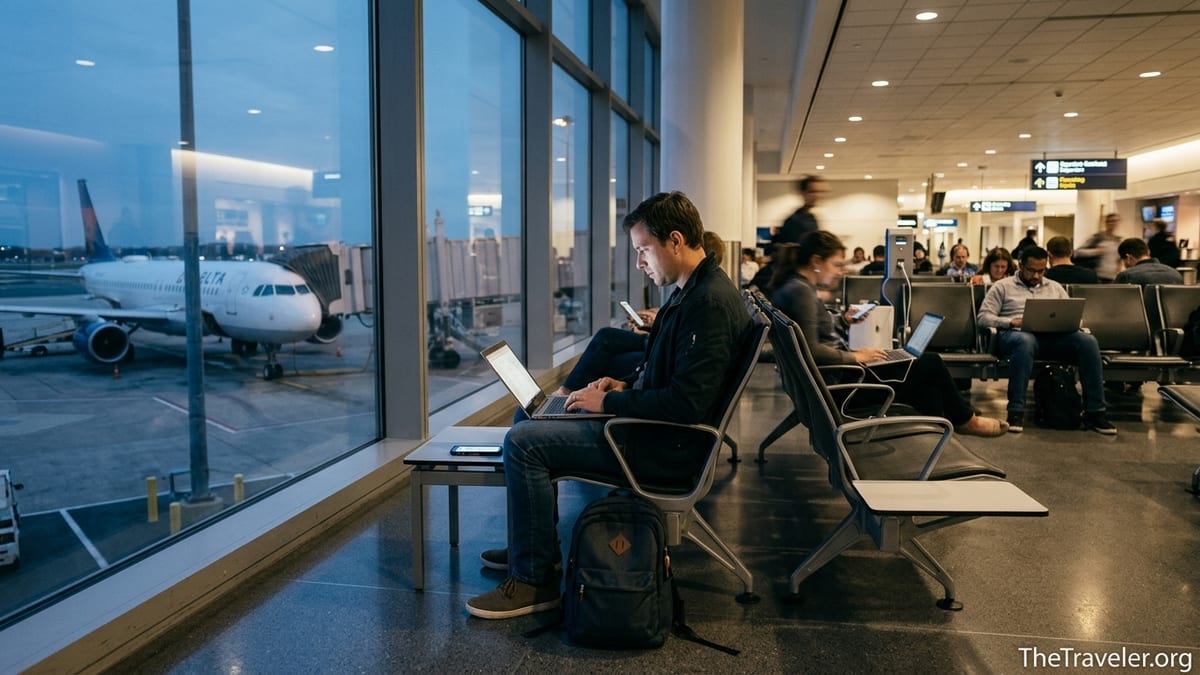
When Airport and Hotel Wi-Fi Is Your Only Lifeline
Public Wi-Fi is the classic reason travelers reach for a VPN, and for good reason. Modern airports and hotels often run large, shared networks where hundreds of devices sit on the same virtual “hallway.” Security researchers have repeatedly shown how attackers can abuse these setups, creating fake “Airport_Free_WiFi” or “Hotel_Guest” hotspots or tampering with legitimate routers to eavesdrop on browsing sessions. In 2025 and 2026, several reports in outlets like TechRadar and PCWorld highlighted new Wi-Fi vulnerabilities that make so-called evil twin and man-in-the-middle attacks easier on public networks, especially crowded ones at major hubs.
Imagine arriving exhausted at New York JFK or London Heathrow, connecting to what looks like the official free Wi-Fi, and quickly checking your email and travel insurance. A criminal running the hotspot or exploiting a router flaw may not be able to read every HTTPS-protected message, but they can still see which sites you visit, harvest login details from poorly configured apps, or inject malicious popups. At hotels, the risk is amplified by routers that are rarely patched. Security investigations have previously documented malicious campaigns like DarkHotel, which specifically targeted business travelers through compromised hotel Wi-Fi by pushing fake software updates to guests.
This is the kind of scenario where NordVPN is built to help. Once you have authenticated through the captive portal, switching on NordVPN routes all your traffic through an encrypted tunnel to a remote server. To anyone on the local network, that traffic looks like opaque, scrambled data. They can still see that your device is connected, but your destination websites, DNS requests, and unencrypted app traffic are hidden from casual interception. If someone is running a rogue access point in a departure lounge in Dubai or a budget hotel in Barcelona, their chance of turning your browsing into usable information drops dramatically when a robust VPN is active.
VPNs are not magic shields. They will not fix a device that is already infected with malware or protect you if you willingly type your credentials into a fake login page. But when you must rely on airport or hotel Wi-Fi to rebook flights, retrieve boarding passes, or send sensitive work documents, a vetted provider like NordVPN adds an important extra barrier against opportunistic snooping and tampering.
Accessing Your Money Without Triggering Fraud Alarms
One of the most stressful travel nightmares happens not at a border crossing, but at an ATM or in a café when your bank suddenly freezes your account. Many banks and card issuers run automatic fraud systems that flag unusual access patterns, such as logging into your US-based bank app from a Thai hotel one day and a Vietnamese coworking space the next. Some travelers report that just checking balances from a new country has resulted in temporary blocks or urgent security calls they could not easily answer while roaming.
Using a VPN strategically can soften the shock to these systems. NordVPN runs servers in more than 100 countries, including a wide spread across the United States and Europe. If you are an American traveling in Mexico City and your bank is particularly strict about foreign logins, connecting through a NordVPN server in your home state before opening your banking app can make your access pattern look less erratic. To your bank, it appears that your device is still in or near your regular region, even though you are sipping coffee in Roma Norte.
There is a second benefit: you reduce the amount of information that local internet providers and shared Wi-Fi operators see about your financial activity. Without a VPN, the hotel network operator in Istanbul or the café hotspot in Bogotá can at least observe that you are contacting a banking domain at particular times. With the VPN tunnel turned on, all they see is an encrypted stream to a NordVPN server, not that you are talking to your bank, investment platform, or digital wallet at all.
It is important, however, to avoid overcomplicating things. Some banks look negatively on VPN use, especially if you hop between countries aggressively within a short time frame. A practical travel pattern is to pick one or two “home base” VPN locations for banking, such as your usual US city and maybe one backup location, and stick to those during a trip. Before you leave, notify your bank of your travel dates and destinations, test that you can log in over NordVPN at home, and then replicate the same setup abroad so nothing looks unexpectedly different to the fraud systems monitoring your account.
Staying Connected When Countries Block Your Favorite Apps
For many travelers, the harshest digital shock is discovering that everyday services suddenly do not work after landing. In mainland China, the Great Firewall blocks major Western platforms, including many search engines, social networks, and news sites. Research groups and tech outlets have reported that other countries, such as Russia and Iran, also periodically restrict access to foreign social media, messaging apps, or news portals, especially during protests or politically sensitive events.
NordVPN can sometimes restore access by routing your connection through servers located outside the censoring country, making it appear that your traffic originates in, for example, Tokyo or Frankfurt instead of Beijing or Moscow. Many travelers and foreign businesses in China, for example, rely on VPNs to reach their usual email services and cloud tools. However, it is crucial to understand that in several jurisdictions, including China and the United Arab Emirates, unapproved VPN use exists in a legal gray or even restricted zone. Reports in 2026 show renewed crackdowns in parts of China that have made it harder to find stable VPN connections, with occasional fines for local users.
That means you must do your homework before relying on NordVPN or any VPN to bypass local controls. In some cases, using a VPN is broadly tolerated for foreign visitors who simply need to access their work email or banking sites, while actively running VPN services or using them for political activism could attract more attention. Laws change, and enforcement priorities shift, so consult recent travel advisories from your government and consider speaking to a lawyer or compliance expert if you are traveling to a country with strict internet regulations.
Even in less restrictive places, governments sometimes block specific sites or apps. In parts of Southeast Asia and the Middle East, travelers have reported intermittent bans on popular messaging apps or calling features, especially around elections or major sporting events. Having NordVPN set up on your phone and laptop before you go means you can quickly test alternative regions if a service you rely on stops working from the local IP address. Just keep in mind that while VPNs often work around such blocks, there is never a guarantee, and connection quality may fluctuate if authorities start to interfere with known VPN traffic.
Beating Location Locks on Streaming and Work Services
Geo-restrictions are not life-or-death, but they can create real complications for long-term travelers, remote workers, and digital nomads. If you live in the United States and travel to Italy for a month, you may discover that your favorite streaming platform suddenly offers a completely different catalog, or that certain shows and sports broadcasts are unavailable from your new location. Similarly, some corporate tools or cloud dashboards are region-limited for compliance reasons, and logins from unexpected countries can be blocked or throttled.
NordVPN is widely regarded by independent reviewers as one of the more reliable VPNs for accessing streaming services while abroad. Tech-focused sites that test VPNs against multiple platforms have rated NordVPN highly in 2026 for its speed and ability to connect to US, UK, and European libraries from overseas. In practice, this means that an American on assignment in Tokyo can connect to a NordVPN server in Los Angeles and continue watching the same series they started at home, or a British expat in Canada can still stream UK-only programs during a long stay.
Beyond entertainment, remote workers frequently use VPNs to appear as if they are still in their normal work region. Some internal dashboards, staging servers, or licensed databases allow logins only from specific countries or IP ranges for compliance and security reasons. If your employer has not set up its own corporate VPN, a personal NordVPN subscription can sometimes bridge the gap, letting you connect to region-locked tools from a coworking space in Lisbon or a rented apartment in Buenos Aires without constantly requesting exceptions from IT.
The catch is that streaming platforms and some corporate services actively fight VPN usage. They use IP reputation databases to detect and block traffic that appears to come from shared VPN servers. As a traveler, this means that while NordVPN often works, there will be times when a server that streamed HBO content flawlessly on Monday returns an error on Friday. The usual workaround is to switch to another server in the same country or contact NordVPN support for updated recommendations, but you should accept that no provider can guarantee uninterrupted access all the time.
Protecting Your Identity on Shared Computers and Co-working Spaces
Not every travel threat comes through Wi-Fi. Sometimes, you are forced to use computers you do not control: a business center terminal at a resort in Mexico, a shared desktop in a Bali coworking space, or a friend’s laptop at a homestay in rural Vietnam. These machines might have browser extensions, keyloggers, or corporate monitoring tools that capture more than you realize. While a VPN cannot block keyloggers from recording what you type, it can reduce how much sensitive data the network itself reveals.
Sign in to NordVPN on the shared machine before you open any web-based services, and your browsing traffic is encrypted between that device and the VPN server. The coworking space’s network administrator in Chiang Mai can still log that the machine is online, but they do not see that you are connecting to a particular health portal, legal service, or private cloud project. If the network is being monitored via deep packet inspection, the VPN tunnel makes it far harder to build a detailed picture of your web activity.
There is also a subtler benefit. Shared spaces often use transparent caching and filtering systems to inspect and speed up web traffic. These systems might keep logs of requested domains and files for days or weeks. By wrapping most of your activity inside an encrypted tunnel, NordVPN reduces the amount of personally revealing browsing history that ends up stored on infrastructure you do not control. For travelers who juggle freelance work for multiple clients, or activists passing through countries where their contacts and reading habits could be sensitive, this additional layer of privacy can matter a great deal.
To get the most protection in these environments, combine NordVPN with good digital hygiene. Whenever possible, bring your own laptop instead of relying on public terminals, use password managers with two-factor authentication, and log out of all accounts when you are done. The VPN solves the network visibility problem, but you are still responsible for what happens directly on the device in front of you.
Reducing Spam, Malware, and Tracking While You Roam
Travel tends to multiply small digital annoyances into bigger ones. You sign up for a “free” Wi-Fi pass at a European airport with your main email address and suddenly start receiving dozens of new marketing messages every week. You click a Wi-Fi captive portal at a Caribbean resort and notice odd browser extensions or homepage changes when you return home. Studies of public Wi-Fi captive portals have shown that many quietly load advertising trackers and share device identifiers with multiple third parties, building detailed profiles of where you connect and when.
NordVPN’s newer features go beyond simple tunneling to address some of these problems. Its Threat Protection and ad-blocking tools, available on many platforms, attempt to filter known malicious domains, phishing sites, and ad servers before traffic reaches your browser. While you still need to accept captive portal terms to get online, once you are through, these filters can reduce the number of popups, malicious redirects, and tracking scripts that execute as you browse. For a traveler working from borrowed laptops or unfamiliar phones, that extra barrier against drive-by malware can be valuable.
Consider a concrete scenario. You are in a budget guesthouse in Lima using their shared Wi-Fi to download a conference slide deck from your cloud storage. The router firmware is years out of date, and an attacker has compromised it to occasionally inject bogus download links pointing to malware. Without a VPN, there is a chance your browser quietly follows one of these altered paths. With NordVPN encrypting the entire connection to your trusted storage provider, the router never sees which specific files you are requesting, and it cannot selectively tamper with that traffic without breaking the connection altogether.
None of this removes the need for antivirus tools or safe browsing habits, but it does change the attacker’s job from “trivial” to “considerably harder.” For many opportunistic actors who rely on poorly secured tourist infrastructure, that is enough to make you a much less convenient target than the next guest in line.
Understanding the Limits and Legalities Before You Connect
As powerful as a VPN can be, it has clear limits that every traveler should understand. NordVPN encrypts your traffic between your device and its servers, but it does not make you invisible or immune to local laws. Your internet provider at home will see that you are using a VPN, even if it cannot see the content of your browsing. Online services you log into may detect that you are coming from a known VPN IP and challenge you with extra verification or block access altogether.
Legally, most popular tourist destinations allow personal VPN use, and many businesses rely on VPNs for everyday work. However, several countries either restrict VPN usage to government-approved providers or criminalize circumvention of national firewalls. In China, for instance, selling or operating unauthorized VPN services can attract serious penalties, and using unapproved tools to reach blocked platforms is technically illegal, although enforcement against short-term foreign visitors appears uneven and often focused on local activists and providers. In the United Arab Emirates and some neighboring states, using a VPN to commit a crime, such as accessing banned content or fraud, can lead to prosecution.
The practical takeaway is simple: check the latest guidance from official travel advisories before you go. Laws can tighten quickly. In early 2026, for example, independent research and news coverage pointed to an increased crackdown on VPN use in parts of China, combined with more aggressive technical blocking of popular providers. If you are planning to rely on NordVPN to communicate with your employer or access essential tools in such environments, you should prepare contingency plans, such as offline copies of critical documents, alternative contact methods, or region-specific workarounds approved by your company.
Finally, remember that a VPN is just one component of a broader digital security strategy. Strong, unique passwords, multi-factor authentication, updated devices, and basic caution about what you click or download often matter more than whether you are tunneling through New York or Amsterdam. View NordVPN as a powerful multiplier of those habits, not a substitute for them.
FAQ
Q1. Do I really need NordVPN if I mostly use my phone’s 5G when traveling?
Using 5G is generally safer than public Wi-Fi because mobile networks encrypt traffic by default, but NordVPN can still help when you must join hotel or airport Wi-Fi, when you need to appear in your home country for banking and streaming, or when you want an extra layer of privacy from local network operators and trackers.
Q2. Is it legal to use NordVPN in countries like China or the UAE?
Legality varies by country. Some places technically restrict or regulate VPN use, especially for accessing blocked sites, and enforcement can change quickly. Before relying on NordVPN, check current government travel advisories and consider legal advice if you are visiting a country with strict internet controls.
Q3. Can NordVPN fully protect me on airport and hotel Wi-Fi?
NordVPN encrypts your traffic so people on the same network cannot easily see or tamper with it, which significantly reduces many common public Wi-Fi risks. However, it cannot fix an already infected device, prevent you from entering passwords on a fake site, or protect you from every targeted attack, so you still need safe browsing habits.
Q4. Will my bank or streaming service ban me for using NordVPN while abroad?
Most banks and streaming services do not ban users outright for VPN use, but they may trigger extra security checks or block certain VPN IPs. If you see frequent verification prompts or access errors, try sticking to one or two consistent VPN locations, turning the VPN off temporarily, or contacting customer support for guidance.
Q5. How should I set up NordVPN before a big international trip?
Install the apps on all your devices, sign in, and test core tasks like banking, email, and streaming from home while connected to your preferred VPN locations. Make note of which servers work best, enable features such as auto-connect on untrusted networks and the kill switch, and ensure you know how to quickly turn the VPN on and off.
Q6. Does NordVPN slow down my connection too much for remote work?
Any VPN adds some overhead, but NordVPN’s modern protocols are designed to keep speeds close to your normal connection in many locations. On a decent hotel or coworking network, most travelers can comfortably handle video calls, cloud document editing, and remote access, though performance may drop on very congested or low-quality Wi-Fi.
Q7. Can NordVPN stop websites and advertisers from tracking me while I travel?
NordVPN hides your real IP address from websites and provides tools that block many trackers and ads, which cuts down on profiling and targeted marketing. However, sites can still track you through cookies, logged-in accounts, and browser fingerprints, so you may want to combine the VPN with privacy-focused browser settings and regular cookie clearing.
Q8. Is it safe to log into work systems over NordVPN from a café?
In many cases, yes, and it is usually safer than using the café’s Wi-Fi without a VPN. A well-configured NordVPN connection encrypts your traffic end to end, making it harder for others on the network to spy on your work. Just make sure your employer’s policies allow third-party VPNs and that you are not violating any internal security rules.
Q9. What should I do if NordVPN suddenly stops working in a country I am visiting?
First, try switching servers or protocols inside the app, and check whether the issue affects all sites or just one service. If local censorship or technical blocking is likely, look for updated advice from NordVPN’s support channels, and have backup plans such as offline access to boarding passes, alternative messaging apps, or temporary use of mobile data instead of Wi-Fi.
Q10. Can NordVPN replace travel insurance or other safety precautions?
No. NordVPN is a digital privacy and security tool, not a substitute for medical coverage, trip protection, or common-sense precautions like guarding your passport. Think of it as one layer of defense for your online life that complements, but does not replace, broader travel safety planning.