


Walk into almost any airport lounge, hotel lobby or corner cafe and you will see the same scene: travelers hunched over laptops and phones, all connected to the same “free Wi‑Fi.” It feels convenient and harmless, but is it actually safe? And if you already pay for a service like NordVPN, do you really need to switch it on every time you join a hotel, airport or coffee shop network, or can you rely on HTTPS and your mobile apps to protect you? This guide takes a realistic, traveler‑focused look at when using NordVPN on public and semi‑public networks makes sense, what it actually protects you from, and the situations where it might not be worth the hassle.
Get the latest updates straight to your inbox!
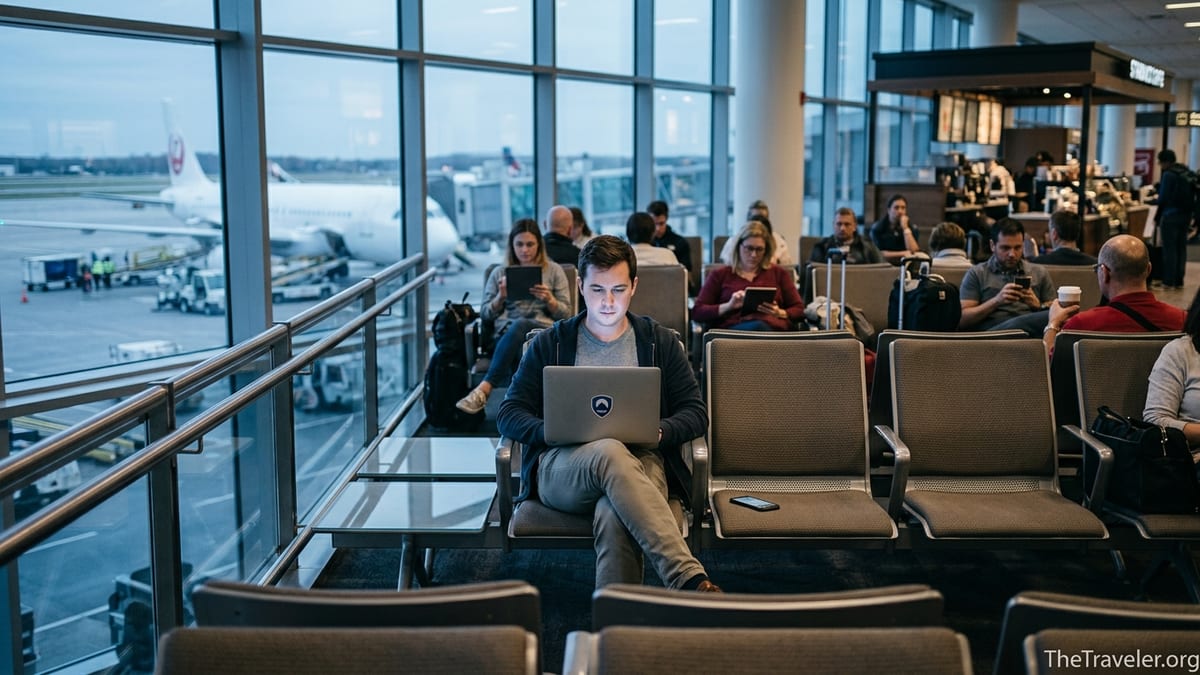
What Really Happens on Hotel, Airport and Cafe Wi‑Fi
Public and semi‑public networks in hotels, airports and cafes are convenient because someone else is paying for the connection, but that convenience comes with trade‑offs. In many mid‑range hotels in places like Orlando or Las Vegas, the same Wi‑Fi password is printed on keycard sleeves or displayed at reception, which means hundreds of strangers share the same basic credentials over a given week. At a busy Starbucks near New York’s Penn Station or in a large European airport terminal, thousands of devices can rotate through the same network SSID in a single day. That density of unknown users increases the chances that at least one device on the network is compromised or that a malicious user is quietly experimenting with basic attack tools.
Common risks on these networks include so‑called “evil twin” hotspots that mimic legitimate names like “Airport_Free_WiFi,” basic eavesdropping on unencrypted traffic, and attempts to intercept login sessions through misconfigured or spoofed access points. Security agencies and consumer regulators have repeatedly warned that public Wi‑Fi by itself does not provide a secure connection and often recommend using a virtual private network to encrypt your traffic when you have to rely on these shared networks. That advice is especially relevant in airports and budget hotels where you have no say over how the routers are configured or updated.
At the same time, the situation is better than it was ten years ago. Most major websites and apps now enforce HTTPS by default, so the classic horror story of someone reading your unencrypted email in a nearby seat is less common. However, “less common” is not “impossible,” and the modern risks have shifted to things like capturing cookies for session hijacking, tricking you into visiting fake login pages, or exploiting outdated devices that have never had a security update. For a frequent traveler juggling online check‑in, ride‑hailing and banking while on the move, a tool like NordVPN is essentially an extra layer that helps compensate for the things you cannot control on these networks.
What NordVPN Actually Does on These Networks
When you connect to NordVPN on a hotel, airport or cafe network, the app creates an encrypted tunnel between your device and a NordVPN server in another location. Anyone else on the local Wi‑Fi, including the venue’s own IT staff or a malicious actor with a Wi‑Fi sniffer, will only see that you are connected to a single encrypted stream of data, not the individual websites or services you are using. NordVPN typically achieves this through protocols like OpenVPN and its own NordLynx implementation, which are designed to resist eavesdropping and tampering in hostile network environments.
Once the tunnel is active, your traffic appears to come from the NordVPN server rather than from the airport or hotel IP address. For example, if you connect from a cafe in Mexico City to a NordVPN server in Dallas, your bank or email provider will see a login from Dallas, not from the cafe’s network. That can reduce some types of geo‑based fraud flags, though in some cases it might trigger extra verification if the location appears unusual compared to your normal pattern.
Beyond the core VPN tunnel, NordVPN now bundles a growing set of security features that are especially helpful on untrusted networks. Its Threat Protection and Threat Protection Pro tools can block known malicious domains, filter many types of ads and trackers, and scan downloaded files for common forms of malware. Independent reviewers at outlets like Tom’s Guide, Forbes Advisor and TechRadar have highlighted these tools as key parts of NordVPN’s evolution into a broader security app rather than just a traditional VPN. For travelers, the practical effect is that a suspicious airport Wi‑Fi portal or a fake hotel login page is more likely to be flagged or blocked before you even have a chance to enter credentials.
NordVPN also includes Dark Web Monitor features that alert you if credentials linked to your email address appear in known data leaks. While that does not directly secure a public network, it gives frequent flyers a bit of early warning if a password they once used on a hotel loyalty site or cafe app has been exposed elsewhere. Combined with good password hygiene and multi‑factor authentication, those alerts can help limit the damage if you do accidentally enter details on a compromised network.
When Using NordVPN on Public Wi‑Fi Makes the Most Sense
For everyday travelers, the decision is less about theory and more about concrete scenarios. Consider a business traveler working on a quarterly financial report in a chain hotel near Chicago O’Hare. They are emailing spreadsheets, logging into a cloud accounting platform, and joining video calls over the hotel Wi‑Fi because mobile data is spotty inside the building. In that setting, switching on NordVPN is a straightforward win: it encrypts sensitive traffic, makes it harder for anyone on the same network to snoop or capture session cookies, and adds protection against malicious sites and downloads they might encounter while multitasking.
Another common scenario is the long layover. Imagine you are stuck for four hours at London Heathrow and decide to use the free airport Wi‑Fi to upload hundreds of vacation photos to cloud storage, pay a hotel bill for an upcoming trip to Tokyo, and quickly log into your main email account to forward some travel confirmations. Airports are prime hunting grounds for fake hotspots, and travelers are tired and distracted. Running NordVPN here means that even if you accidentally join a slightly mis‑named network or an attacker is trying a man‑in‑the‑middle attack on the legitimate Wi‑Fi, your tunneled traffic is significantly harder to read or manipulate.
Public cafe networks are lower risk if you only browse news or look up local restaurant reviews, but the calculus changes the moment you open a banking app, book flights with a saved credit card, or log into work accounts. Picture a remote worker spending the afternoon in a popular coworking cafe in Lisbon or Medellín, connected to the same Wi‑Fi as dozens of digital nomads. Using NordVPN when joining corporate tools like Slack, Google Workspace or a remote desktop session is an easy way to respect your employer’s security expectations and reduce the chance that weak router settings expose those sessions to opportunistic snooping.
When NordVPN May Be Overkill or Inconvenient
There are also moments when NordVPN might be more hassle than help, or at least not strictly necessary. If you are sitting in a small boutique hotel that assigns a unique Wi‑Fi password to each room and you only plan to scroll social media and stream a show on Netflix, your exposure is relatively limited, especially if both your device’s operating system and apps are up to date. In that case, enabling NordVPN is still a net security gain, but forgetting to turn it on is unlikely to be catastrophic for the average traveler.
Travelers sometimes run into practical issues such as captive portals that will not load while the VPN is active. For example, at some North American airports you must first open a browser page, accept terms and conditions, or enter your room number before internet access is granted. If NordVPN is set to auto‑connect, it can block that portal page, creating the impression that the Wi‑Fi is broken. A common workaround is to connect to the network, complete the login or payment step with the VPN temporarily disabled, and only then switch NordVPN on before doing anything sensitive.
Another real‑world frustration is streaming and app behavior. Some airline apps, hotel booking platforms or streaming services respond badly to rapid IP address changes or to IPs associated with VPN services. A traveler trying to watch a local sports stream from a hotel in Paris, for instance, might find that the content is blocked when NordVPN is routed through a different country, or that their airline app demands extra security checks if it detects an unfamiliar location. In those cases, you can either pick a NordVPN server in the same country as your physical location or momentarily disconnect the VPN for that specific task, then reconnect afterward.
Practical Tips for Using NordVPN Smoothly on the Road
If you decide that using NordVPN on hotel, airport and cafe networks is worth it, a few habits can make the experience smoother. Before a big trip, update NordVPN to the latest version on all your devices and check that your subscription is active. Many travelers report that connections are more stable when they use the NordLynx protocol rather than older options, especially on congested Wi‑Fi in major transit hubs. You can usually switch protocols in the app settings and test what works best in your home environment before you are stuck troubleshooting at a departure gate.
At the airport or hotel, it often helps to connect to Wi‑Fi, complete the captive portal or room‑number login step with NordVPN off, and once basic internet access is working, toggle the VPN on and choose a nearby server. Selecting a server in the same country or in a neighboring region tends to offer better speeds and fewer issues with streaming or banking services. For instance, if you land in Singapore and your default server is in Europe, switching to a local or regional server can reduce lag dramatically for video calls back home.
Combine NordVPN with other simple safeguards rather than relying on it alone. Use unique passwords stored in a reputable password manager, turn on multi‑factor authentication for important services, keep your operating system and browser updated, and avoid installing random software while on the road. NordVPN’s Threat Protection tools can block many malicious sites and suspicious downloads, but they are not a full replacement for dedicated antivirus on your laptop. Think of NordVPN as a strong outer wall for your network traffic, while your device’s own security tools handle threats that reach the inside.
NordVPN vs Just Using Mobile Data
Some travelers prefer to skip public Wi‑Fi altogether and rely on mobile data or an international eSIM. Modern 4G and 5G connections are generally harder for random people nearby to snoop on than open Wi‑Fi, because they use different forms of encryption and are controlled by mobile carriers rather than by a hotel’s aging router. If you are only in a cafe for an hour and need to quickly approve a payment or check a bank balance, tethering your laptop to your phone’s data connection may be simpler than joining an unknown Wi‑Fi network and configuring NordVPN.
However, mobile data is not always a perfect solution. In some countries roaming charges are still expensive, and indoor coverage in large hotels or underground airport lounges can be patchy. Many travelers also face data caps on international plans, which makes streaming or cloud backups over cellular less appealing. In those cases, using the venue’s Wi‑Fi combined with NordVPN can be a cost‑effective compromise: you keep using “free” bandwidth while layering encryption and threat protection over the parts you control.
In practice, a flexible approach works best. For quick, high‑risk tasks like logging into your main bank account or file storage, consider using mobile data with or without NordVPN depending on reception. For longer work sessions, large downloads or video calls where Wi‑Fi is the only realistic option, connecting to NordVPN over the hotel, airport or cafe network gives you security that approaches what you would have on a trusted home or office router.
The Takeaway
On balance, using NordVPN on hotel, airport and cafe networks is a smart habit for most regular travelers, especially when handling work documents, financial accounts or personal data you really do not want exposed. Public and semi‑public Wi‑Fi is safer than it used to be thanks to widespread HTTPS, but it still suffers from weak router settings, shared passwords, fake hotspots and the simple reality that you are sharing a network with strangers whose devices and intentions you cannot vet.
NordVPN’s encrypted tunnel makes it much harder for anyone on those networks to read or tamper with your traffic, and its additional tools like Threat Protection and Dark Web Monitor add valuable layers against phishing, malware and the fallout from past data breaches. It is not magic and it will not fix every issue, but in real travel scenarios, from layovers to hotel workdays, it meaningfully reduces your risk for a modest subscription cost and a single tap in an app.
That said, it is worth understanding when a VPN is optional or may briefly complicate things such as captive portals and location‑sensitive streaming. Pair NordVPN with common‑sense steps like software updates, strong passwords and multi‑factor authentication, and you will have a security posture that is good enough for the vast majority of trips. For most travelers, the answer to whether they should use NordVPN on hotel, airport and cafe networks is yes, especially for anything important, but with a pragmatic eye on convenience and context rather than blind reliance.
FAQ
Q1. Do I really need NordVPN on every hotel, airport and cafe Wi‑Fi network?
Not always, but it is strongly recommended whenever you log into important accounts, handle payments or access work documents on a network you do not control.
Q2. If most sites use HTTPS now, what extra protection does NordVPN provide?
HTTPS protects individual website connections, while NordVPN encrypts all your traffic on the local network, helps defend against fake hotspots, and adds tools that can block malicious sites and suspicious downloads.
Q3. Should I turn on NordVPN before or after connecting to public Wi‑Fi?
Connect to the Wi‑Fi first, complete any captive portal or room‑number login step, then turn on NordVPN before accessing sensitive accounts or data.
Q4. Will NordVPN slow down my connection on hotel or airport networks?
Any VPN can add some overhead, but choosing a nearby server and using faster protocols like NordLynx usually keeps speeds good enough for streaming and video calls.
Q5. Can NordVPN stop hackers from seeing my passwords on public Wi‑Fi?
NordVPN makes it much harder for attackers on the same network to intercept your traffic, but you should still use strong, unique passwords and multi‑factor authentication in case a password is stolen elsewhere.
Q6. Is it safer to just use mobile data instead of Wi‑Fi with NordVPN?
Mobile data is often safer than open Wi‑Fi, but it can be expensive or unreliable when roaming. Using NordVPN on trusted or semi‑trusted Wi‑Fi is a good alternative when data is limited.
Q7. What should I do if a website or app does not work properly with NordVPN on?
Try switching to a server in the same country you are in, change protocols in the app, or briefly disconnect NordVPN for that specific task and reconnect afterward.
Q8. Does NordVPN protect me if the hotel or airport network itself is compromised?
NordVPN encrypts your traffic so that a compromised router or snooping user sees only scrambled data, which significantly reduces the impact of many local network attacks.
Q9. Is NordVPN a replacement for antivirus software on my laptop?
No. NordVPN’s Threat Protection features can block many malicious sites and files, but you should still run reputable antivirus software for full device‑level protection.
Q10. What is the simplest security routine for frequent travelers using public Wi‑Fi?
Keep your devices updated, use a password manager and multi‑factor authentication, connect to Wi‑Fi, then switch on NordVPN before doing anything sensitive, and prefer mobile data for your most critical logins when possible.