


Walk into any international airport lounge or hostel common room in 2026 and you will see the same scene: laptops open, phones charging, and travelers jumping onto the nearest free Wi‑Fi. What you do not see is the quiet layer of protection many frequent travelers now consider non‑negotiable when they connect abroad: a virtual private network, and very often, NordVPN. For digital nomads, consultants, and vacationers who work on the road, using a VPN on public Wi‑Fi is less about tech trends and more about basic survival in a world of fake hotspots, data snooping, and geo‑restricted services.
Get the latest updates straight to your inbox!
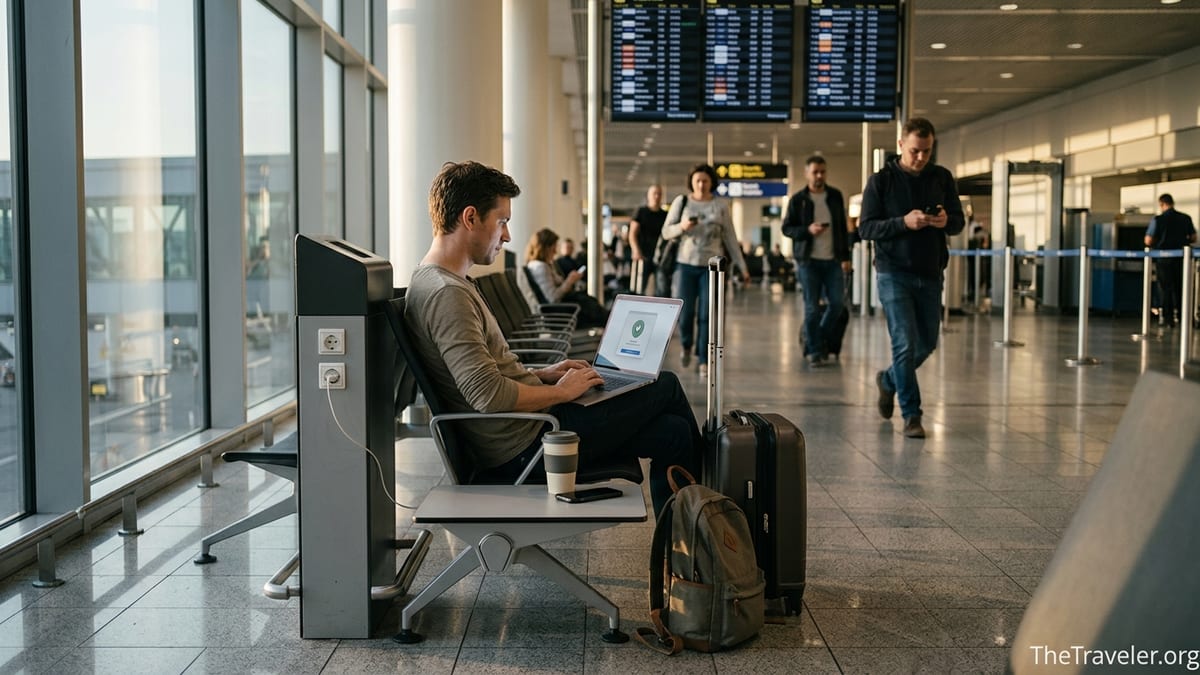
Public Wi‑Fi Abroad: Convenience With Real Risks
Public Wi‑Fi has become a default part of modern travel. Airports from JFK to Dubai International, coffee chains like Starbucks or Costa, and budget hotel brands across Europe all advertise free Wi‑Fi as a key amenity. Yet the same openness that makes these networks convenient also makes them attractive hunting grounds for cybercriminals. Security researchers and consumer protection groups have repeatedly shown that it is relatively easy for someone in the same café or terminal to monitor unencrypted traffic or to set up a rogue network that impersonates the official one.
A classic example plays out daily in major hubs like London Heathrow or LAX. A traveler sees two almost identical networks, “Airport_Free_WiFi” and “Airport_Free_WiFi_5G,” shrugs, and connects to whichever seems faster. In some documented cases, the second network is a malicious access point broadcasting a believable name so that unsuspecting passengers will send their logins, emails, and cloud documents through a device controlled by an attacker. Once the victim opens their email or cloud storage, the attacker can attempt to harvest credentials or inject fake login pages.
Even when the hotspot itself is legitimate, the local network tends to be crowded and poorly segmented. In practical terms, that means your laptop in a Lisbon hostel might be sharing the same broadcast domain as dozens of other devices. On older or misconfigured systems, nearby users can see traffic that is not properly encrypted or probe for exposed file shares and weakly protected services. The result is a level of ambient risk that is very different from using a home router in a private apartment.
For frequent travelers, the pattern becomes obvious after only a few trips: hotel and café Wi‑Fi is indispensable, but it is not safe by default. That realization is a major reason many of them reach for a VPN app like NordVPN the moment they see the hotel welcome screen.
How NordVPN Changes the Game on Shared Networks
A VPN creates an encrypted tunnel between your device and a remote server. When you connect to NordVPN on a public hotspot in, say, a Madrid coworking space, your traffic is scrambled on your phone or laptop before it ever touches the shared Wi‑Fi. Anyone sniffing the local network will see only unreadable, encrypted data going to and from a NordVPN server, not the websites you visit or the content of your connections.
This matters in very concrete ways. Imagine a consultant working on client proposals from a hotel lobby in Singapore. Without a VPN, an attacker sitting nearby with a laptop running basic network tools might spot which cloud services the consultant is using and attempt to hijack any connection that is not configured correctly. With NordVPN active, the attacker still sees data flows, but they appear as encrypted blobs heading to a NordVPN server rather than directly to the consultant’s email or document platform. It does not make targeted attacks impossible, but it raises the bar significantly above the casual “look what I can see on hotel Wi‑Fi” snooping that remains common.
NordVPN also routes your traffic through its global network instead of relying entirely on infrastructure run by the café, hotel, or their local internet provider. That reduces how much the hotspot operator and their upstream provider can log about your browsing. For travelers who pass through countries with extensive monitoring of internet traffic, having that additional layer between themselves and the local network environment is a practical form of risk reduction, especially when researching sensitive topics or communicating with colleagues abroad.
Just as important for frequent travelers is the consistency factor. Once NordVPN is set to launch automatically, the experience of joining Wi‑Fi in a Tokyo coffee shop or a São Paulo hostel becomes almost identical: connect to the hotspot, the VPN app kicks in, and within a few seconds all traffic is funneled through the encrypted tunnel. That predictability is why many people who live largely on the road describe NordVPN as part of their “muscle memory” whenever a new network appears.
Real‑World Travel Scenarios Where NordVPN Helps
The benefits of using NordVPN are easiest to understand through specific travel situations. Consider a remote worker flying from New York to Berlin with a layover in Paris. At JFK they connect to the airline lounge Wi‑Fi to download client files, at Charles de Gaulle they check banking notifications, and on arrival in Berlin they use the hotel network to join a video meeting. Each network is owned by a different company, configured by a different IT team, and subject to different regulations. Turning on NordVPN does not make those networks trustworthy, but it does ensure that sensitive activity like email, messaging, and document sync is consistently encrypted from the device outward.
Another example is the long‑term digital nomad hopping between coworking spaces in Southeast Asia. Many of these spaces, from Chiang Mai to Bali, use generic routers and leave default settings largely unchanged. It is not unusual to see all connected devices exposed in the same local network. A nomad storing client data, accessing their online banking, and updating business dashboards would be taking a significant risk by sending traffic in the clear over that shared infrastructure. With NordVPN connected, the nomad still relies on the coworking space for basic connectivity, but their data is encapsulated before it reaches the router, which sharply reduces what other users on the same network can observe.
Even casual vacationers run into scenarios where a VPN makes a difference. Picture a family streaming shows for their children on a tablet over the free Wi‑Fi in a Mediterranean resort. That same tablet might be used to check airline bookings, log into cloud photo backups, and approve card transactions via banking apps. Enabling NordVPN on the tablet before using the resort network means that if the hotspot is misconfigured or if another guest is experimenting with traffic sniffing tools, the content of the family’s connections remains protected.
These are not theoretical edge cases. Security researchers have demonstrated credential harvesting on airport and hotel Wi‑Fi in recent years, and law enforcement agencies in several countries have warned travelers that fake “free Wi‑Fi” hotspots around transport hubs are actively used to capture passwords and personal data. Frequent travelers who have witnessed or read about these incidents are often the first to insist that a VPN subscription is as essential as travel insurance.
Why Frequent Travelers Gravitate Specifically to NordVPN
There are many VPN providers on the market, but NordVPN has become a default choice for a lot of frequent travelers in the last few years. One practical reason is its extensive server coverage. Industry reports in 2026 describe NordVPN operating thousands of servers across well over a hundred countries, with recent expansions bringing coverage to all 50 US states and a growing list of locations across Europe, Asia, and Latin America. That breadth matters when you are landing somewhere new every week and simply want a nearby, fast server without thinking too deeply about configuration.
Performance is another point in NordVPN’s favor. Speed tests by technology publications regularly show that NordVPN’s network is optimized enough that typical tasks such as streaming video, video calling, and large file downloads remain smooth, even when routing traffic through an encrypted tunnel. For a consultant giving a sales presentation over Zoom from a hotel in São Paulo, or a travel vlogger uploading 4K footage from a café in Lisbon, the difference between a sluggish VPN and a fast one can be the difference between hitting a deadline and missing it.
Security features beyond basic encryption also appeal to travel‑heavy users. NordVPN includes options like a kill switch that blocks internet access if the VPN connection drops unexpectedly, which is particularly relevant on hotel and airport networks where connectivity can be unstable. Its Threat Protection features aim to reduce the risk of malicious sites and intrusive trackers, useful when you are relying on unfamiliar networks and may be more likely to click on a hotel captive portal, advertising Wi‑Fi upgrade pages, or links sent over unsecured messaging platforms.
NordVPN has also invested heavily in independent security audits and infrastructure hardening after a server breach disclosed in 2019. Since then, it has undergone multiple third‑party assessments of its logging practices and server architecture. For travelers who are effectively outsourcing a sensitive part of their privacy to a VPN operator, that pattern of scrutiny and improvement is one reason they feel more comfortable leaving the app turned on by default when working from foreign networks.
Beyond Security: Streaming, Censorship, and Practical Comforts
While security is the primary driver for using NordVPN on public Wi‑Fi abroad, frequent travelers quickly discover additional advantages. One of the most obvious is streaming. Licensing rules often mean that a show available on a platform in the traveler’s home country disappears from the catalog when they open the app overseas. By connecting to a NordVPN server in their home region, many users find they can keep watching their preferred library while traveling, subject to the terms of the streaming service.
There is also the issue of access to familiar services. Some banking sites and financial apps are wary of foreign IP addresses and may block logins or flag accounts when they see connections from countries rarely associated with the customer. A traveler from the United States trying to approve an online purchase from a hotel in Vietnam might find their bank app unusually suspicious. Using NordVPN to connect through a server back in the US does not guarantee an absence of security checks, but it can reduce the number of false alarms and make the experience feel more like logging in from home.
In certain destinations, a VPN becomes not just helpful but essential for communication. Travelers passing through countries with strong controls on social media or messaging platforms often report that services like popular Western chat apps or news outlets are partially or fully restricted on local networks. In those situations, NordVPN can provide more direct access to the open internet, allowing travelers to use the same collaboration tools, email providers, and cloud platforms they rely on at home, even when connecting from an airport cafe or hotel lobby.
These comfort‑oriented uses are tightly intertwined with public Wi‑Fi because that is where the friction is felt most strongly. It is when you are staring at a blocked messaging app in a transit hotel, or a streaming app that suddenly behaves differently in a foreign café, that the practical value of a well‑configured VPN like NordVPN becomes immediately obvious.
Limitations Travelers Should Understand Before Relying on a VPN
NordVPN improves your privacy and security on public Wi‑Fi, but it does not remove all risk. Seasoned travelers tend to pair VPN use with other sensible habits because they recognize where the boundaries lie. For example, a VPN encrypts traffic between your device and the NordVPN server, but it cannot fix weak passwords, re‑use of login details across services, or a device infected with malware before you even left home.
There is also a brief window of exposure when you first join some public networks. Many airport and hotel hotspots use captive portals that require you to accept terms, enter a room number, or type an email address before you can reach the wider internet. In practice, you often have to interact with that portal before NordVPN can connect. For most travelers the risk during that short interaction is acceptable, but security professionals note that a sophisticated attacker could try to exploit that moment with malicious pop‑ups or fake update prompts. The safer routine is to keep your operating system and apps patched before you travel and to ignore any surprising software update offers that appear on captive portals.
Another limitation is that a VPN does not make inherently unsafe behavior safe. Joining a fake hotspot called “Free_Airport_WiFi” and then turning on NordVPN is better than joining it without a VPN, but you are still trusting whoever controls that access point with the initial connection handshake. You should still avoid accessing especially sensitive accounts, such as small business admin panels or high‑value financial dashboards, on networks you do not trust, even with NordVPN enabled, unless there is no practical alternative.
Finally, travelers should be aware that connecting through a VPN can sometimes trigger fraud checks on streaming or banking platforms or violate the terms of use of some services. In most cases, this simply results in an error message or a request to verify your identity, but it is a reminder that a VPN is not invisible magic. Responsible travelers learn where it fits within the broader picture of digital hygiene and use it as one layer among several.
Smart Setup Tips: Getting the Most from NordVPN on the Road
Frequent travelers who get real value from NordVPN tend to configure it ahead of time, not while juggling luggage in an airport queue. Before departure, they install the app on all relevant devices, enable automatic updates, and sign in so that they can connect with a single tap once abroad. Many choose to set NordVPN to start with the operating system and to use auto‑connect on unfamiliar networks, which reduces the chance of forgetting to turn it on when joining a hotel or café Wi‑Fi.
Choosing server locations with some care also helps. In general, connecting to a server in the country you are visiting or a nearby region will deliver better speeds on public Wi‑Fi, while using a home‑country server may make sense for online banking or accessing content that is restricted to your usual region. Experienced travelers sometimes keep a short mental list of go‑to locations that have consistently performed well for them, such as a particular city that offers low latency for video calls back home.
Many travelers also combine NordVPN with other basic protections. Using two‑factor authentication on important accounts, keeping devices locked when unattended in public spaces, and avoiding installing new software over random hotel networks all reduce the potential damage if something goes wrong. In especially high‑risk environments, some business travelers carry a separate “travel laptop” with minimal data and rely on cloud services accessed over NordVPN rather than taking their primary work machine onto unknown networks.
The common thread is that NordVPN works best as part of a small, repeatable routine. Connect to Wi‑Fi, ensure the VPN icon appears, glance at the server location for sanity, and only then open sensitive apps or websites. Over time, this becomes as automatic as fastening a seatbelt in a taxi leaving the airport.
The Takeaway
Public Wi‑Fi abroad is a double‑edged sword. It keeps remote workers productive, helps backpackers navigate unfamiliar cities, and lets families stay entertained between flights, but it also exposes travelers to a mix of snooping, data harvesting, and deceptive hotspots. Frequent travelers embrace NordVPN on these networks not because they are paranoid, but because they have seen how fragile and inconsistent public connectivity can be once you step outside your home country.
NordVPN offers them a practical way to regain some control. Its encrypted tunnels make casual eavesdropping on hotel and airport networks far more difficult. Its broad server network smooths out many of the annoyances of working and streaming across borders. Its security features help cushion the impact of misconfigured or malicious hotspots. None of this makes you invulnerable, but for people whose lives and livelihoods depend on foreign Wi‑Fi, it shifts the balance decisively in their favor.
If you plan to rely on shared networks on your next international trip, treating a reputable VPN such as NordVPN as standard gear is a rational step. Pair it with up‑to‑date devices, strong passwords, and a healthy skepticism toward too‑good‑to‑be‑true “Free Wi‑Fi” signs, and you will be much closer to enjoying the benefits of global connectivity without surrendering your privacy along the way.
FAQ
Q1. Is public Wi‑Fi safe if I always use NordVPN?
Public Wi‑Fi becomes significantly safer with NordVPN because your traffic is encrypted, but it is not perfectly safe. You still need strong passwords, updated devices, and caution when joining unknown networks and clicking on links or pop‑ups.
Q2. Should I connect NordVPN before or after joining a hotel or airport Wi‑Fi?
In most cases you must join the Wi‑Fi first, especially if there is a captive portal, then connect NordVPN immediately afterward. Make enabling the VPN your first action once basic connectivity is established.
Q3. Can NordVPN protect me if I accidentally join a fake hotspot abroad?
NordVPN encrypts your traffic even on a malicious hotspot, which limits what an attacker can see. However, it cannot stop all risks, such as fake login pages or malware downloads, so you should still avoid suspicious networks whenever possible.
Q4. Does using NordVPN slow down public Wi‑Fi connections when I travel?
Any VPN introduces some overhead, but NordVPN is generally optimized well enough that email, browsing, and video calls remain smooth on most decent hotel and café networks. Performance depends on local Wi‑Fi quality and the distance to your chosen VPN server.
Q5. Which NordVPN server location should I choose while abroad?
For speed, pick a server in the country or region you are visiting. For accessing banking or content tied to your home region, many travelers choose a server in their home country, provided the connection remains stable.
Q6. Is NordVPN enough to safely use online banking on public Wi‑Fi?
NordVPN adds a strong layer of protection by encrypting your traffic on shared networks, but you should still use your bank’s official app or site, enable two‑factor authentication, and watch for unusual login alerts or requests.
Q7. Can I stream shows from my home country while connected to hotel Wi‑Fi overseas with NordVPN?
Many travelers use NordVPN to access streaming catalogs from their home region by connecting to a home‑country server, although availability and behavior depend on each streaming service’s policies and technical measures.
Q8. Will using NordVPN on public Wi‑Fi get my accounts locked or flagged?
Sometimes services notice VPN or foreign IP addresses and may ask for extra verification or briefly block access. This is usually a minor inconvenience rather than a serious problem, but it is worth being prepared for extra security checks.
Q9. Do I still need NordVPN if I use my phone’s hotspot instead of café Wi‑Fi?
Personal hotspots using mobile data are typically safer than open Wi‑Fi, but many travelers still use NordVPN on top for extra privacy, especially when handling sensitive work documents or personal information.
Q10. What is the simplest routine for using NordVPN every time I travel?
The simplest routine is to install and sign in before your trip, enable auto‑connect on unfamiliar Wi‑Fi networks, verify the VPN is active whenever you join a new hotspot, and only then open email, banking, or work apps.