


More news on this day
United Airlines has hardwired Apple’s AirTag ecosystem into its baggage-service workflow, letting passengers share live tracker data with staff through the United app when a checked bag is delayed or mishandled.
Get the latest news straight to your inbox!
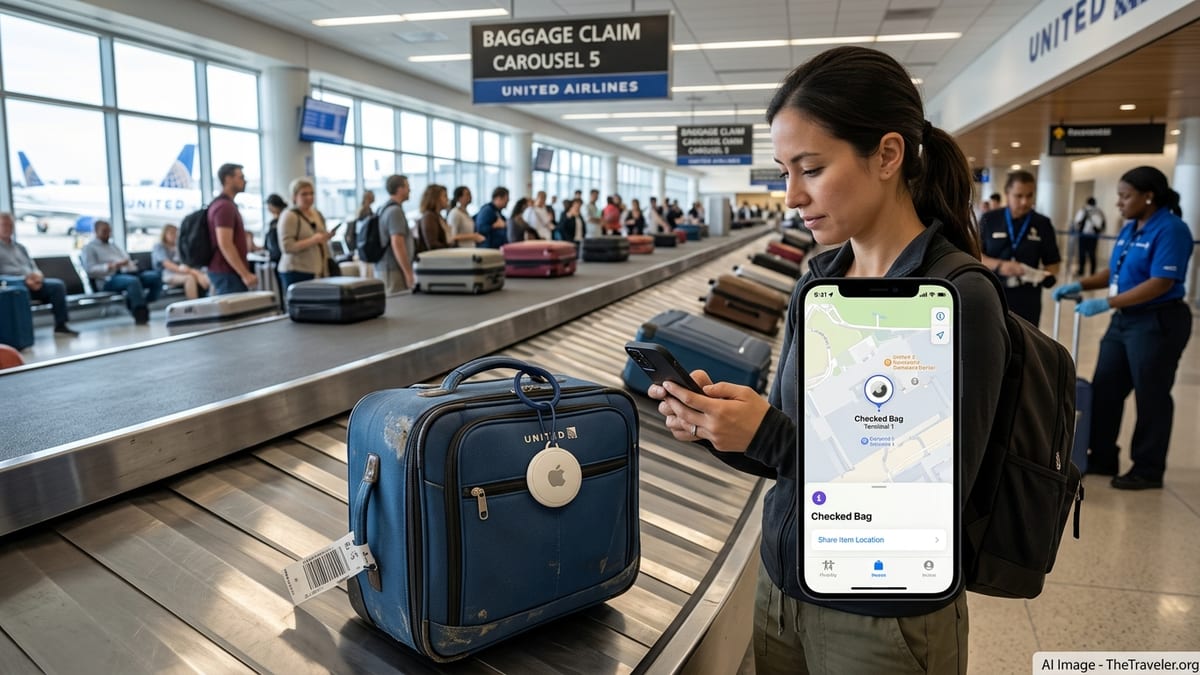
How United’s AirTag sharing works when a bag goes missing
United announced on December 12, 2024 that it had integrated Apple’s Share Item Location feature for AirTag into its mobile app and baggage-service processes, becoming the first airline to do so. When a checked bag is delayed or misrouted, customers who packed an AirTag or other Find My network accessory can now generate a Share Item Location link in Apple’s Find My app and attach it to their delayed baggage report in the United app. United’s baggage agents can then see the same map view as the traveler, including a timestamped last-known location that updates automatically while the AirTag is in range.
The airline says that about 99 percent of checked bags still arrive on time, so only a small share of passengers ever touch this feature. For those who do, United positions the tool as a service upgrade rather than a replacement for its barcode and RFID-based bag tracking, which continues to log each scan on and off aircraft inside the app. The difference is that in a mishandled-bag case, staff are no longer relying solely on back-end scan history or physical searches; they can cross-check those records against the customer’s own tracker data.
In practice, that can change the first conversation at the baggage desk. If the AirTag shows a bag still sitting at the departure airport, at a different carousel in the same terminal, or at a downline hub where it missed a connection, United’s agents can see that information directly rather than having the traveler describe screenshots from their phone. The shared link is time-limited and is removed once the bag is reunited with its owner, in line with Apple’s privacy design for Share Item Location.
What travelers need: devices, apps and a bit of setup
United’s system relies on Apple’s Find My network, so it currently applies only to passengers using an AirTag or compatible Find My accessory with an Apple device running iOS, iPadOS or macOS that supports Share Item Location. Travelers must place the AirTag inside or securely on their checked bag before travel, ensure the tracker is visible in the Find My app, and keep Bluetooth and location services enabled so the broader Apple device network can update its position during the journey.
If a bag fails to appear on the carousel, the passenger starts a delayed baggage report in the United app, either at the airport or shortly after arrival. Within that report they can paste the Share Item Location link generated in Find My, which authorizes United’s baggage team to view the item’s location for a limited period. Travelers who do not use the app can still receive a text message with instructions for tracking their bag and, where applicable, for adding a Share Item Location link, but the most streamlined experience is within the latest version of the United mobile app.
It is important to stress that carrying an AirTag does not guarantee faster recovery, and it does not override airline liability rules. The tracker’s role is to add a precise, passenger-sourced location layer to existing systems, potentially shortening the time between identifying roughly where a bag should be and confirming where it actually is. Some traveler reports since 2025 describe AirTag data helping United confirm that a bag was stuck at origin or at a specific hub, while others show that even with shared locations, complex baggage mishandling cases can still take days to resolve.
How this fits into wider airline tech and Google’s role
United’s AirTag integration builds on earlier digital upgrades, including being the first U.S. carrier to offer Apple’s Live Activities for real-time flight and bag-status updates on the iPhone Lock Screen and Dynamic Island. Together with features such as in-app self-service rebooking and detailed scan histories for checked bags, the Share Item Location link is another step toward consolidating disruption management inside the airline’s own app rather than across multiple channels.
Apple introduced Share Item Location in iOS 18.2 specifically to let users share AirTag or Find My accessory locations with third parties such as airlines, and aviation-technology provider SITA has since linked the feature to its WorldTracer baggage system. Industry documents indicate that dozens of airlines have either launched or are developing similar integrations through SITA and other providers, but implementation details and timelines vary widely by carrier and route. United’s direct link through its app remains one of the clearest examples of a major airline operationalizing Share Item Location inside its own customer-facing tools.
While many travelers also use Google services when they fly, there is currently no evidence that United is running a comparable lost-luggage tracking partnership with Google beyond standard functions such as storing boarding passes and sending flight updates through Google Wallet. For now, the core innovation in United’s mishandled-bag handling is Apple-centric, and Android users do not have an equivalent, airline-supported tracker-sharing option built into the United app.
Limits, privacy considerations and what to check before you fly
United’s baggage tracking remains governed by IATA standards and airport infrastructure, and the Share Item Location integration does not change how bags are tagged, sorted or loaded. It instead gives staff better situational awareness once something has already gone wrong. If a bag has not been scanned for some time or appears to be in a congested backroom area, Apple’s crowd-sourced Find My location might lag behind reality, and metal structures in baggage halls can interfere with precise positioning. In those cases, the AirTag and airline systems can still disagree, and success depends on how effectively ground teams act on both sets of data.
From a privacy perspective, Apple’s design means that travelers control when and with whom they share an item’s location. The link created in Find My can be revoked, and by default it expires after a defined period or when the airline closes the baggage file. United and Apple both state that AirTag locations remain tied to the customer’s Apple ID rather than to the airline’s internal tracking systems, with the shared view limited to what is needed to locate a specific bag.
Before relying on the feature for an upcoming trip, travelers should verify that they are running a current version of iOS or iPadOS that supports Share Item Location, ensure that the United app on their device is up to date, and confirm that AirTags are allowed in checked baggage on their itinerary, including any partner airlines. It is also worth checking, at the time of travel, whether additional carriers on the route have introduced their own Share Item Location tools, as support is gradually expanding through SITA’s WorldTracer network even though functionality and staff familiarity can differ by airline and airport.