


Instabridge has gone from a simple WiFi map to one of the better-known global eSIM providers, with coverage in well over 150 countries and a popular app that bundles free WiFi hotspots, a data-saving browser and, on some plans, free mobile data. For many travelers it works smoothly. Yet a look at recent reviews and user stories reveals a pattern: when things go wrong with Instabridge eSIM, it is usually because of avoidable mistakes rather than outright technical failure. Understanding those pitfalls before you land can save you from being stranded without data in a new city.
Get the latest updates straight to your inbox!
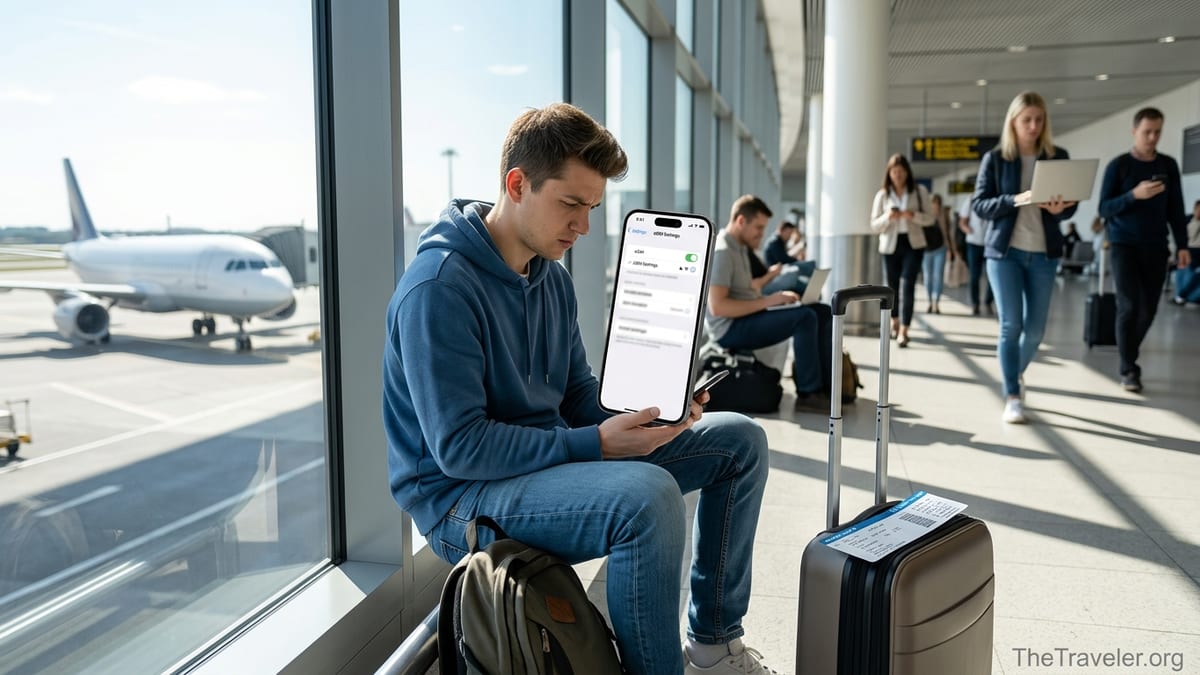
Misunderstanding What Instabridge eSIM Actually Offers
One of the most common mistakes travelers make is assuming Instabridge works like a traditional mobile carrier that replaces their normal SIM completely. In reality, most Instabridge eSIM plans are data only, with no local phone number and no support for regular voice calls or SMS over the cellular network. A traveler who lands in Paris expecting to receive banking verification codes or call a hotel directly with their Instabridge eSIM will quickly discover that those features still rely on their original SIM or on internet-based apps like WhatsApp and Signal.
This confusion often shows up in reviews from users who expected an all-in-one mobile service and instead got only data. A typical example is an American traveler flying to Tokyo who disables their physical SIM to “avoid roaming fees,” then discovers their airline cannot deliver delayed-flight SMS updates because the number linked to their booking is suddenly unreachable. Instabridge can keep them online for maps and messaging, but it does not automatically transfer their US number or carrier services. The correct approach is to keep the home SIM active for calls and texts, but with roaming data turned off, while using Instabridge strictly as a travel data layer.
Another expectation gap relates to Instabridge’s free data offers. Some users discover Instabridge through promotions like a free monthly data allowance in the United States, or free starter data in select countries. They sometimes assume this is a fully fledged unlimited plan, when in reality these allowances are limited and supported by in-app ads and usage conditions. Treating a promotional plan as if it will fully replace a paid travel eSIM can lead to surprises such as running out of data mid-trip or dealing with more advertising than they expected.
The safest mindset is to think of Instabridge as a flexible, app-based travel data service that can sit alongside your main number. It is powerful for browsing, navigation, and messaging, but it is not a full substitute for your core mobile subscription unless you are willing to rely solely on app-based calling and texting.
Installing or Activating the eSIM at the Wrong Time
Another big mistake is installing or activating Instabridge eSIM at the wrong time or on the wrong connection. Instabridge uses a “multi-use” profile system where you can install one eSIM and then activate data plans for different countries inside the app. That is convenient, but only if you follow the timing carefully. The company’s own guides emphasize that you should be online and have a stable connection when you tap Activate in the app, otherwise the eSIM profile or plan might not provision correctly.
Consider a traveler departing from New York to Rome who decides to install their Instabridge eSIM in the boarding queue using the airport’s overloaded WiFi. If the connection drops while the eSIM is being added, the installation can fail or get stuck on “Activating.” Some users then panic, delete the eSIM from their phone settings, and later discover that they cannot simply recreate it because the original eSIM profile was already consumed. While Instabridge support may be able to help, response times can vary and you may not get a fix before your short city break is over.
Another timing trap occurs when travelers try to fully activate the eSIM long before they reach the destination country. On some devices, especially iPhones, an eSIM that is installed but never sees the target network can show confusing errors such as “Unable to activate” or “No service.” In many cases the eSIM actually works fine but will only register once the device is inside the coverage area of a partner carrier. A better practice is to install the eSIM a day or two before travel while you are on a reliable home WiFi connection, but wait to switch the data line to Instabridge until you land and have airplane mode turned off.
Travelers sometimes also forget that changing phones mid-trip is not straightforward. If you install your Instabridge eSIM on an iPhone, then decide to switch to a spare Android phone mid-journey after dropping your device, you cannot simply scan the same QR code again the way you might log back into an email account. eSIM profiles are generally single use. You would need to work with Instabridge support or purchase a new plan for the replacement device, which is not something you want to discover at midnight in a foreign city.
Incorrect Phone Settings: Data Roaming, APN and Dual-SIM Confusion
Even tech-savvy travelers often overlook basic phone settings, which can make a working Instabridge plan behave as if it is broken. Instabridge’s own help articles stress that you must enable data roaming for the Instabridge line on both iOS and Android, since the eSIM typically roams on partner networks. A frequent real-world scenario is a traveler arriving in Lisbon or Bangkok, seeing the Instabridge signal bars but no data, and assuming the plan is faulty. In reality, data roaming is disabled for that eSIM in the phone’s settings.
Access Point Name (APN) settings are another recurring stumbling block, especially for Android users. Instabridge relies on a specific APN value so your phone can attach to its data network. On many devices this is set up automatically, but on some Android models you may need to manually select or create an APN and set the name that Instabridge specifies, such as “plus.” Travelers who skip this step can end up with a registered eSIM that never loads a single web page. Reviews from frustrated users often describe deleting Instabridge and buying from a competing provider, only to discover later that their original eSIM likely would have worked with the right APN entry.
Dual-SIM confusion adds yet another layer. A typical error is leaving the home SIM as the default data line while assuming Instabridge is doing the work. Imagine a Canadian traveler in Barcelona who installs Instabridge, but forgets to switch “Cellular Data” or “Mobile Data” to the Instabridge eSIM in their iPhone settings. The phone quietly continues to use their Canadian carrier for data roaming, and they only discover the mistake when a shocking roaming bill arrives a month later. The fix is simple: set Instabridge as the data line, keep the home SIM active only for calls and texts, and double-check which line your phone is using before streaming videos or uploading photos.
Finally, some users disable data roaming across the whole device out of habit, especially if previous trips left them wary of surprise charges. While this made sense in the roaming era, it can cripple an eSIM that depends on roaming to function. When you use Instabridge, you need to think in terms of per-line settings: allow roaming for the Instabridge eSIM, but not for your home SIM. Spending two minutes checking these toggles right after installing the profile will prevent a lot of airport-arrival troubleshooting later.
Overtrusting “Unlimited” or Promotional Data and Ignoring Fair Use
A growing number of Instabridge offers use marketing language like “unlimited data” or highlight generous free data tiers supported by ads. Travelers often take “unlimited” at face value and treat Instabridge as if it were a home fiber connection. In practice, like most eSIM providers, Instabridge applies fair usage limits and speed controls that can significantly change the experience once you cross certain thresholds. Its terms of service specify that even “unlimited” features remain subject to reasonable fair use limits and that it may slow or restrict usage to protect network quality.
In a real-world scenario, imagine a digital nomad in Seoul who buys an Instabridge unlimited data add-on and then spends the weekend streaming 4K Netflix in their Airbnb, backing up thousands of photos to the cloud, and using their phone as a hotspot for a laptop. They may find that speeds suddenly drop from fast 4G to something barely capable of loading a map. From their perspective the plan has “stopped working,” but from the provider’s perspective they have hit a fair usage boundary. Similar stories appear across travel eSIM communities, where people treat an unlimited plan like a substitute for a home broadband connection and are surprised when the network slows dramatically.
Promotional free data brings its own source of confusion. In the United States, for example, some Instabridge users have reported generous free monthly data packs that connect to major networks such as AT&T or T-Mobile as long as the user keeps the ad-supported Instabridge app installed. Travelers sometimes stack these promotional offers with regular Instabridge roaming plans and then lose track of which allowance they are using. It can be jarring to have maps suddenly cut out halfway through a road trip in Arizona because the free data bucket, not the paid travel plan, was selected as the active line.
The safest strategy is to assume that any unlimited or free data plan has strings attached: possible speed throttling, hotspot limits, or caps after a certain usage level. Before departure, read the plan description in the Instabridge app carefully, paying attention to high-speed data allowances and any separate hotspot quotas. During the trip, use your phone’s data-usage tracking to keep a rough sense of how much you are consuming, especially if you tether other devices. Treat Instabridge as a high-value travel utility, not as a replacement for home broadband, and you are less likely to be caught off guard.
Relying on Instabridge in Weak Coverage Regions
Instabridge advertises wide global coverage, with support in more than 160 countries and particularly strong footprints in Europe, North America, parts of Asia, and popular tourist destinations. That said, coverage is not uniform. Independent reviews note that Instabridge’s network can be noticeably thinner in parts of Africa, Central Asia, and some Pacific island nations compared to larger competitors that advertise 190 to 200 covered countries. Travelers who do not check coverage details before purchase may assume that if the destination is on the supported list, performance will match what they experienced in Western Europe or Japan.
Real-world accounts highlight this mismatch. A traveler might rave about Instabridge performance while working remotely from Lisbon or Berlin, with solid 4G speeds and easy access to WiFi hotspots mapped in the app. The same person could then fly to rural Namibia or an island in Indonesia and find that the Instabridge eSIM connects only intermittently to a single local carrier, with slow speeds and frequent dropouts. This is not unique to Instabridge; nearly all travel eSIMs are only as good as the underlying local networks. But because Instabridge markets itself as a simple global profile that “just works,” it is easy for users to overestimate how well it will perform away from major cities.
Another common oversight is assuming that all networks available on the phone are accessible through Instabridge. In the United States, for example, some Instabridge eSIMs may favor one major carrier’s network over others depending on the plan. Travelers used to local SIM cards that freely roam between AT&T, T-Mobile, and Verizon might be puzzled when their Instabridge plan connects to only one of those and struggles in certain regions. A user driving across the desert in Nevada could see the phone stubbornly cling to a weak partner network rather than switching to a stronger signal from another carrier that is simply not part of the Instabridge agreement.
The key is to check not only whether Instabridge covers your destination but also which local networks it partners with and what type of speeds and reliability other users report. For high-stakes travel such as a work trip where you must stay reachable, it can be wise to treat Instabridge as one layer of connectivity among several: combine it with hotel WiFi, offline maps, and perhaps a local physical SIM in more remote regions. That way, if Instabridge experiences spotty coverage, you still have a backup instead of scrambling for an alternative at the nearest convenience store.
Underestimating Battery, Ads and App Side Effects
Because Instabridge started as a WiFi-sharing and hotspot-map app, it includes features that continuously scan for nearby networks. On Android, this can translate into heavier background activity that some users experience as increased battery drain. When you add Instabridge’s optional launcher, browser, and ad-supported features used to fund free data, the impact on the overall phone experience can be significant. Some users on review platforms complain that the Instabridge launcher reconfigured their home screen or that the ad load made the device feel cluttered and sluggish.
Travelers who only want the eSIM functionality sometimes install everything Instabridge offers by default, without realizing they can limit which components run on their phone. For example, a visitor to Albania who only needs a short-term data plan might grant all requested permissions, enable the launcher, and allow always-on WiFi scanning. By the time they reach their hotel, their phone battery is draining faster than usual and their home screen layout has been replaced, leading to frustration that could have been avoided by selectively disabling non-essential features.
There is also a privacy perception angle. Some users are uncomfortable with an app that bundles ads, a WiFi map, and system-level permissions such as controlling the launcher while also managing a mobile data connection. Even if Instabridge’s privacy policy is comparable to other ad-supported apps, travelers who are cautious about data collection may prefer to keep the footprint minimal: using Instabridge purely as a data manager for the eSIM and avoiding optional modules altogether.
If you are primarily interested in Instabridge eSIM for travel, take a few minutes after installation to review which permissions and components are truly necessary. You can usually avoid setting Instabridge as your default launcher, limit background WiFi scanning, and adjust notification settings, all while keeping the eSIM active. This will preserve battery life and keep the interface closer to what you are used to at home, reducing the sense that your phone has been taken over by a single app just to access mobile data abroad.
Not Having a Backup Plan When Something Goes Wrong
Most Instabridge users never interact with customer support beyond initial setup, but those who run into issues often discover that support is largely app-based and not always instant. Independent reviews and user posts mention slow response times in some cases, especially during weekends or busy holiday periods. Travelers who rely exclusively on Instabridge for connectivity, with no alternative option, can be left offline for crucial hours or even days if something goes wrong at the worst moment.
Picture a traveler landing in Istanbul late on a Sunday evening. They install Instabridge earlier that day, but due to a misconfigured APN or a glitch in activation, the eSIM fails to provide data. They open a ticket through the support form and wait for a reply while trying to navigate immigration, find their hotel, and confirm a morning tour. Without an offline map download or a backup SIM or eSIM from another provider, they are reduced to hunting for open WiFi networks in the arrivals hall. The frustration has less to do with Instabridge specifically and more to do with assuming any single eSIM provider is infallible.
Seasoned travelers treat eSIMs as one tool among many. If Instabridge is your primary travel data solution, consider adding a low-cost backup, such as a small regional eSIM from a different provider, or the willingness to purchase a local prepaid SIM at the airport kiosk if necessary. It is also wise to capture key information offline: take screenshots of your Instabridge plan details, note your booking references, and download offline maps for cities you will visit. That way, even if Instabridge fails at an inconvenient moment, you are not entirely dependent on a support response to move forward.
Finally, it helps to temper expectations about instant refunds or compensation for connectivity problems. While Instabridge and other providers sometimes issue credits or partial refunds, outcomes vary and may depend on whether the problem was on their side or due to device compatibility, lock status, or user error. Planning your trip on the assumption that any failure will be financially reimbursed can add disappointment to an already stressful situation. A more realistic mindset is to see the cost of a travel eSIM as part of the overall budget of staying connected abroad, with some risk built in.
FAQ
Q1. Can Instabridge eSIM replace my regular SIM card completely while I travel?
In most cases, no. Instabridge eSIM plans are typically data only and do not provide a full replacement for your primary phone number or carrier services. You should usually keep your regular SIM active for calls and SMS, but disable its data roaming while using Instabridge for mobile internet.
Q2. When is the best time to install and activate my Instabridge eSIM?
The safest approach is to install the eSIM profile a day or two before departure while on a stable home or office WiFi network, then switch your phone’s data line to Instabridge only once you arrive in the destination country and have turned off airplane mode.
Q3. Why does my Instabridge eSIM show signal bars but no internet connection?
This is often caused by incorrect settings on your phone. The most common issues are forgetting to enable data roaming for the Instabridge line, leaving your home SIM selected as the active data line, or having the wrong APN settings, especially on Android.
Q4. Do Instabridge “unlimited” data plans really offer unlimited high-speed data?
Like most providers, Instabridge applies fair usage limits to protect network quality. After you use a certain amount of high-speed data, speeds may be reduced or hotspot use restricted. It is best to treat unlimited plans as generous but not truly limitless.
Q5. Will Instabridge eSIM work everywhere in the same way?
No. Instabridge has strong coverage in many popular destinations, but performance can vary by country and region. In some parts of Africa, Central Asia, and smaller islands, coverage may be patchy or slower compared with major cities in Europe, North America, or East Asia.
Q6. Can I move my Instabridge eSIM from one phone to another during a trip?
Generally not. eSIM profiles are designed for one-time installation on a single device. If you delete the eSIM or change phones, you usually need to contact Instabridge support or purchase a new plan, so it is best to choose the device you will use for the whole trip before activating.
Q7. Why does Instabridge ask for so many permissions and offer a launcher and browser?
Instabridge began as a WiFi map and connectivity app that also offers ad-supported features and its own launcher on some Android devices. If you only need eSIM data, you can typically decline optional components such as the launcher and adjust permissions to reduce battery and interface impact.
Q8. Is it safe to rely only on Instabridge for an important work trip?
It is possible, but not ideal. Support responses are not guaranteed to be instant and connectivity can vary by region. For critical trips, many travelers combine Instabridge with offline maps, hotel and airport WiFi, and sometimes a secondary eSIM or local prepaid SIM as a backup.
Q9. How can I avoid bill shock or unexpected charges when using Instabridge?
Instabridge itself works on prepaid data, so surprise bills are rare. The bigger risk is accidentally roaming on your home SIM. Make sure data roaming is disabled for your regular SIM, confirm that Instabridge is the active data line, and monitor your data usage inside the app.
Q10. What should I do if my Instabridge eSIM is not working after arrival?
First, restart your phone, ensure airplane mode is off, and check that Instabridge is selected as the data line with data roaming enabled. Verify APN settings if you use Android. If it still fails, connect to any available WiFi and contact Instabridge support through the app while you consider a short-term backup like a local prepaid SIM.