


For many UK travellers, Starling Bank has quietly become the default “holiday card” in their wallet. Fee-free spending, helpful app alerts and a modern mobile experience make it appealing compared with traditional banks. But before you rely on Starling as your main way to pay on your next trip, it is worth understanding how it actually behaves in the real world: at airport ATMs, in small family-run restaurants, at hotel check-in desks and when something goes wrong. This guide walks through what to expect before you use Starling Bank abroad, with practical, on-the-road examples.
Get the latest updates straight to your inbox!
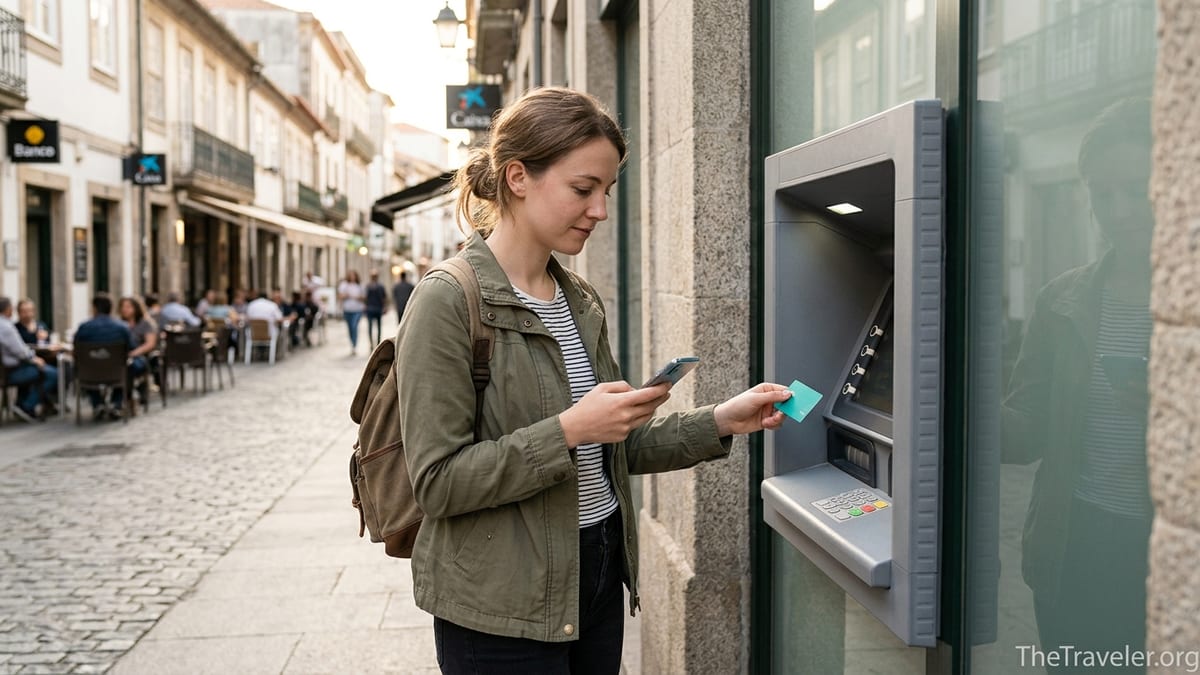
How Starling Works When You Pay Abroad
When you tap or insert your Starling debit card abroad, the transaction usually runs over the Mastercard network in the local currency of the country you are visiting. Starling states that it does not add its own foreign transaction fee or percentage markup for card payments or overseas ATM withdrawals. Instead, your pounds are converted at the wholesale Mastercard exchange rate on the day the transaction is processed. In practical terms, this means that if you buy a 15 euro lunch in Madrid, Starling converts the 15 euros to pounds at the live Mastercard rate and charges your current account accordingly.
As an example, imagine you are in Rome and pay 50 euros for dinner. If the underlying Mastercard rate that day works out at roughly 1 euro to 0.86 pounds, your Starling app will show a transaction of about £43. In the transaction details, you can usually see both the euro amount and the converted sterling figure, which makes it easier to track spending in a foreign currency without constantly running calculations in your head.
You do not need to preload a separate travel wallet or buy euros or dollars in advance with Starling. The card draws funds directly from your main current account balance. If you have a euro account with Starling as well as a sterling account, the bank has specific rules on which balance is used first, but for most casual travellers using only a standard personal account, everything is automatically converted from pounds whenever you spend overseas.
One of the most noticeable benefits is the real-time notification system in the app. The moment you pay for that coffee in Lisbon or metro ticket in Berlin, a push notification appears with the local amount and the sterling equivalent. This helps you spot unfamiliar charges quickly and acts as a gentle budget reminder when spending in a cheaper-feeling foreign currency.
Fees, Exchange Rates and “Gotchas” To Watch For
Starling’s policy is that it does not charge its own fee for using your debit card overseas, either for purchases or cash withdrawals. That separates it from many high street banks, which often layer a foreign usage fee of around 2 to 3 percent on every transaction plus a fixed charge for cash machine withdrawals. With Starling, if the exchange rate on a 100 euro purchase translates to £86 at the Mastercard rate, that £86 is all you pay to Starling.
However, there are two important caveats that first-time users sometimes overlook. First, overseas ATM operators and some merchants may add their own fees. A bank in Thailand, for example, might charge a flat local fee, such as the equivalent of around £5, every time a foreign card uses its machines. That fee is controlled by the ATM operator, not by Starling, and appears as part of the total withdrawn. Similarly, an ATM in a European tourist area might display a message offering a “guaranteed” conversion rate into pounds instead of charging in the local currency.
That “guaranteed” rate is a form of dynamic currency conversion, where the foreign ATM or card terminal sets the exchange rate and often adds a significant markup. Starling’s own help guidance and many experienced travellers recommend always choosing to pay in the local currency, such as euros in Spain or yen in Japan, and letting Starling and Mastercard handle the conversion. In a real-world example, a 200 euro cash withdrawal might cost you around £172 if charged in euros and converted by Starling, but closer to £185 or more if you accept the ATM’s offer to charge you in pounds at its own inflated rate.
Second, while standard day-to-day spending uses the market Mastercard rate, international transfers made through Starling’s “Send money abroad” service follow different pricing and may include a separate conversion fee or a small markup on the exchange rate. If you plan to pay a rental deposit to a landlord overseas or send money to a foreign bank account, you should check the live quote in the app rather than assume it is identical to card spending at point of sale.
Using ATMs, Hotels and Car Hire With Starling
Using ATMs abroad with Starling is straightforward, but it helps to know the small print. Starling does not charge its own additional fee for withdrawing cash overseas, but you can still encounter local machine charges. In Portugal, for instance, you might find that a downtown bank ATM lets you withdraw euros at no extra cost beyond Starling’s own exchange, while an independent machine in a convenience store near the beach might warn you of a local fee equivalent to a couple of pounds. If an ATM screen shows a fee, you generally have the choice to cancel and try another machine.
For hotels, Starling works much like any other UK debit card. International hotel chains often place a pre-authorisation hold on your card at check-in, sometimes for the full cost of your stay plus an additional amount for incidentals. If you book a three-night stay in New York with a room bill of 600 dollars, the hotel might place a hold for 700 or 800 dollars. This is not an actual charge but it temporarily reduces your available balance. With Starling, you will see the hold amount in your app in pounds, based on the current rate. After checkout, the hold should be released and the final bill amount settles. Travellers who keep a tight balance should be aware of this so they do not find themselves unexpectedly constrained mid-trip.
Car hire presents similar issues. Many rental firms abroad prefer or insist on a credit card for the security deposit, and some will either refuse a debit card or require a much higher deposit if you use one. For example, a car rental desk in Malaga might ask to block 1,200 euros on a debit card versus 300 euros on a credit card. Your Starling card will usually work for the transaction, but the blocked amount could tie up a significant chunk of your balance. If you plan to rent a car, it is sensible to check the rental firm’s payment rules beforehand, and consider bringing a credit card as a backup even if you plan to put most everyday spending through Starling.
Finally, remember there are countries and regions where Starling cards cannot be used because of legal or regulatory restrictions. Starling lists locations such as Iran, North Korea and a few others where transactions will be declined. If you are planning a complex itinerary or travel through less common destinations, check Starling’s current list of unsupported countries before you depart.
Security, Card Controls and What Happens If Things Go Wrong
One of Starling’s strengths abroad is how quickly you can react to problems. If your card is lost at a metro station in Paris or swallowed by an ATM in Bangkok, you can lock the card instantly in the app. The lock prevents any new card purchases or ATM withdrawals, while still allowing certain types of pending transactions to complete. You can then order a replacement card, which Starling will typically send to your registered UK address. The bank may charge a small fee for an emergency replacement sent overseas, so it is important not to assume that an abroad courier replacement is free.
Real-time spending alerts also help you catch fraud when you are on the move. If you are sitting in a cafe in Berlin and a notification suddenly appears for a purchase in another country, you can immediately freeze the card and contact Starling through in-app chat or by phone. Starling offers 24/7 support, which is valuable when time zones make it hard to contact traditional banks during local office hours.
Within the app, you can control features such as contactless payments, online purchases and gambling transactions. If you are particularly cautious when travelling, you could, for instance, disable online payments before leaving the UK and only re-enable them when you deliberately make an online booking abroad. That way, if your card details are skimmed at a compromised terminal, online fraud attempts will be blocked automatically.
Disputes can take time to resolve. If a hotel in Greece charges you twice or a restaurant in New York adds an unexpected extra amount, you would usually try to resolve it with the merchant first. If that fails, you can raise a dispute with Starling through the app. The bank may temporarily refund the transaction while it investigates, but this is not guaranteed and depends on the card scheme rules. When you are travelling, it is safer not to rely on disputed funds for immediate spending and to keep some reserve in another account or card.
Budgeting Abroad With Starling’s App Features
Starling’s budgeting tools can be particularly useful when prices are in unfamiliar currencies. Every transaction abroad is automatically categorised, so your spending on restaurants in Italy or transport in Japan appears in your monthly summaries just as it would at home. You can set up “Spaces,” which are separate pots inside your account, and move money into a dedicated holiday pot before you travel. Some travellers ringfence their full trip budget in a Space named “Summer in Spain” and move a set amount each week to the main balance, mimicking a daily allowance.
The instant notifications make it easier to notice how small purchases add up. For example, a series of tap-and-go metro journeys in Paris may each seem trivial at a couple of euros, but the Starling app will show you in pounds how quickly those charges accumulate. Similarly, if you buy multiple round of drinks in a Scandinavian bar, seeing each transaction appear as the equivalent of £12 or £15 can be a helpful reminder that local prices are higher than at home.
If you hold both a sterling and euro account, you can pre-buy euros within the Starling app before a trip to the eurozone. This is a way of locking in a rate if you are concerned that the pound might weaken before your holiday. For example, if you have a trip to Portugal in two months, you might convert £500 into euros when you feel the rate is favourable and keep it in your Starling euro account. When you spend in the eurozone, Starling’s rules determine whether the euro or sterling balance is used first, so it is wise to read the current guidance carefully if you rely on that strategy.
For longer trips or remote working abroad, Starling’s monthly spending insights can show patterns you might otherwise miss. Over several months in Spain, for instance, you could compare how much you are spending on groceries versus eating out, or track transport costs in cities with different public transit systems. Because the app works in real time, you do not need to wait for a paper statement to adjust your budget.
When Starling Is Not Enough On Its Own
Although Starling is a strong choice for everyday travel spending, relying on a single card always carries risk. ATMs abroad sometimes reject foreign cards temporarily, certain merchants may refuse a UK debit card, and network outages can affect particular banks or card schemes. A common real-world scenario is a small fuel station on a French motorway that accepts only local cards on a certain network, leaving foreign travellers scrambling for cash. If you travel with only one card, a similar situation could leave you stuck.
Most experienced travellers pair Starling with at least one backup option, such as a separate debit card from another bank or a specialist credit card with no foreign transaction fees. For example, you might use Starling for day-to-day spending and ATM withdrawals in Greece, while carrying a fee-free credit card for hotel deposits and car hire, plus a modest amount of local cash for emergencies. That way, if your Starling card is lost or blocked, you can still check into a hotel or pay for transport.
Connectivity is another consideration. Starling’s app is central to how you manage the card, from viewing transactions to freezing the card or talking to support. If you land in a country where your mobile data does not work immediately, you will have to rely on Wi-Fi to access the app. It is wise to take screenshots of important details such as your card number, Starling’s support phone number and key app screens before you travel, storing them securely on your phone so you can access them even if you are offline for a few hours.
Finally, Starling is not a substitute for travel insurance. While chargeback and dispute rights exist for certain card payments, they are no replacement for proper medical cover or cancellation protection. If a holiday company in another country fails and your booking was not protected by a package travel scheme, your ability to recover money through card disputes may be limited. Treat Starling as a very useful payment tool, not as your main line of defence against travel mishaps.
The Takeaway
Using Starling Bank abroad is, for most UK travellers, both convenient and cost effective. The absence of Starling-added foreign usage fees on card spending, combined with near-instant transaction alerts and a polished app, makes it well suited to everything from weekend breaks in Europe to longer multi-country trips. In many everyday situations, such as buying a cafe breakfast in Barcelona or museum tickets in Amsterdam, you can expect the experience to feel almost identical to paying at home, aside from the currency shown on the receipt.
That said, understanding the limitations and common pitfalls will help you avoid unpleasant surprises. ATM operators can still charge their own cash withdrawal fees, dynamic currency conversion can turn a fair deal into an expensive one if you choose to pay in pounds instead of local currency, and large pre-authorisations at hotels or car hire desks can temporarily tie up a chunk of your balance. Starling also cannot operate in a small number of restricted countries, and card disputes while abroad may take time to resolve.
The most robust approach is to treat Starling as your primary travel card but not your only solution. Bring at least one backup card, keep a small float of local cash and make use of Starling’s features before you leave: set up Spaces for your travel budget, check your daily withdrawal limits and review the latest help pages on spending abroad. With a bit of preparation, you can make the most of Starling’s strengths while staying protected against the inevitable quirks of international payments.
FAQ
Q1. Does Starling charge foreign transaction fees when I use my card abroad?
Starling does not add its own foreign transaction fee or percentage markup for standard card purchases or ATM withdrawals abroad. You pay the underlying Mastercard exchange rate, although local ATM operators or merchants may still apply their own fees or offer poor conversion rates that you should decline.
Q2. Should I choose to pay in pounds or in the local currency when using Starling overseas?
It is usually best to choose the local currency, such as euros, dollars or yen, and let Starling handle the conversion. If you select pounds at an overseas terminal or ATM, you are accepting the foreign provider’s exchange rate, which often includes a sizeable markup and makes your purchase more expensive.
Q3. Are there limits on how much I can withdraw from ATMs abroad with Starling?
Yes, Starling applies daily and sometimes monthly limits to cash withdrawals, similar to UK usage. The exact figures can change over time and can depend on your account history, so you should check your current limits in the app before travelling and avoid relying on large one-off cash withdrawals.
Q4. Can I use Starling in every country?
No. Starling blocks card usage in a small number of countries and regions for legal or regulatory reasons, including certain high-risk or sanctioned territories. Before travelling to less common destinations, check Starling’s latest list of restricted countries in the help section of the app or website.
Q5. How does Starling handle hotel and car hire deposits abroad?
Hotels and car rental companies often place a temporary pre-authorisation hold on your card for a security deposit. With Starling, this appears in your app as a pending transaction and reduces your available balance until it is released. Some car hire firms may prefer a credit card for deposits, so carrying a backup card is sensible.
Q6. What happens if my Starling card is lost or stolen while I am overseas?
If your card goes missing abroad, you can lock or freeze it instantly in the Starling app to stop new transactions. You should then contact Starling through in-app chat or by phone to report the loss and arrange a replacement card. In some cases, sending a replacement abroad may incur a fee or take several days, so it is wise to have an alternative payment method.
Q7. Is Starling better than exchanging cash at a bureau de change before I travel?
For many travellers, using Starling directly abroad works out cheaper and more convenient than buying large amounts of foreign cash in advance. High street bureaux often advertise “zero commission” but build their profit into a poor exchange rate. With Starling, you get the live Mastercard rate on each transaction, though you should still carry some local cash for places that do not accept cards.
Q8. Can I use my Starling euro account when travelling in the eurozone?
If you hold a Starling euro account as well as a sterling account, you can convert pounds into euros in advance and keep a balance in euros. When spending in the eurozone, Starling may draw from your euro balance according to its current rules. Travellers who use this setup should review Starling’s guidance before departure to understand exactly which balance will be used first.
Q9. Are there any fees when I send money abroad using Starling instead of just paying by card?
International bank transfers from Starling to foreign accounts are priced differently from card spending. Starling may charge a small conversion fee or build a margin into the exchange rate for transfers. Before sending a payment, such as rent to a foreign landlord, you can see the exact rate and any charges in the app and compare them with other providers if needed.
Q10. Do I need to tell Starling I am travelling abroad?
In most cases, you do not need to set a travel notice or inform Starling before you go overseas. The bank’s systems are designed to recognise international usage and you should be able to tap, chip-and-PIN or withdraw cash as normal. However, keeping your contact details updated and enabling app notifications will help if Starling needs to verify unusual activity while you are away.