


Booking.com is an enormously popular tool for finding hotel rooms, apartments, and vacation rentals worldwide. Yet travelers routinely discover too late that a rushed search, a missed line of fine print, or a misunderstanding about how the platform works can lead to surprise charges, canceled stays, or hours spent arguing with customer service. Understanding the most common mistakes people make on Booking.com, and how to avoid them, can mean the difference between a smooth arrival and a holiday headache.
Get the latest updates straight to your inbox!
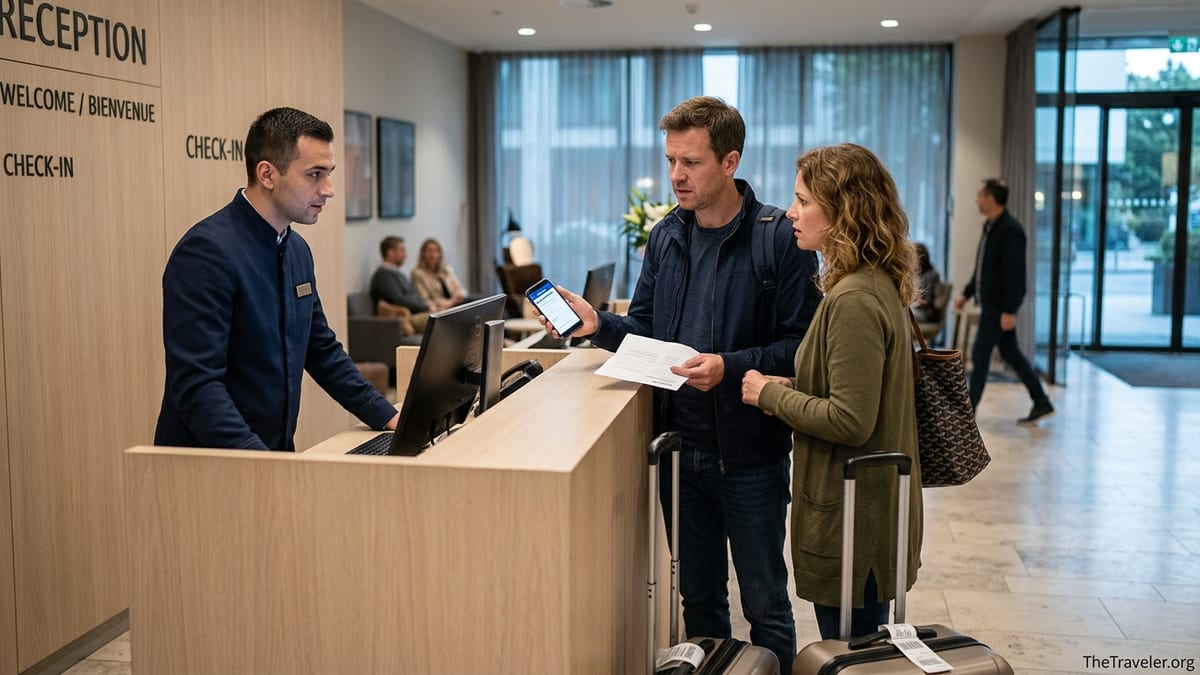
Misunderstanding How Pricing and “Total Cost” Really Work
Many travelers assume the first nightly rate they see on Booking.com is the final price they will pay. In reality, the platform often adds taxes, city fees, and sometimes resort or cleaning charges later in the process, typically near the final confirmation screen. For example, a room in Las Vegas that appears at 120 dollars per night in search results may climb to around 160 dollars per night once a 35 dollar resort fee and local taxes are included at checkout. Travelers who skim past the last page in a hurry can easily miss those extra costs and only realize the true total when their credit card statement arrives.
This confusion is especially common in destinations with mandatory resort or facility fees, such as major U.S. resort cities, Caribbean islands, or Mediterranean beach towns. Investigations by consumer organizations and travel reporters have repeatedly highlighted that many large hotel chains and booking platforms display these fees late in the process, even though regulators in the United States and Europe are pushing for more transparent “all-in” pricing. In practice, Booking.com usually does show the extra charges before you click the final “book” button, but often in smaller text or on a secondary “price breakdown” area that travelers simply ignore.
Apartment-style stays and vacation rentals introduce yet another layer of complication. A two-night apartment in Barcelona might list at 95 euros per night but then add a one-time 50 euro cleaning fee and a per-person city tax. Booking.com will normally bundle these into the total, but the price breakdown may only make clear that the cleaning cost is non-negotiable if you expand additional details. A traveler comparing that apartment to a hotel that includes daily cleaning in the base rate might not realize they are not making a like-for-like comparison.
The practical fix is to treat the early prices you see on Booking.com as estimates rather than commitments. Click through all the way to the last confirmation screen and read the full “price breakdown,” including expandable sections. Compare that true total with a direct booking on the hotel’s own site. In some markets, especially since recent “junk fee” crackdowns in the United States, you may see Booking.com display a more all-inclusive total, but it is still wise to double-check any line that mentions resort, facility, cleaning, service, or city fees.
Ignoring Cancellation Policies and Rate Types
One of the most expensive mistakes on Booking.com is choosing a non-refundable rate without truly understanding what that means. Properties can offer several rate options on the same room: a flexible rate that allows free cancellation until a certain date, and a cheaper non-refundable rate that locks you in the moment you book. The difference may look modest, such as 140 dollars versus 125 dollars per night, which tempts many travelers to grab the small discount. But if your plans change or your visa is delayed, that small savings can turn into a complete loss of hundreds of dollars.
Real-world complaints show how unforgiving this can be. Travelers who booked non-refundable stays in popular cities like Venice or New York often found themselves unable to travel due to illness or flight cancellations, only to discover that Booking.com and the property pointed to the non-refundable clause and declined any refund. Some travelers have even reported that when a property later increased its prices, it still refused to release or modify the original non-refundable reservation, leaving guests to either show up as planned or forfeit the entire amount.
Another subtle trap is partial flexibility. Many properties now offer rates with cancellation allowed only until a specific deadline, for example “free cancellation until 23:59 on June 10” for a stay beginning June 15. After that, the rate may become fully non-refundable, or you might only get a partial refund such as the first night non-refundable and the rest refundable. A traveler who books a Paris hotel eight months in advance may assume they can always cancel until close to arrival, but in reality, their free-cancellation window may end weeks before their trip, at which point a change of plans becomes expensive.
To avoid this, always open the “Conditions” or “Cancellation policy” section for each rate. Check whether breakfast, parking, or other amenities differ between rate types. A slightly higher flexible rate can be excellent insurance for trips that may change, such as work travel or long multi-country itineraries. Make a note in your calendar of the last free cancellation date. If your plans are uncertain, resist the urge to book the cheapest non-refundable offer simply to lock something in months ahead.
Overlooking Property Type, Location, and House Rules
Booking.com mixes traditional hotels with hostels, guesthouses, serviced apartments, and private vacation rentals in the same search results. Many travelers scan only the photos and star ratings, assuming that all high-rated options are full-service hotels with a 24-hour reception. In reality, a “9.2-rated” property could be a self-catering apartment run by an individual host who lives across town and expects you to text an hour before arrival. Travelers who show up at midnight after a delayed flight and expect a front desk can find themselves locked out on the street.
House rules can be equally critical. Complaints from pet owners and families illustrate how this plays out. A listing might mark itself as “pet friendly,” but the fine print says pets are allowed only on request and subject to additional charges. A guest who arrives in Lisbon or Rome with a dog but has not confirmed those charges in advance may face an unexpected 20 to 30 euros per night pet fee or, in some cases, denial of check-in if the host has stricter rules than the summary suggests. Similar conflicts arise with security deposits, quiet hours, smoking, and visitors. Apartment hosts in coastal Spain, for example, often prohibit gatherings or extra guests and may retain part of the deposit if they believe the rules have been violated.
Location misunderstandings are another recurring problem. Booking.com highlights distance from a focal point, such as “0.4 miles from center,” but the definition of “center” can be loose. A traveler booking a supposedly central hotel in “Paris center” may later learn that they are near the administrative center of a district rather than the well-known tourist core around the Seine and Louvre. Likewise, in cities like Los Angeles or Istanbul, a property technically within city limits can still be an expensive taxi ride from major sights. A bargain airport hotel might show as “near the airport” but actually lie several kilometers away with no shuttle service.
Avoid these pitfalls by checking the property category at the top of the listing and reading the “house rules” in full, including any mention of deposits, pet policies, parties, and check-in windows. Zoom in on the map and search the neighborhood name to understand how accessible it really is. For apartments, confirm how keys are collected and whether there is staff on site. A few extra minutes of research can prevent the unpleasant surprise of discovering you have actually booked a restrictive apartment down a dark side street when you assumed you were getting a staffed hotel on a busy boulevard.
Not Reading Recent Reviews and Photos with a Critical Eye
Booking.com prominently displays average scores like 8.7 or 9.1, which can give the impression that every highly rated property is a safe bet. Experienced travelers know that those averages may conceal serious problems that have emerged more recently. Renovations, management changes, or ownership disputes can dramatically change a property in a matter of months. For instance, a beachfront hotel in Greece might maintain a 9.0 average based on years of glowing reviews, but recent comments from the last three months could mention ongoing construction noise or the closure of the advertised pool.
Complaints published in recent years highlight several recurring red flags in reviews: reports of overbooking, where guests arrive to discover their room has been given to someone else; last-minute cancellations by hosts who found a higher-paying guest; and unexpected charges for cleaning, linens, or utilities that were not clear at the time of booking. In one widely shared case, a family who booked a Venice guesthouse via Booking.com allegedly had their fully paid reservation canceled just days before arrival due to overbooking, forcing them to find a more expensive last-minute alternative.
Photos can be misleading as well. Many properties upload professional images taken years ago. A room that appears bright and freshly decorated in the gallery may now have worn carpeting and dated furniture. Some apartment hosts use photos from a “model unit” that is larger or better furnished than the actual unit you will receive. Guests sometimes discover that the charming balcony pictured in the listing belongs to a different apartment in the building.
When evaluating a property, sort reviews by “most recent” rather than “highest score,” and actually read a selection of comments from the past six to twelve months. Look for mentions of cleanliness, noise, Wi-Fi reliability, and whether staff honored the rate and room type originally promised. Compare guest photos with the official gallery to see if the rooms still match. Pay attention to how the property and Booking.com respond to negative reviews. A professional, solution-focused response is a good sign; silence or blame-shifting can be a warning.
Assuming Booking.com Guarantees Your Room Against Overbooking and Cancellations
Another widespread misconception is that a Booking.com confirmation is an ironclad guarantee that your room will be waiting for you. In practice, the platform acts as an intermediary, and hotels or hosts sometimes overbook or cancel. Overbooking is a long-standing practice in the hotel industry: properties accept more reservations than they have rooms, assuming some guests will not show up. When the math fails, guests are “walked” to another property or, in the worst cases, turned away entirely.
Travelers have reported situations where they arrived at a hotel in high season to be told the property was full despite having a Booking.com confirmation. In some cases, the hotel offered to transfer them to a less desirable property miles away, perhaps a motel on the outskirts instead of a central boutique hotel, with little or no compensation. Other guests received emails a couple of days before arrival saying their booking had been canceled due to “maintenance issues” or “overbooking,” leaving them to scramble for last-minute alternatives at significantly higher prices.
Vacation rentals and small guesthouses can be even more precarious. A host might accept a Booking.com reservation months in advance, then later cancel when they receive a better offer or decide to use the property themselves. Consumer advocates have documented cases in which families arriving in popular destinations like Venice or coastal Croatia discovered that the host had stopped responding to messages and never provided check-in instructions. In such scenarios, Booking.com may offer only limited help, sometimes refunding the original payment but not covering the additional cost of booking an equivalent replacement at short notice.
To protect yourself, be extra cautious during peak periods, such as major holidays, summer in Mediterranean resort towns, or big events like trade fairs and festivals. A few days before arrival, reconfirm directly with the property by email or message, especially for small hotels and apartments. Screenshot your confirmation, including room type and total price, and keep all communication in writing. Consider choosing properties with many reviews and a long history on the platform rather than brand-new listings with no track record. For crucial stays, such as the night before an early international flight or the first night in a foreign country, some travelers prefer to book directly with a major hotel brand that has a clear written “walk” policy and 24-hour support.
Overlooking Payment Methods, Deposits, and Currency Issues
Payment arrangements on Booking.com vary widely. Some stays are paid in full at the property, others are charged immediately by Booking.com or by the hotel, and many involve pre-authorizations or deposits. Travelers who do not pay close attention to the “payment” and “prepayment” sections can be caught off guard by double charges, unexpected holds on their credit limits, or tricky refund timelines. For example, a hotel in Mexico might pre-authorize the full stay amount on your card a week before arrival even though your booking says “pay at the property,” temporarily reducing your available credit until the stay is complete.
Security deposits create another layer of confusion, particularly for apartments and villas. A host in Portugal or Croatia might require a 200 to 400 euro deposit paid in cash on arrival or held on a card, with the promise to return it after check-out if no damage is found. Guests may assume this is processed through Booking.com, but in many cases the deposit is handled privately and is subject to the host’s interpretation of what constitutes damage or excessive cleaning. Disputes over withheld deposits for minor issues, such as a broken glass or sand on the floor after a beach stay, are common in online complaints.
Currency conversion can lead to unintentional overpayment. Booking.com frequently displays prices in the user’s home currency based on that day’s exchange rate, but the actual charge may be processed in the property’s local currency. If your bank adds a foreign transaction fee of around 3 percent, your final cost will be higher than you expected. Some cards also offer “dynamic currency conversion” at checkout, which allows you to pay in your home currency at a poor exchange rate. Travelers who do not pay attention may end up paying more than necessary for the same room.
Before booking, check whether your card will be charged by Booking.com, by the property, or only on arrival. Read any fine print about pre-authorizations and deposits, and be sure you have sufficient credit available on the card you use for the reservation. If a large deposit is required, clarify whether it will be blocked or fully charged, and how and when it will be released or refunded. When possible, use a credit card with no foreign transaction fees and decline dynamic currency conversion at hotels. Keep screenshots of price and currency displays to support any later disputes.
Expecting Booking.com to Fix Every Problem After Check-in
Many travelers believe that if anything goes wrong at the hotel, Booking.com will step in and force the property to resolve the issue or issue a refund. In reality, the platform’s role and willingness to intervene have limits. Stories collected by consumer organizations and in online forums show that when guests encounter hidden fees, dirty rooms, misleading photos, or rude treatment, Booking.com sometimes encourages them to negotiate directly with the property. If the hotel or host denies the complaint or refuses compensation, Booking.com may decline to refund, especially when the stay has already taken place.
For instance, a guest who arrives to find that a “sea-view room” in a Mediterranean resort in fact faces a parking lot might complain to both the front desk and Booking.com. If the hotel insists that the room meets its description or claims that sea view refers to a glimpse between buildings, the platform might side with the property unless the guest has clear evidence. Similarly, guests who were charged unexpected pet fees or cleaning surcharges have reported that Booking.com pointed to the “house rules” and small print, even when those terms were not obviously presented during the booking process.
Once you complete a stay, getting retroactive refunds becomes even more difficult. Some travelers have shared experiences where, after finding moldy bathrooms or unsafe conditions, they stayed the night anyway because they felt they had no alternative, then later asked Booking.com for a partial refund. The platform and the property often argued that by staying, the guest had implicitly accepted the conditions. Without photos taken at check-in, contemporaneous complaints, or offers of room changes documented in writing, it can be hard to prove that the property failed to deliver what was advertised.
The smartest strategy is to treat Booking.com as one tool among many, not as a final arbiter. At check-in, inspect your room immediately and take photos of any serious issues. If something is unacceptable, raise it with the property on the spot and request a written response or alternative room. If they refuse, contact Booking.com support while you are still at the hotel and document every interaction. Keep receipts for any alternative accommodation you are forced to book. Comprehensive travel insurance that covers trip interruptions and accommodation disputes can provide an additional backstop when platforms or properties do not cooperate.
The Takeaway
Booking.com can be an extremely useful way to compare prices and discover properties you might never find on your own. Yet its convenience can lull travelers into clicking “book” without truly understanding what they are buying. The most common mistakes involve assuming early prices are final, choosing non-refundable rates for uncertain trips, overlooking house rules and location details, ignoring recent reviews, and overestimating the platform’s power to protect you from overbooking or bad behavior by hosts.
To use Booking.com wisely, slow down and read every section of the offer you are about to accept: price breakdown, cancellation policy, payment terms, house rules, and recent reviews with guest photos. Compare the final all-in price with the hotel’s own website and competing platforms. Reconciling those details may add a few minutes to your planning, but it greatly reduces the risk of surprise charges, canceled stays, or unresolved disputes once you are far from home.
Ultimately, Booking.com is one layer in a broader travel toolkit that should also include direct contact with properties, careful record-keeping, and appropriate insurance. When you combine the platform’s reach with your own vigilance, you can enjoy its benefits while largely sidestepping the costly and stressful mistakes that continue to catch less-prepared travelers off guard.
FAQ
Q1. Is Booking.com safe to use for hotel and apartment reservations?
Booking.com is widely used and generally safe, but problems can arise when travelers overlook details like cancellation policies, house rules, and recent reviews. Treat your confirmation as a contract with both the property and the platform, keep screenshots, and reconfirm directly with the hotel or host for crucial stays.
Q2. Why did my Booking.com price increase at checkout compared with the first price I saw?
The initial price often excludes certain taxes, resort fees, or cleaning charges that are added near the final booking page. Always expand the price breakdown on the last screen to see the true total and compare that figure, not the first advertised nightly rate, with other offers.
Q3. What is the difference between “free cancellation” and “non-refundable” on Booking.com?
Free cancellation means you can cancel without penalty until a specific deadline, after which standard charges apply. Non-refundable rates typically charge you the full amount immediately or at a set time before arrival, with no refund if your plans change, so they are only advisable when your trip is very certain.
Q4. How can I avoid overbooking problems when using Booking.com?
To reduce the risk of overbooking, choose properties with many recent reviews, avoid brand-new listings with no track record, and reconfirm your stay directly with the hotel or host a few days before arrival. For peak seasons or important nights, consider major brands or direct bookings that clearly describe how they handle “walking” guests if the hotel is full.
Q5. Are there hidden fees on Booking.com that I should look out for?
Booking.com itself typically does not add a separate booking fee, but properties may charge resort fees, cleaning fees, city taxes, pet surcharges, or deposits. These are usually disclosed in the price breakdown or house rules, so read those sections carefully and budget for any mandatory extra costs that are not included in the base nightly rate.
Q6. What should I do if my Booking.com host cancels just before my trip?
If a host cancels close to arrival, contact Booking.com support immediately and ask for help finding an equivalent replacement. Document all messages, keep records of any new bookings you are forced to make, and contact your travel insurer if you incur significant additional costs that the platform or host refuses to cover.
Q7. How can I tell if a property’s photos and description on Booking.com are accurate?
Check recent guest photos and reviews rather than relying only on the official gallery. Look for consistent comments about room size, cleanliness, noise, and view. If something important to you, such as a balcony or bathtub, is not clearly shown or mentioned, message the property through the platform to confirm in writing before booking.
Q8. Is it better to pay in advance on Booking.com or at the property?
Both methods can work, but each has trade-offs. Paying in advance may lock in a rate and simplify check-in, while paying at the property offers more flexibility if your plans change. Whatever you choose, read how pre-authorizations and deposits work, and use a credit card with sufficient limit and minimal foreign transaction fees.
Q9. What evidence should I keep if I need to dispute a Booking.com reservation?
Save your confirmation email, screenshots of the price breakdown, photos of the room on arrival, and any messages exchanged with the property or Booking.com support. If you move to another hotel due to overbooking or serious issues, keep all receipts. This documentation will strengthen your position with the platform, your credit card issuer, or your travel insurer.
Q10. Can I usually get a refund from Booking.com if my stay was disappointing?
Refunds are not guaranteed and depend heavily on the terms you agreed to and the specific problem. You are more likely to receive compensation if you report serious issues immediately, provide photos, give the property a chance to fix them, and clearly show that what you received was not what was advertised or promised in your booking conditions.