


More news on this day
As severe weather and crowded skies continue to disrupt global air travel, a new wave of native iPhone apps is making it easier for passengers to track flights, delays, and cancellations in real time without refreshing airline websites or airport boards.
Get the latest news straight to your inbox!
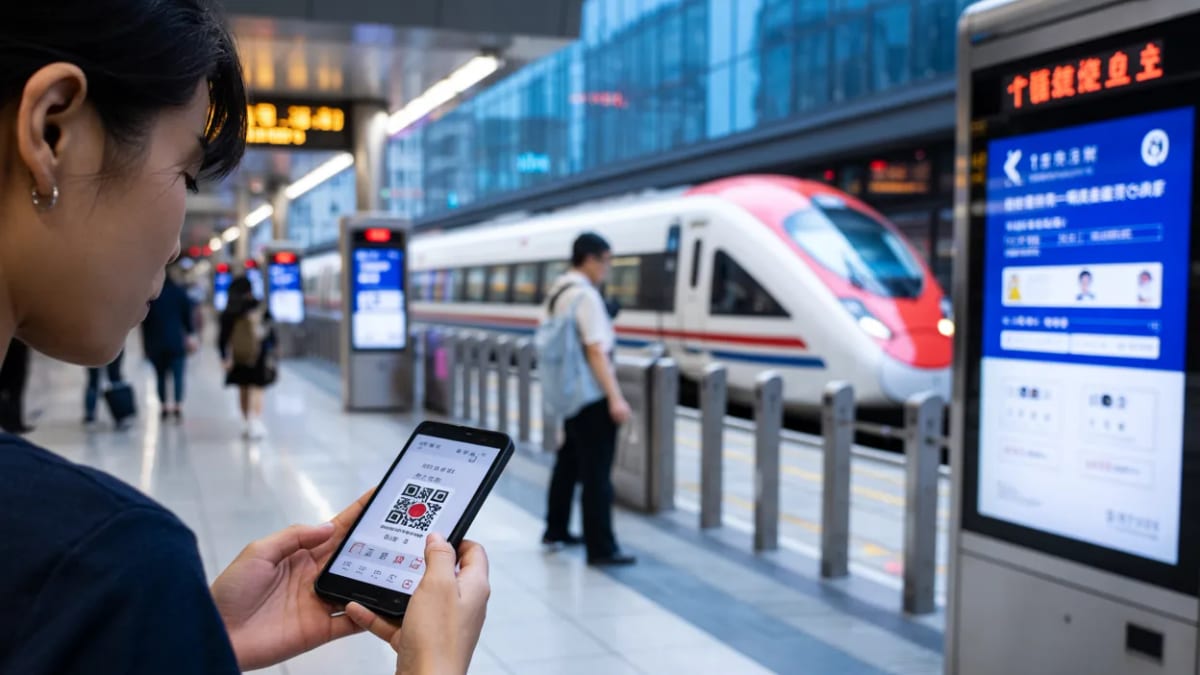
iPhone Flight Tracking Moves to the Lock Screen
Flight tracking has shifted from desktop maps and airport screens to the iPhone lock screen, where live updates are now standard for many travelers. Apple’s Live Activities feature and the Dynamic Island interface on recent iPhone models allow apps to pin an ongoing flight at the top of the screen, showing departure countdowns, gate changes, taxi progress, and arrival estimates in a compact banner.
Specialist apps such as Flighty and Flightradar24 have built deep integrations with these iOS features, turning the phone into a persistent status display during a trip. Users can follow an aircraft from its inbound leg, monitor the boarding window, and see revised arrival times without opening an app. According to recent product descriptions and coverage, these tools rely on a mix of airline, airport, and air traffic control data to keep their live panels current.
Apple’s own software has also expanded its role. Recent iOS releases allow eligible boarding passes stored in Apple Wallet to surface as Live Activities, giving travelers basic gate and status information directly from a pass issued by an airline. For many passengers, this means they can track at least one key flight natively, even before they download a dedicated flight tracker.
The result is that real time flight tracking is no longer confined to aviation enthusiasts. It has become a default expectation for iPhone users, especially on routes where delays and rolling schedule changes are common.
Dedicated Apps Add Delay Intelligence and Early Warnings
Beyond simple status boards, leading iPhone flight tracker apps now emphasize how early and how accurately they can flag problems. Flighty, for instance, markets itself around being faster than many airline apps at issuing delay and cancellation alerts, using data on inbound aircraft, airport congestion, and air traffic advisories to anticipate disruptions before they appear at the gate.
Travel and technology coverage highlights how these services surface information that frequent flyers once pieced together manually, such as whether an arriving aircraft is itself running late, or whether a cluster of delays at a hub airport is likely to cascade. Academic work in flight delay prediction has also advanced in recent years, with research teams building machine learning models that analyze aircraft rotations and weather to estimate the risk of downstream delays. Consumer apps are increasingly packaging similar ideas into plain language summaries about the likelihood of a schedule holding.
Other established trackers, including FlightAware and Flightradar24, combine their global radar-style maps with mobile features that help passengers translate aviation data into practical decisions. Users can view airport-level delay statistics, track aircraft already in the air, and cross-check whether a posted cancellation reflects an isolated issue or part of a wider disruption pattern.
As airlines continue to operate tight schedules, this kind of forward-looking alerting has become a differentiator. For travelers trying to protect connections or rebook quickly, the value of a notification that arrives even a few minutes ahead of an official schedule change can be substantial.
Apple Wallet, Airline Apps, and Third Parties Converge
One of the biggest changes in iPhone flight tracking is the convergence of tools from Apple, airlines, and independent developers. Apple Wallet now offers more detailed boarding pass experiences on recent versions of iOS, with the ability to display real time status information as a Live Activity. When an airline supports these capabilities, passengers can see key updates from the pass itself without installing another app.
At the same time, major carriers have expanded their own iOS apps to include native Live Activity support, particularly for day-of-travel information. Reports from user communities describe airline apps that can show boarding countdowns, seat assignments, and updated arrival times in a live banner similar to what third party trackers offer. For passengers loyal to a single carrier, these native tools can be sufficient for most trips.
Third party apps still aim to sit above this ecosystem, particularly for travelers who juggle multiple airlines or want more context than a gate and an estimated time of arrival. Some services aggregate reservations from email, calendar entries, or trip management platforms and then monitor every leg at once. Others allow users to track flights for friends and family, not just tickets booked in their own name.
This layering means that a single flight can appear simultaneously in an airline app, Apple Wallet, and an independent tracker, sometimes leading passengers to adjust alert settings to avoid duplicate notifications. However, the overlap also adds redundancy, which can be useful when one source lags behind another during irregular operations.
Designing for the Airport Journey, Not Just a Single Flight
Modern iPhone flight trackers increasingly focus on the full journey through the airport rather than a single gate number. Many apps now offer “day of travel” dashboards that pull together check in times, security wait expectations where available, boarding reminders, and even maps to help passengers find their gate or connection.
Apple’s platform changes support this shift. Recent Wallet enhancements described by the company point to richer boarding pass experiences, including interior airport maps and contextual prompts for when to head to the gate. Independent apps, meanwhile, have introduced features such as connection assistants that watch for tight layovers and highlight the fastest route between gates when schedules slip.
Wearables and car integrations extend this journey-focused approach beyond the phone itself. Several flight tracking apps now provide Apple Watch companions that mirror key details like departure countdowns and gate changes on the wrist. Some Live Activities can appear within compatible dashboards while driving to the airport, giving travelers status updates without checking their phones.
These design choices reflect a broader shift in travel technology, where the goal is to reduce uncertainty throughout the day rather than simply confirm that an aircraft has taken off. For many passengers, anxiety about when to leave for the airport or whether a connection is still viable rivals concern about the flight itself.
Choosing the Right iPhone App for Your Travel Style
With multiple ways to track a flight on an iPhone, travelers face a choice about how much detail they really want. For occasional flyers who typically use a single carrier, the combination of an airline app and an Apple Wallet boarding pass may provide enough information to navigate most trips. These options are usually free and require minimal setup beyond signing in and adding passes.
Frequent travelers, or those connecting across different airlines and alliances, may find more value in subscription oriented apps that focus on early warnings, historical flight logs, and predictive delay tools. Reviews and rankings from technology and travel outlets often single out Flighty and Flightradar24 for power users who want deep data, customizable alerts, and integrations with calendars or trip planning services.
Budget conscious passengers can still access meaningful tracking at no cost through widely used services such as FlightAware, which pair basic status alerts with detailed route and airport information. Even simple web searches using an airline and flight number continue to provide baseline tracking, though without the persistent lock screen presence or proactive notifications that native apps offer.
As air travel demand remains strong and disruption patterns evolve with weather and traffic, the utility of keeping an eye on flights from the lock screen is unlikely to fade. For many iPhone users, choosing the right mix of native and third party tools has become as much a part of trip preparation as packing a charger or confirming a seat assignment.