


More news on this day
As travelers head into another busy travel season, United Airlines customers are increasingly relying on a mix of phone, app-based tools and in-person help to resolve disruptions, and many are asking which contact options actually produce the fastest response when every minute counts.
Get the latest news straight to your inbox!
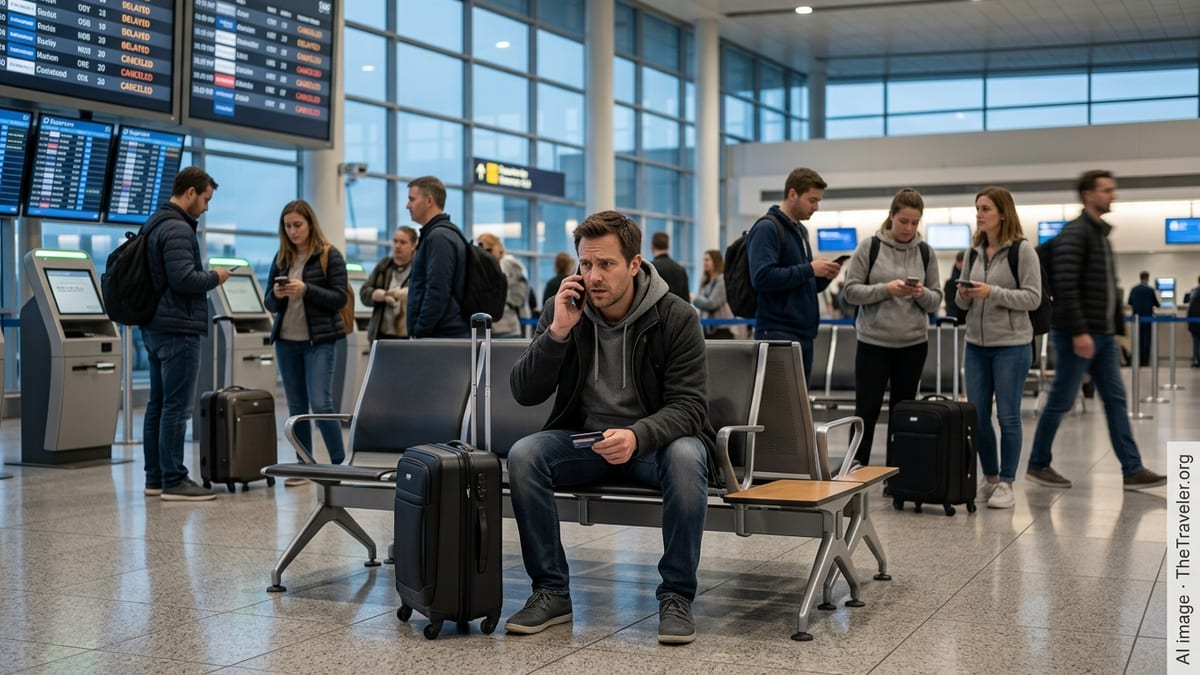
Phone support remains the backbone for urgent issues
Despite the growth of digital tools, published customer service guides show that United Airlines still routes many complex or time-sensitive problems through its main phone lines, including rebooking during major delays, correcting ticketing errors and handling refund questions that cannot be processed automatically.
Travel forums and recent online discussions indicate that the general reservations number continues to be the primary gateway to live agents for most passengers, with status members typically routed to dedicated lines after account verification. Callers are encouraged by public guidance to have confirmation codes, ticket numbers and passenger names ready before dialing in to shorten verification and handling times.
Reports from frequent flyers over the past year suggest that calling during off-peak hours, such as early mornings in the departure city’s time zone, can substantially reduce waiting times. Some passengers also note that remaining patient through automated menus rather than repeatedly pressing zero helps the system identify the correct department more quickly, especially for specialized desks like accessibility support or baggage resolution.
United app and website chat gain prominence
Alongside traditional phone channels, United’s mobile application and website chat features have become central to the carrier’s service strategy, with recent customer service documents highlighting virtual assistants that can escalate to live agents when automated options are not sufficient.
Publicly available guidance describes a two-step process in many cases, where travelers first interact with an automated chat tool to handle routine tasks such as checking flight status, exploring same-day change options or confirming baggage rules. When these scripts reach their limits, passengers may be offered the option to connect with a human agent inside the same chat window.
Online traveler accounts present mixed views of chat performance. Some passengers report quick, written confirmations of flight changes and fee waivers, particularly for straightforward itinerary adjustments, while others describe slower back-and-forth exchanges compared with voice calls when explaining complex irregular operations. Even so, chat has become a favored option for travelers abroad who want to avoid long-distance phone charges while still obtaining near real-time assistance.
Text messaging, iMessage and social media support
In addition to in-app chat, United customers increasingly rely on text-style formats, including iMessage business chat functions and direct messages on social media platforms, to contact the airline without waiting on traditional voice queues.
Posts in consumer forums highlight that some iOS users can initiate a business chat session with United from a phone number associated with bookings, turning a tap on the number into a secure messaging thread that connects to airline support. Travelers who have used this feature describe it as useful for minor issues and quick clarifications, especially when they prefer not to stay on hold.
According to recent customer service overviews, United also monitors messages sent to its verified accounts on platforms such as X and Facebook. These social channels are generally recommended for non-sensitive questions, such as policy clarifications or schedule information, because agents may steer detailed booking changes back to more secure environments. Even so, some frequent flyers say social media outreach can draw attention to time-critical disruptions when other queues appear congested.
Email, online forms and post-travel follow up
While real-time channels dominate during travel days, email and web-based forms still play a role in United’s service ecosystem, particularly for issues that do not require immediate intervention, such as refund reviews, baggage follow up and customer care complaints after a trip.
Recent customer service guides compiled by independent organizations indicate that United directs many written concerns through structured online forms linked to specific topics like delayed baggage, ticket refunds or accessibility feedback. These forms route submissions to dedicated back-office teams that process cases over several days rather than minutes.
Travelers posting online report that written channels can be effective for detailed documentation, including scanned receipts and time-stamped records of delays, which may be harder to relay over the phone. However, processing times are typically longer than live channels, prompting many passengers to combine approaches by seeking same-day solutions via phone or chat while also filing formal written requests for reimbursements or travel credits.
Airport support desks and gate agents as last-resort options
As digital service channels expand, recent passenger commentary suggests that traditional airport customer service centers have been scaled back or consolidated, with United encouraging many customers to self-serve or use the mobile app even while they are at the terminal.
Nonetheless, travelers dealing with cancellations and missed connections still often turn to ticket counters and gate agents when rebooking options in the app are limited or when trips involve complex multi-segment itineraries. Public explanations of airline procedures note that airport personnel can sometimes access inventory or rerouting choices that differ slightly from what is offered online, especially in periods of severe disruption.
Passengers who rely on airport help desks report that queues can grow quickly during major weather events or system outages, leading many frequent travelers to initiate digital or phone contact from the gate area simultaneously. By combining approaches, they aim to secure earlier rebooking options, taking whichever channel produces a workable solution first.
Seven practical ways to avoid delays when seeking help
Recent coverage of airline customer service trends underscores that speed often depends less on discovering a hidden number and more on using existing channels strategically, particularly during peak travel periods and irregular operations.
First, travelers are advised to start with the United app or website as soon as a disruption appears, since same-day change tools, self-service rebooking and automated vouchers may resolve the problem before queues build. Second, when self-service options are insufficient, moving quickly to either the main phone line or in-app chat, with reservation details already on hand, can prevent further delays.
Third, experienced passengers suggest keeping messaging-based options, such as iMessage business chat or direct messages to United’s verified social accounts, as parallel routes for simpler questions or when cell coverage makes voice calls difficult. Fourth, for non-urgent financial matters like refunds, travel credits and baggage reimbursements, email and online forms give travelers a written record that can be referenced later if follow up is required.
Finally, reports from frequent flyers emphasize that airport counters and gate agents remain an important safety net in severe disruption, but are best treated as one of several tools rather than the only solution. By understanding how these seven broad pathways work together, United customers are better positioned to reach support without unnecessary delays when their travel plans change at the last minute.